
Industrial Cellular Router vs Home Router: Key Differences for Buyers
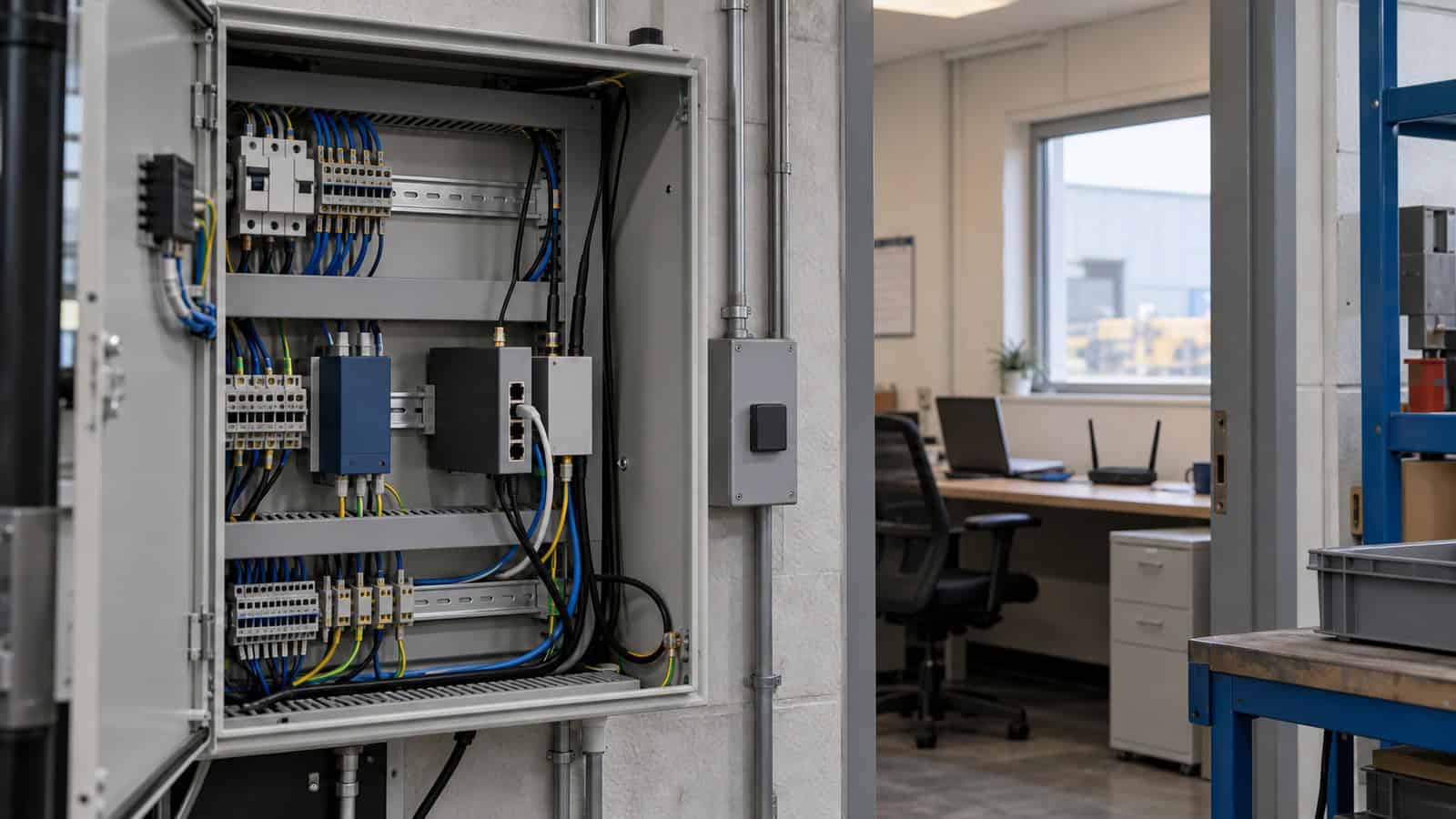
The Robustel R5020 Industrial Dual-SIM 5G Router illustrates the practical difference between an industrial cellular router and a home router: the industrial product is designed around installation conditions, wired equipment, WAN recovery and remote fleet operation, while a home router is normally chosen to provide convenient internet and Wi-Fi within an occupied building.
That distinction is more useful than comparing headline radio rates. A router in a house can be restarted by someone nearby and usually sits in a clean, temperature-controlled room. A router serving a roadside cabinet, machine, branch network or vehicle may be unattended for months. Its interfaces, power input, mounting method and recovery behaviour become part of the operating system around the site.
Industrial Cellular Router vs Home Router at a Glance
The two product categories overlap: both can route IP traffic, provide Wi-Fi and use security functions. Their design priorities diverge once the installation leaves a domestic environment.
| Decision area | Typical home-router priority | Industrial cellular-router priority | What the buyer should verify |
|---|---|---|---|
| WAN connection | Fixed broadband, sometimes consumer cellular | Cellular as primary, backup or mobile WAN, often alongside Ethernet or Wi-Fi | Supported cellular generation and regional bands, SIM design, WAN policy and antenna plan |
| Environment | Indoor, occupied, temperature controlled | Unattended cabinets, vehicles, temporary sites and industrial rooms | Published operating temperature, ingress rating and enclosure limits |
| Installation | Shelf or tabletop near users | DIN rail, wall or equipment enclosure | Mounting accessories, clearances, grounding and cable routing |
| Local equipment | Phones, laptops, televisions and smart-home devices | Controllers, cameras, payment systems, serial devices and local network appliances | Exact Ethernet, serial, I/O, USB and PoE requirements |
| Potencia | Consumer AC adapter | Site DC supply, protected input or PoE, depending on model | Input range, connector, consumption and power-failure behaviour |
| Recovery | Local user restarts the router | Defined automatic recovery plus remote diagnosis | Failure detection, failover, VPN recovery, application retry and failback |
| Operations | One household device | Tens, hundreds or thousands of distributed routers | Fleet inventory, configuration, firmware, alerts and access controls |
A metal enclosure or a wide temperature figure is not enough by itself. The router still has to fit the electrical design, communications topology and support process of the site.
Ruggedness Is a Published Operating Envelope, Not a Label
“Rugged” is often used loosely. Procurement teams should replace it with measurable questions: What operating-temperature range is published? Is the enclosure metal or plastic? What ingress rating applies? Which vibration, shock or EMC tests are documented? How will the unit be mounted?
The R5020, for example, has a metal enclosure, IP30 ingress protection and desktop, wall and 35 mm DIN-rail installation options. Its published temperature range distinguishes normal operation from an extended range. Those are product capabilities. Whether the router will survive a particular cabinet beside a furnace or outdoors through winter is an engineering decision that also depends on enclosure sealing, solar load, condensation, airflow and the temperature of nearby equipment.
IP30 is especially easy to misread. It does not make a router a bare outdoor device. An outdoor or wash-down location still requires a suitable enclosure and a complete thermal and moisture design. A domestic plastic housing may be entirely adequate on a living-room shelf; the problem is using either category outside the conditions it was designed and documented to handle.
Interfaces Determine Whether the Router Fits the Site
Home networks are dominated by Ethernet and Wi-Fi clients. Industrial sites often have a mixed population: an Ethernet camera, an RS-485 meter, an RS-232 terminal, a digital alarm contact and an upstream firewall may all appear in the same project. Counting ports is only the start; their electrical type and intended role must match the design.
The R5020 provides four Gigabit Ethernet ports, separate RS-232 and RS-485 ports, one digital input and one digital output, Wi-Fi 5 and optional model-specific features including PoE-PD, vehicle ignition sensing and GNSS. A buyer should not assume every ordering variant includes every option. The final bill of materials needs to identify the exact model and its power, GNSS and vehicle requirements.
PoE language also needs care. PoE-PD means the router can be powered through a compatible Ethernet source. PoE-PSE means the router supplies power to downstream devices. The Robustel R2120-5G Industrial Dual-SIM 5G NR Cellular PoE-PSE Router with RS-485 provides four IEEE 802.3af/at PoE-PSE ports, whereas the R5020 offers a PoE-PD version. Substituting one term for the other can leave a camera or access controller without power when the system is commissioned.
Power and Installation Change the Failure Modes
A home router normally arrives with a matched mains adapter. Industrial cellular routers are integrated into a larger electrical system. The input may come from a control-panel supply, a vehicle circuit, a backed-up DC bus or PoE. Voltage range, polarity protection, surge protection, connector retention and available power budget all affect the installation.
The R5020 datasheet separates its PoE-PD and vehicle ACC power arrangements. The R5010 accepts a wide DC input and can also be powered through USB-C or an optional 802.3at PoE-PD Ethernet arrangement. The R2120-5G needs a power design that accounts for the router and any loads supplied by its four PoE-PSE ports; total PoE capacity depends on the selected power supply.
This is where a simple bench demonstration can give false confidence. A router may work perfectly from its supplied adapter while the intended site supply dips during equipment startup or disappears when a cabinet breaker is opened. Acceptance testing should use the production power path and observe boot, reconnection and application recovery after a controlled interruption.
Dual SIM and Failover Need an Application-Level Test
An industrial cellular router may use dual SIMs to provide another operator or subscription path. That improves one part of the design, but it does not duplicate the router, antenna system, power supply or upstream application. It should be described as SIM or operator diversity, not complete redundancy.
Failover also has several stages. The router must decide that the preferred path has failed, select another path, establish network service and restore routing. VPN tunnels and long-lived TCP sessions may then reconnect on their own schedules. A point-of-sale terminal, controller or monitoring application can remain unavailable even after the router reports a healthy WAN.
A useful test records the interruption time seen by the real application. It should cover loss of the primary circuit, loss of cellular service where practical, return of the preferred path and repeated failback. If a home internet connection pauses for a minute, a resident notices. At an unattended branch, the same event may remain hidden until transactions fail, which is why recovery and alert ownership must be defined before deployment.
Where the Robustel R5020 Industrial Cellular Router Fits
The Robustel R5020 Industrial Dual-SIM 5G Router fits sites that need a broader local interface set than a compact cellular handoff device. Four Gigabit Ethernet ports can connect several local systems without immediately adding another switch; separate RS-232 and RS-485 ports avoid treating one configurable serial connection as two simultaneous interfaces. DI/DO can bring a simple external state into the router architecture where the documented electrical characteristics suit the signal.
Its RobustOS networking functions include IPsec, OpenVPN, GRE and DMVPN options, firewall functions and remote management through Web, CLI, SMS and RCMS. These capabilities support secure site connectivity and remote operations, but they do not determine the security architecture on their own. Certificate handling, authentication, firewall policy, user roles and change control still belong in the project design.
The portfolio covers different ownership boundaries rather than forming a simple performance ladder.
| Robustel model | Verified differentiator | Best-fit architecture | Important boundary |
|---|---|---|---|
| Robustel R5010 Industrial 5G Router with 2.5GB LAN, PoE-PD and USB Connectivity | One 2.5 GbE LAN port, USB modem mode, dual Mini SIM and optional PoE-PD | Existing firewall or SD-WAN appliance keeps policy ownership; the router supplies 5G connectivity | Not intended to replace a multi-port industrial access topology |
| Robustel R5020-Lite Industrial Dual-SIM 5G Router with 2x LAN, Serial and GNSS | Two Gigabit Ethernet ports and one software-configurable RS-232 or RS-485 interface | Compact primary or backup cellular WAN with modest local connectivity | Configurable serial means RS-232 or RS-485, not both at once |
| Robustel R5020 Industrial Dual-SIM 5G Router with 4x LAN, Serial, GNSS and PoE | Four Gigabit Ethernet ports, separate RS-232 and RS-485, DI/DO and Wi-Fi 5 | Industrial sites, branches or vehicles needing several direct interfaces | GNSS, ignition sensing and PoE depend on the ordering variant |
| Robustel R5020e Industrial Dual-SIM 5G Router with 1x eSIM/eUICC, 1x 2FF SIM, 4x LAN, Serial, GNSS and PoE | Hybrid physical SIM and embedded eSIM architecture | Distributed or cross-border deployments where remote subscription provisioning is required | eSIM processes, operator support and the exact ordering model must be validated |
| Robustel R2120 5G Industrial Dual-SIM 5G NR Cellular PoE-PSE Router with RS-485 | Five Gigabit Ethernet ports, four PoE-PSE outputs, RS-485 and isolated digital I/O | Distributed cameras, access devices and other compatible powered IP equipment | Power-supply sizing governs the available PoE budget |
| Robustel R5030 Industrial Dual-SIM 5G Router with 5x LAN, Wi-Fi 6, GNSS and PoE | Five Gigabit Ethernet ports and dual-band Wi-Fi 6 | Passenger Wi-Fi and enterprise sites where modern local WLAN is an explicit requirement | Wi-Fi 6 does not establish client capacity or application performance without a site design |
The right model follows from the equipment and responsibilities on each side of the router. If a firewall already owns VPN and security policy, the R5010 can provide a focused cellular handoff. If several industrial interfaces terminate locally, the R5020 is the more natural starting point. Sites that need to power downstream Ethernet equipment should examine the R2120-5G architecture, while projects with a genuine Wi-Fi 6 requirement can evaluate the R5030.
Two Robustel examples show why that architectural distinction matters, although they provide different kinds of evidence. In the Jones Technology retail resilience case study, R5010 routers supplied the cellular path alongside an SD-WAN design across a live multi-site deployment. The case also records site-specific work on router and antenna placement in difficult RF conditions. It is deployment evidence for a cellular handoff architecture, not a promise that every branch will reproduce the same results.
The R5020 high-speed branch routing application example describes a different ownership model: the router terminates more of the branch connectivity and can combine cellular access, Ethernet WAN, local segmentation and remote operations. This is a reference architecture rather than a named customer deployment. Buyers can use it to frame a pilot, but the final WAN policy, security rules and acceptance thresholds still have to be validated against their own network.
Fleet Operations Are Part of the Product Decision
A household router is usually managed one device at a time. That approach becomes expensive once routers are spread across shops, vehicles, utility assets or temporary sites. Engineers need a consistent inventory and a way to distinguish a site fault from a carrier pattern, configuration drift or a software-version issue.
Robustel RCMS provides centralized visibility and management workflows for supported Robustel routers and gateways, including status, signal and data information, configuration and firmware or application update functions where documented. It can reduce unnecessary travel by narrowing the likely fault domain before a technician is dispatched.
Remote management has a hard dependency: the device needs power and a viable communications path. It cannot repair a damaged antenna, restore a failed cabinet supply or confirm that a field sensor is producing correct measurements. The support procedure should state what the operations team can do remotely, what evidence triggers a site visit and who owns that decision.
A Buyer’s Acceptance Checklist
Before replacing a home or small-office router with an industrial cellular router, write the requirements as tests rather than adjectives.
For teams preparing an R5020 bench test, Robustel’s R5020 5G IoT Router Quick Start Guide video provides a practical introduction to the basic setup sequence. It does not replace the site-specific power, RF, failover and application-recovery tests below.
- Confirm the exact regional cellular model, frequency bands and intended operators.
- Survey the final antenna position and account for enclosure and cable losses.
- Match every Ethernet, serial, digital I/O, USB and PoE connection to the exact ordering variant.
- Verify the production power source, protection, connector and restart behaviour.
- Check mounting, cabinet clearances, temperature and ingress protection for the real location.
- Test primary WAN failure, cellular fallback, VPN recovery, application recovery and controlled failback.
- Define configuration ownership, credentials, firmware policy, alerts and remote-support permissions.
- Record which failures dual SIM addresses and which still require separate power, hardware or backhaul measures.
This checklist may show that a home router is adequate for an occupied, benign site with ordinary broadband and no industrial interfaces. It may also reveal that an industrial cellular router is needed even when raw traffic is modest, because unattended recovery and fleet support carry more operational weight than peak throughput.
Preguntas frecuentes
Q1. What are the key differences between an industrial router and a home router?
The important differences are usually power input, mounting, operating environment, interfaces and lifecycle support rather than headline wireless speed. A home router is designed for an occupied indoor space; an industrial router is selected as part of a cabinet, vehicle or remote-site system and must match that system’s electrical and environmental conditions.
Q2. What is an industrial cellular router?
It connects local equipment to a mobile network and is built for integration into industrial or distributed sites. Depending on the model, that can include industrial DC power, DIN-rail mounting, serial or digital I/O, dual SIM, VPN functions and central device management.
Q3. What are the two types of routers?
There is no single two-part classification that covers every deployment. For buyers comparing site connectivity, a useful first distinction is between fixed-line routers and cellular routers; the next step is to separate consumer equipment from industrial hardware according to the installation and support requirements.
Q4. Are cellular routers good?
They are a strong option when a site needs rapid deployment, geographic flexibility or an independent WAN path. Their suitability still depends on surveyed coverage, antenna placement, the data plan, security design and how the application behaves when the mobile link changes.
Q5. Which Robustel industrial cellular router is suitable for a mixed-interface site?
The Robustel R5020 Industrial Dual-SIM 5G Router is a practical starting point when the design needs four Gigabit Ethernet ports, separate RS-232 and RS-485 interfaces, DI/DO and Wi-Fi 5. The exact variant must still be checked for PoE-PD, GNSS, ignition sensing, regional bands and certification requirements.
Conclusión
The Robustel R5020 Industrial Dual-SIM 5G Router is well suited to mixed-interface industrial sites where cellular WAN, several Ethernet devices, serial equipment and centralized operations need to share one managed platform. Its value over a home router comes from that system fit, not from a claim that every installation will achieve the same 5G speed or availability.
Procurement should begin with the final environment, connected equipment, power architecture and recovery test. Once those are written down, the choice between a home router and an industrial cellular router becomes an engineering decision that can be verified before rollout.
Explore more articles about Robustel’s 5G routers in industrial IoT:



Acerca del autor
Robert Liao | Technical Support Engineer
Robert is an IoT Technical Support Engineer at Robustel, specializing in industrial networking and edge connectivity. A certified Networking Engineer, Robert focuses on the deployment and troubleshooting of large-scale IIoT infrastructures. His work centers on architecting reliable, scalable system performance for complex industrial applications, bridging the gap between field hardware and cloud-side data management.