
Transforming IIoT Workflows: Deploying the MING Stack on Industrial Edge Gateways
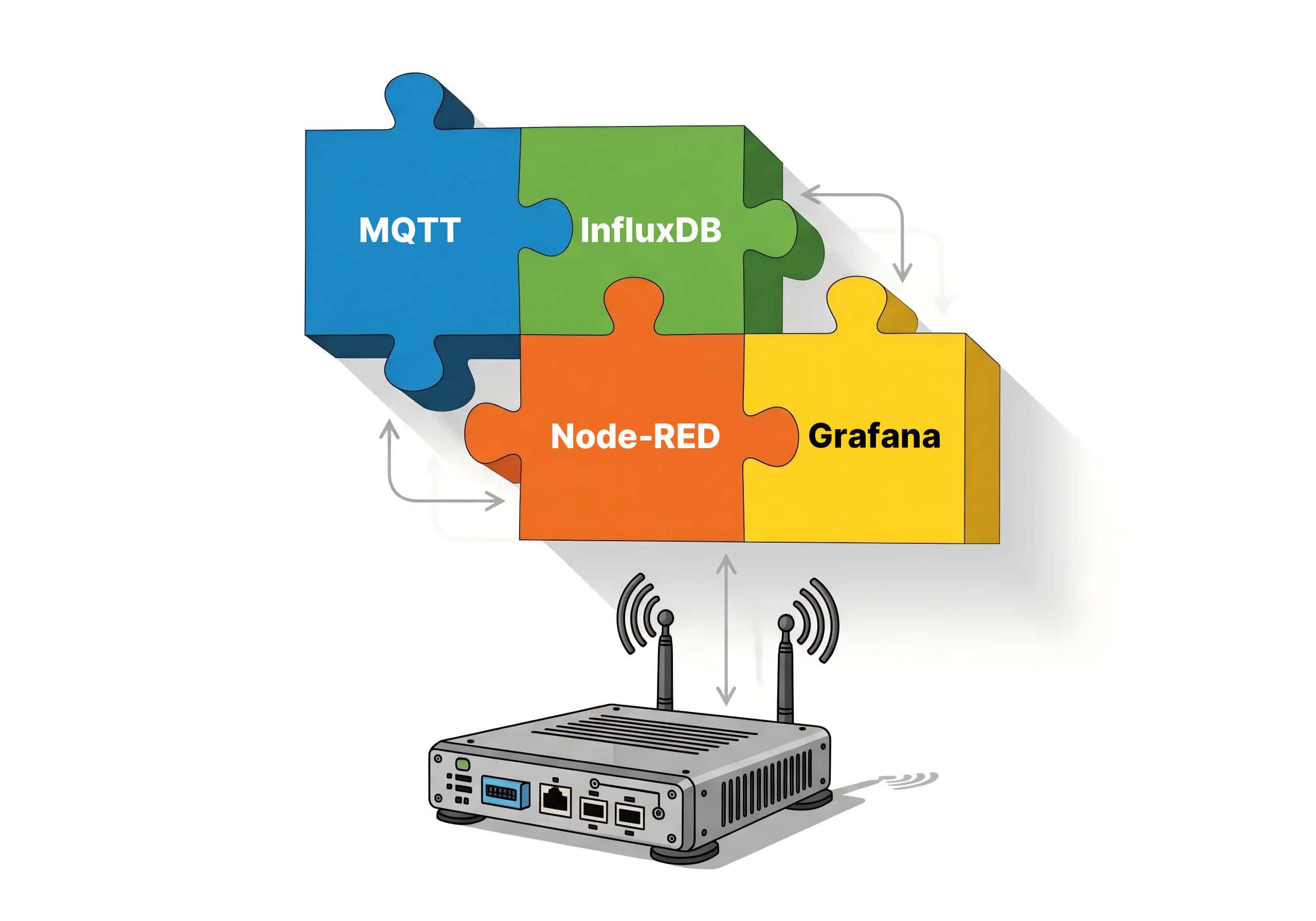
Bridging the gap between raw Modbus register data and actionable enterprise insights shouldn’t require a massive custom coding project. As industrial operations pivot towards real-time edge intelligence, the ability to normalize and process data locally has become a strategic necessity.
In this technical guide, you will learn:
- The Low-Code Advantage: How to leverage the Node-RED ecosystem to visually architect a robust data pipeline, eliminating the complexity of traditional firmware development.
- The Power of the MING Stack: Why running InfluxDB and Grafana directly on the Robustel EG5120 industrial edge gateway creates a self-sufficient ecosystem for data storage and visualization.
- Infrastructure Consolidation: How the Debian 11-based RobustOS Pro environment allows you to replace multiple external PCs with a single, hardened Industrial Edge AI Gateway.
Stop fighting with cryptic hex values and start building scalable, future-proofed data acquisition solutions that keep your field intelligence local, secure, and under your total control.
Introduction: Unlocking Industrial Intelligence at the Edge
I’ve met countless engineers who face the same frustration: they are surrounded by a factory floor full of valuable sensors, yet the data remains “trapped” within Modbus registers. Converting these cryptic hex values into actionable insights for a modern dashboard often feels like a massive, custom coding project. In a world moving toward real-time decision-making, this technical barrier is a risk most industrial operations can no longer afford.
But what if you could bypass the complex coding and visually architect your data flow? This is where the Robustel EG5120 changes the game. By leveraging the Node-RED ecosystem on a high-performance Industrial Edge Gateway, you transform your hardware from a simple pass-through device into a low-code, highly flexible Node-RED Modbus Gateway. This setup isn’t just about moving data; it’s about Work Better Together—pairing the simplicity of drag-and-drop logic with the quad-core processing power of the EG5120 to build a resilient data pipeline right where the action happens.
Building Your Edge Intelligence Foundation
To transform our vision of a data pipeline into reality, we first need to prepare the “engine room.” The true strength of the Robustel EG5120 lies in its RobustOS Pro operating system. Because it is built on a full Debian 11 environment, it doesn’t just act as a router; it serves as a robust platform capable of hosting the entire MING Stack (MQTT, InfluxDB, Node-RED, and Grafana) locally.
How to Initialize Your Local Ecosystem:
- Enter the Control Center: Access the EG5120 web management interface by logging in via its local IP (default: 192.168.0.1).
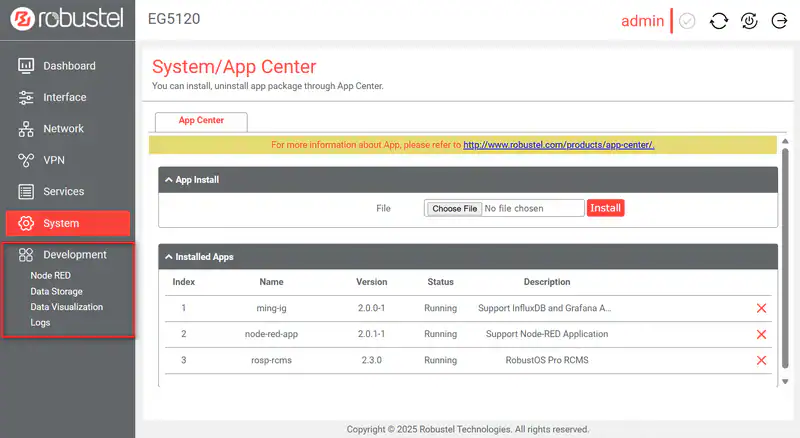
- Unlock the Power of Apps: Navigate to System -> APP Center. This is where the hardware’s versatility comes to life.
- Deploy the MING Stack: Upload and install the ming-ig package (providing InfluxDB and Grafana) alongside the node-red-app package. Using standard .deb or .rpk formats ensures a seamless installation process without manual dependency hunting.
- A Crucial Pro-Tip – The Extend Image: This is the most vital step for a stable deployment. Before installing your apps, ensure you have applied the extend-image patch. This patch expands the Debian environment’s libraries, providing the necessary “oxygen” for complex applications like Node-RED to thrive.
Note: After applying the extend-image, performing a factory reset is a standard best practice to ensure the new system architecture is fully initialized and ready for production.
Once installed, a new Development tab will appear in your sidebar. This serves as your gateway to Node-RED, local data storage (InfluxDB), and real-time visualization (Grafana)—all running entirely at the edge on the EG5120.
Building the Data Flow in a Node-RED Modbus Gateway
Now for the fun part. We will build the flow that reads, processes, and stores our sensor data.
(Note: This section’s structure is preserved for easy screenshot insertion.)
Step 1: Import the Workflow
To accelerate development, you can start by importing a pre-built workflow.
- Navigate to Development -> Node RED -> Basic -> Flows List.
- Click Choose File to upload a pre-made Node-RED flow JSON file.
- Click the upload icon, and then click the checkmark to activate the flow.
Step 2: Open the Node-RED Canvas
- On the same page, under Basic Settings, ensure Enable Node-RED is on, activate flow and click Open Editor. This will open the Node-RED visual programming canvas in a new tab.
- You will see the imported flow, which typically consists of several connected nodes.
Step 3: Understanding and Verifying the Flow
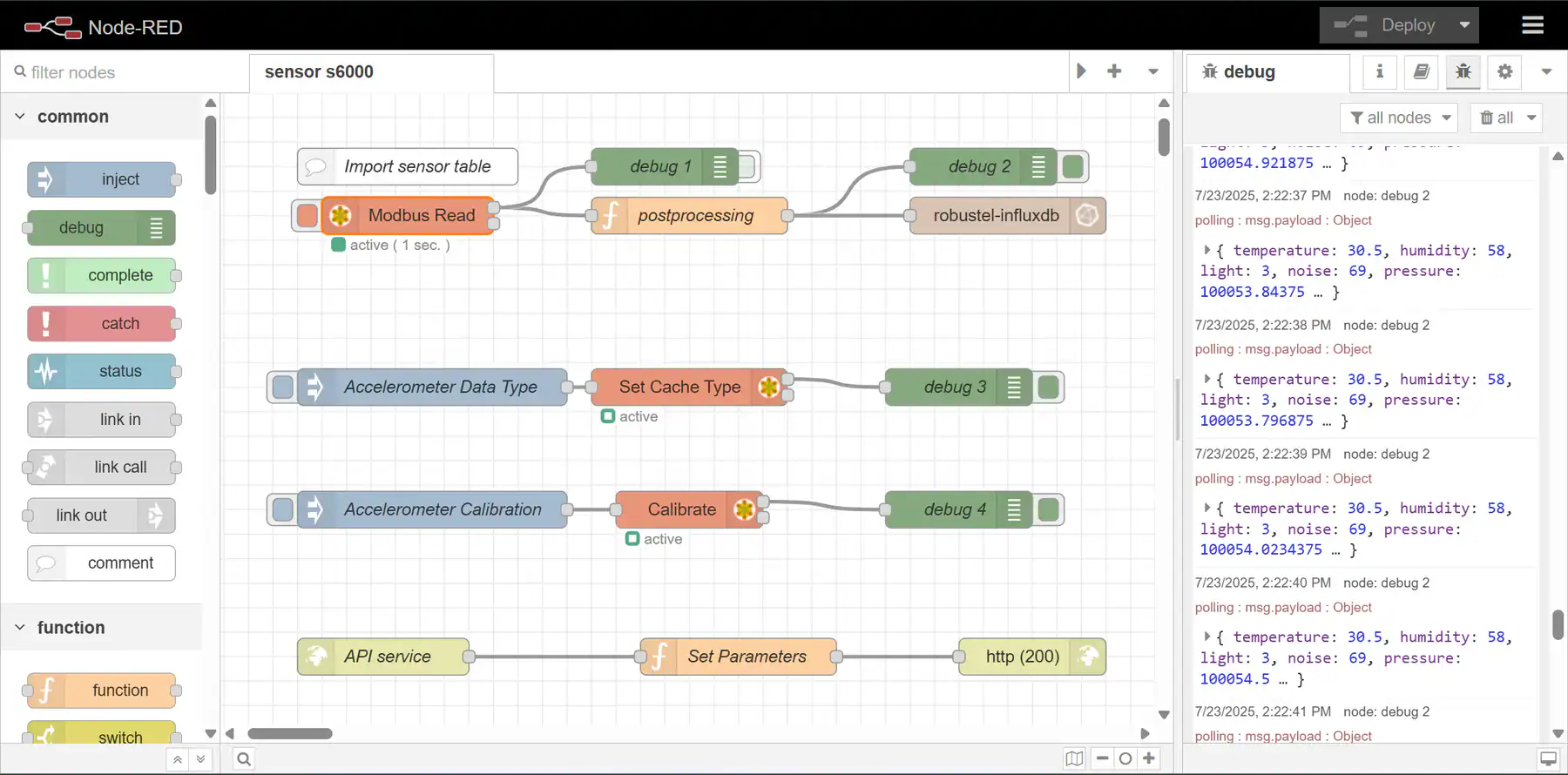
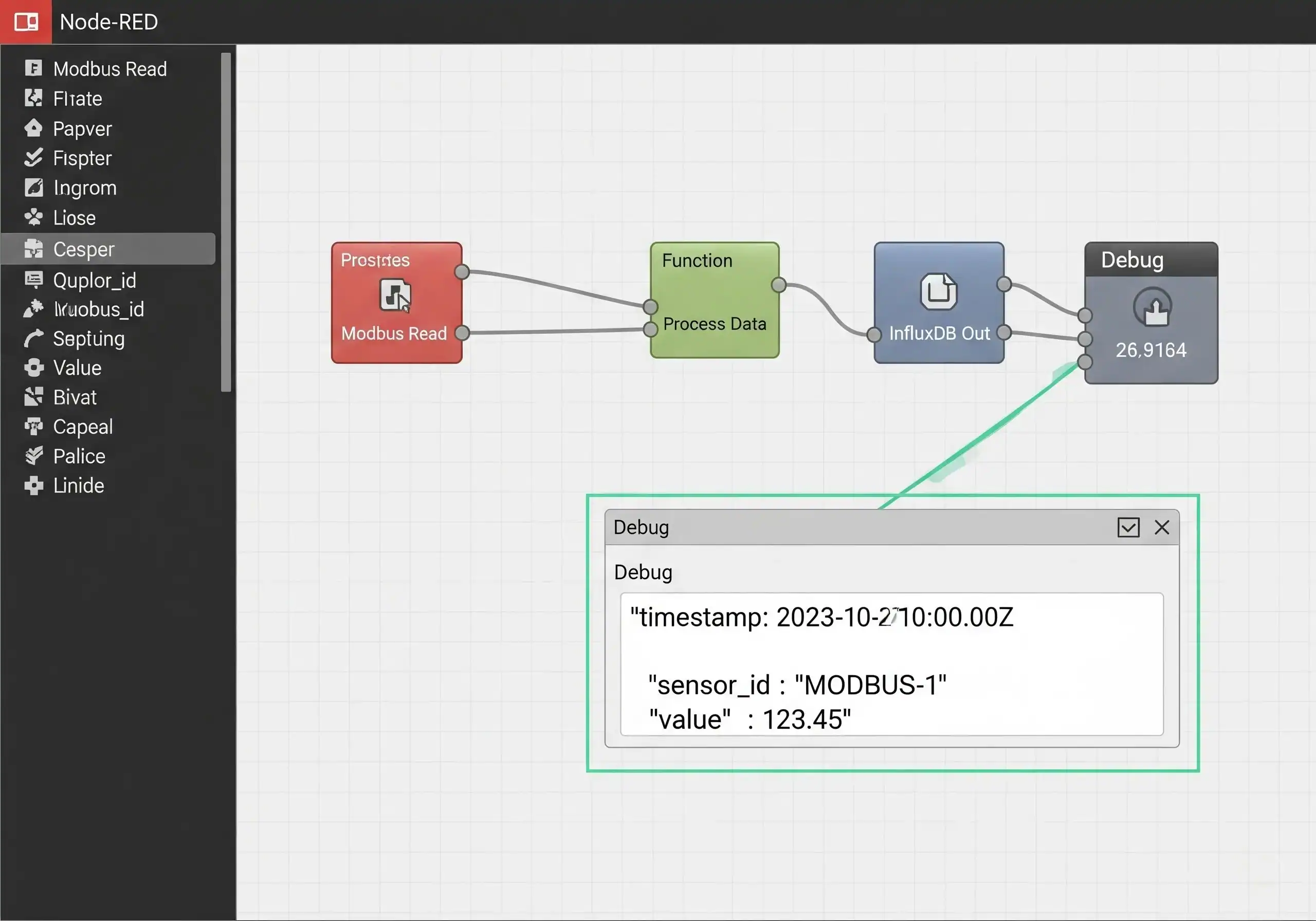
Let’s look at the key nodes in a typical Node-RED Modbus Gateway flow:
- Modbus Read Node: This is the starting point. It’s configured with the sensor’s Modbus slave ID, the register address you want to read, and the polling interval (e.g., every 1 second).
- Function Node (Post-Processing): This node contains a small piece of JavaScript code. It takes the raw data from the Modbus node, which might be a cryptic array of numbers, and transforms it into a clean, human-readable JSON object (e.g.,{“temperature”: 25.7, “humidity”: 30}).
- Debug Node: This is your best friend for troubleshooting. I can’t stress this enough. By connecting a debug node to the output of any other node, you can see the exact data passing through the flow in the debug sidebar on the right. Always check your data here before sending it to a database.
- InfluxDB Out Node: This is the final step. This node is configured to connect to your local InfluxDB database. It takes the clean JSON object and writes it into the database as a new time-stamped data point.
Once you click the Deploy button in the top right, your flow is live! You should see data appearing in the debug sidebar every second, confirming that your
Modbus data collection is successful.
Step 4: Configuring the Data Store (InfluxDB)
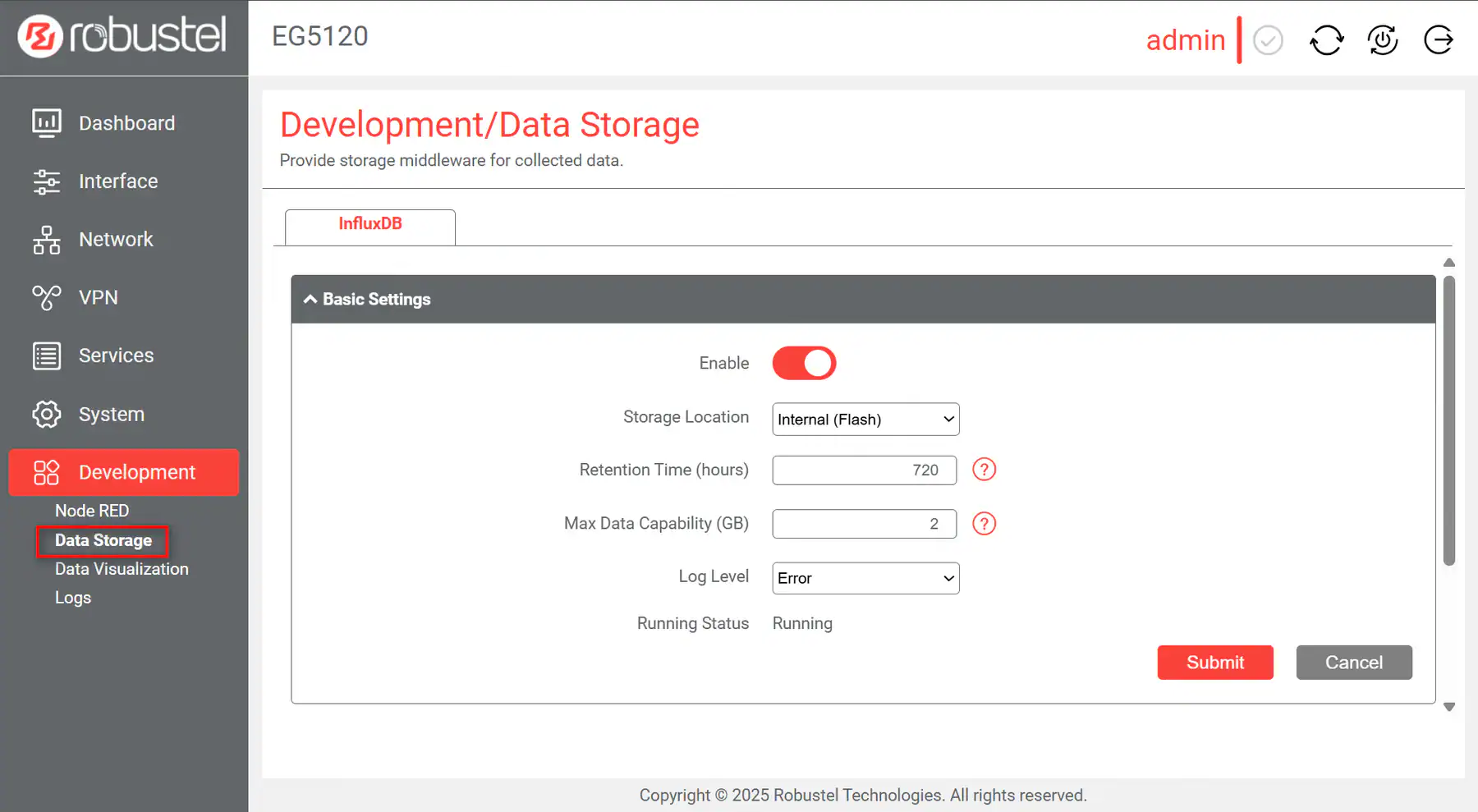
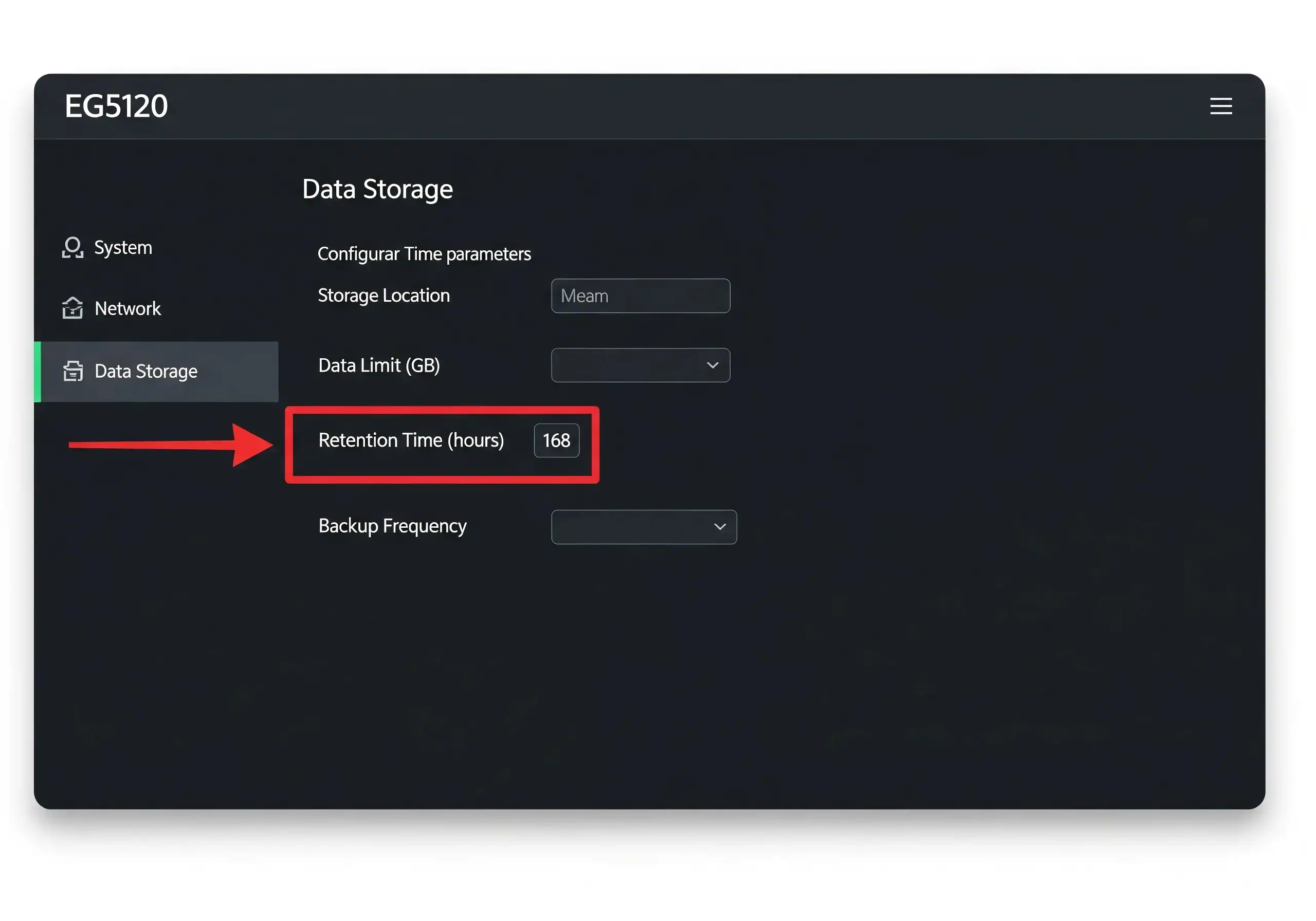
Briefly, navigate to Development -> Data Storage in the EG5120’s interface. Here, you can configure crucial settings for your InfluxDB database, such as setting a Retention Time (e.g., 720 hours) to automatically delete old data and manage storage space.
Conclusion: Scaling Your Industrial Ambitions
By following these steps, you have done more than just configure a device; you’ve built a complete, industrial-grade data pipeline at the edge. Utilizing a Node-RED Modbus Gateway like the Robustel EG5120 simplifies the traditionally opaque process of industrial data acquisition into a transparent, visual workflow that anyone from your team can manage and scale.
This architectural shift offers a definitive edge in the IIoT landscape. By processing and normalizing data locally, you dramatically accelerate your time-to-market for new monitoring projects while retaining absolute control over your field intelligence. Whether you are aiming for predictive maintenance or simple energy monitoring, the synergy between Node-RED’s low-code flexibility and the EG5120’s quad-core NPU power ensures your infrastructure is not just functional for today, but future-proofed for the advanced AI-driven demands of tomorrow.
With Robustel, you are no longer just collecting data—you are making it Work Better Together.
Preguntas frecuentes
Q1: What is the “MING” stack?
A1: MING is an acronym for a popular open-source IoT software stack: MQTT (for messaging), InfluxDB (for database), Node-RED (for logic), and Grafana (for visualization). An industrial IoT edge gateway that supports these tools provides a very powerful and flexible platform.
Q2: Do I need to know JavaScript to use Node-RED?
A2: For basic flows, no! Many tasks can be accomplished simply by wiring together pre-built nodes. For more advanced data transformation in a “Function” node, some basic JavaScript knowledge is helpful, but there are countless examples online to get you started.
Q3: Can this Node-RED flow send data to the cloud instead of a local database?
A3: Absolutely. Instead of using the “InfluxDB Out” node, you would use an “MQTT Out” node to publish the data to any MQTT broker, whether it’s on a local network or in a public cloud platform like AWS.
About the Author
Robert Liao | Ingeniero de soporte técnico
Robert is an IoT Technical Support Engineer at Robustel, specializing in industrial networking and edge connectivity. A certified Networking Engineer, Robert focuses on the deployment and troubleshooting of large-scale IIoT infrastructures. His work centers on architecting reliable, scalable system performance for complex industrial applications, bridging the gap between field hardware and cloud-side data management