
LoRaWAN Gateway Fleet Management: Updates, Monitoring and Remote Troubleshooting
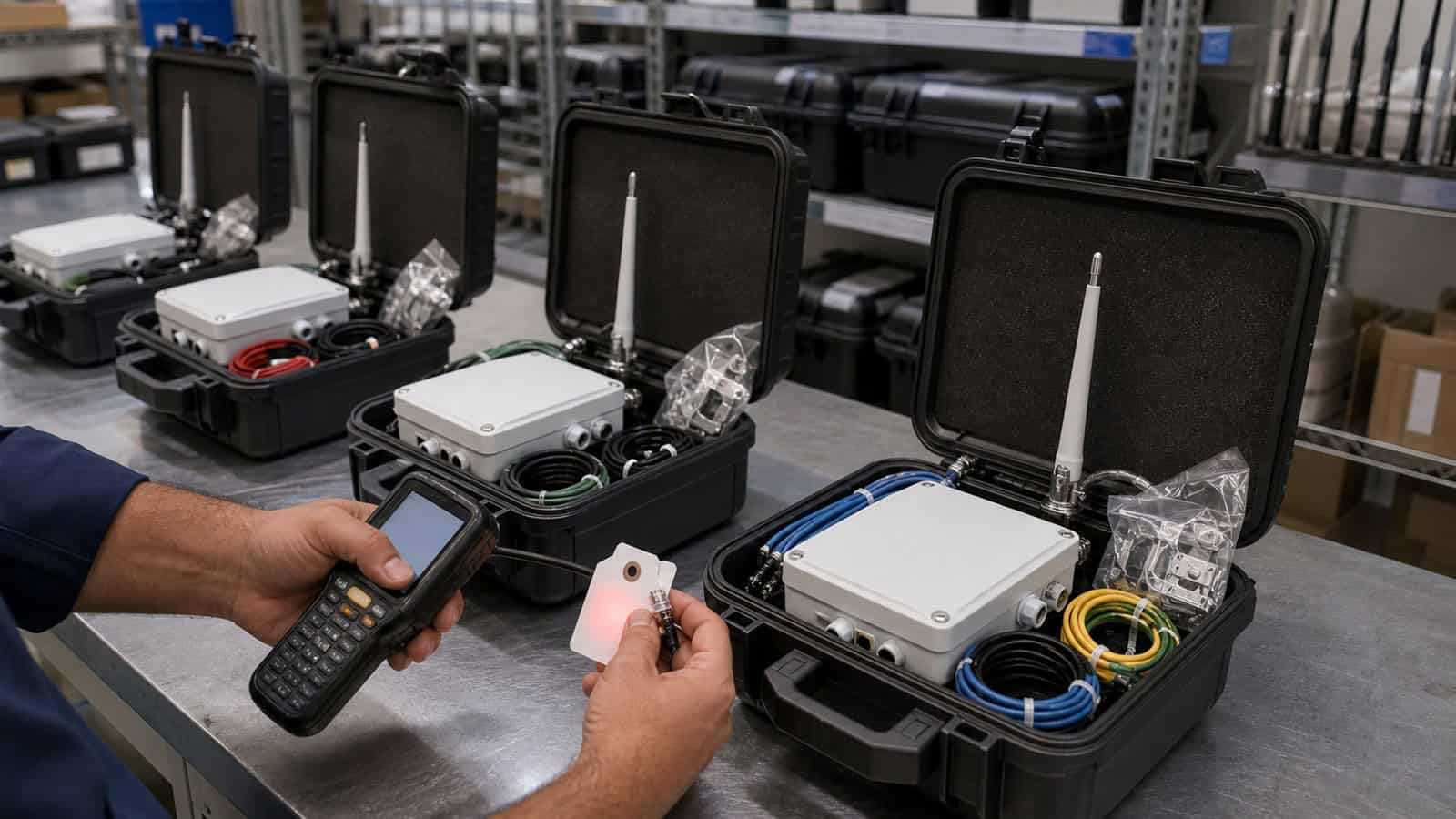
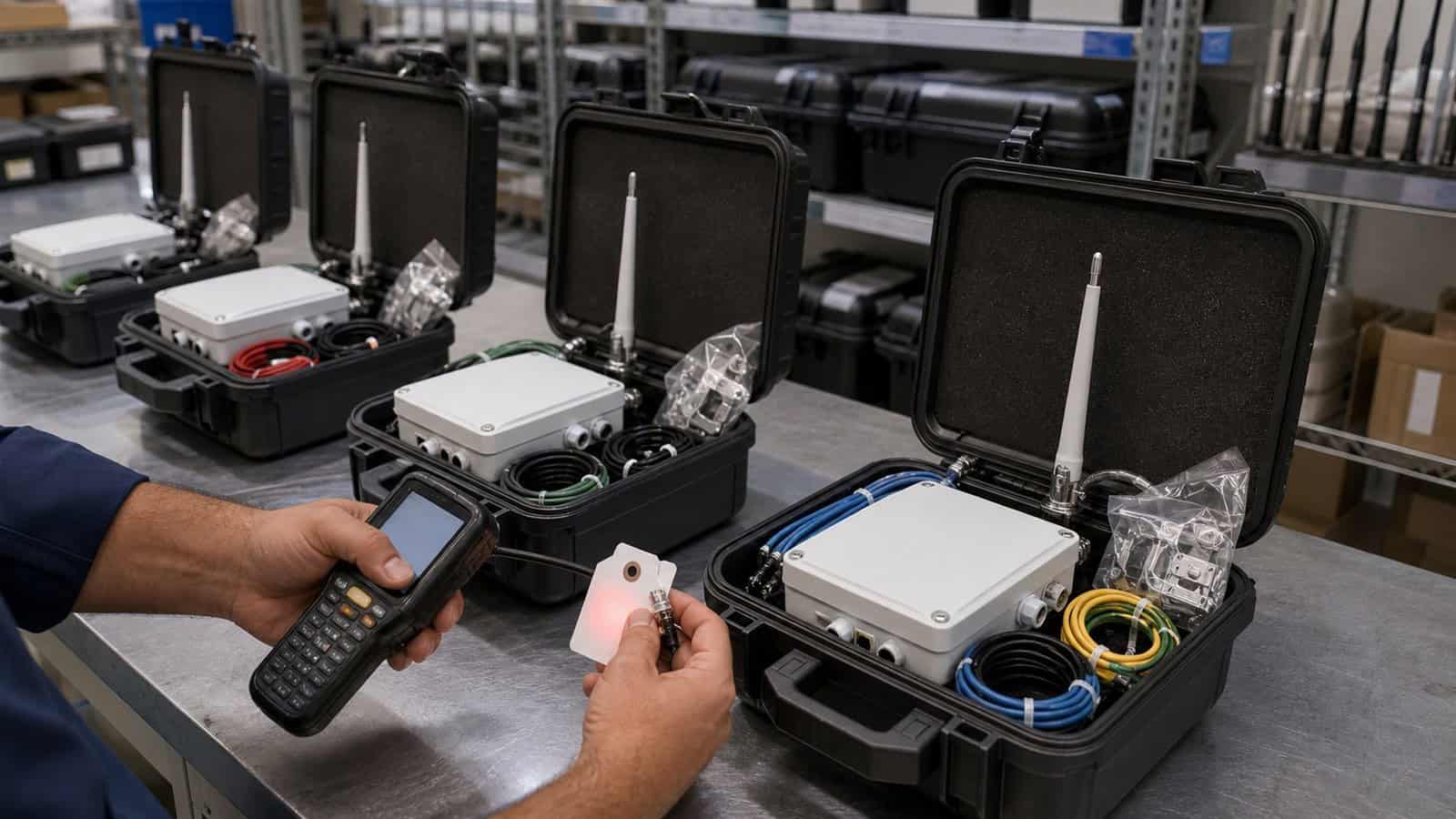
The Robustel R1520LG LoRaWAN Gateway fits distributed LoRaWAN fleets where operators need to monitor gateway health, manage configurations, perform firmware and application update workflows through RCMS, and investigate connectivity problems without visiting every site. Effective fleet management, however, depends on a repeatable incident workflow rather than remote-access tools alone.
At 08:15 on Monday, an operations team notices that a remote warehouse has stopped reporting temperature data. The site is 180 kilometres away. Nothing in the alarm immediately reveals whether the problem is a sensor, the LoRaWAN radio path, the gateway, cellular connectivity, the Network Server or the application.
Sending an engineer immediately may restore service, but it also turns every network incident into travel time and field-service cost. A scalable gateway operation starts somewhere else: Detect → classify → diagnose → recover → verify → document
A Missing Sensor Reading Should Not Automatically Trigger a Site Visit
The first task is to identify the scope of the failure. For a fleet built around Robustel LoRaWAN gateways, one missing sensor and one missing gateway are very different incidents. If one temperature sensor has stopped sending but other sensors at the warehouse remain visible, the gateway and backhaul may still be healthy. If all sensors behind one gateway disappear at approximately the same time, the problem is more likely to sit at a shared layer. If gateways across several unrelated sites stop forwarding simultaneously, the investigation may need to move further upstream towards the LNS, cloud application or another shared service.
A useful first classification is therefore:
- One sensor missing: Investigate device, battery, provisioning or RF path.
- Several nearby sensors missing: Investigate local RF conditions or a shared coverage point.
- All sensors behind one gateway missing: Investigate gateway, power, backhaul or LNS connection.
- Multiple sites missing: Investigate shared server, platform or network dependencies.
This classification prevents operations teams from rebooting a Robustel R1520LG LoRaWAN Gateway every time an individual sensor stops reporting. It also prevents the opposite mistake: spending time troubleshooting dozens of sensors when the common gateway has already gone offline.
For teams operating gateways across different types of sites, Robustel’s “LoRaWAN Gateway Applications” video provides useful context for why fleet operations can become complex. A gateway in a building, utility site or distributed field deployment may perform the same LoRaWAN role while depending on very different power, backhaul and maintenance environments.
Separate Gateway, Backhaul and LoRaWAN Faults Remotely
Once the incident has been classified as site-wide, the team needs evidence before taking action. At the warehouse, the Robustel R1520LG normally uses cellular backhaul. The next questions should follow the data path rather than jump randomly between settings.
What the Operations Team Checks First
Start with the gateway itself.
- Is the device reachable?
- Is it currently online?
- Has it recently restarted?
- Is the expected configuration still present?
If the gateway is reachable, move to the IP connection.
- Is cellular registered?
- Is the expected network available?
- Has signal quality changed significantly?
- Can the gateway still reach the required upstream service?
Then move to the LoRaWAN layer.
- Is the packet-forwarding or LNS connection active?
- Are any end-device packets being received?
- Did traffic stop at one clear point in time?
Finally, verify the application.
- Are packets reaching the Network Server but not the business platform?
The purpose is to find the first broken layer. A LoRaWAN troubleshooting workflow can therefore be represented as:
- Sensor RF
- → gateway reception
- → gateway operating state
- → IP backhaul
- → LNS
- → application
If the gateway is online and receiving LoRaWAN packets but the application shows no new data, replacing the gateway is unlikely to solve the actual problem. If the gateway itself is unreachable, investigation moves towards power and backhaul.
This layered approach is particularly valuable when the same Robustel gateway fleet contains Ethernet-connected factories, Wi-Fi-connected buildings and cellular-connected remote sites. The first failure symptom may look identical—“data stopped”—while the responsible infrastructure is completely different.
Keep Configuration and Firmware Consistent Across the Fleet
Troubleshooting becomes much harder when nobody knows what “normal” looks like. Imagine 70 R1520LG gateways deployed over three years. One technician changed the cellular settings on five sites during commissioning. Another adjusted a firewall rule for a specific project. Several devices run an older firmware version because they were offline during a previous maintenance window.
The fleet still works, but every incident now begins with uncertainty: Is this a fault, or is this site simply configured differently?
Configuration control should remove that ambiguity. For a distributed Robustel LoRaWAN deployment, the operating team should be able to identify:
- Which gateway model and hardware variant is installed
- Which firmware baseline is approved
- Which LNS architecture the site uses
- Which backhaul is primary
- Which SIM/operator configuration applies
- Which firewall or VPN policy is expected
- Which configuration exceptions are intentional
- When the device was last changed
- Who approved the change
The Robustel RCMS remote device management platform provides centralized management for Robustel devices, including status visibility and remote workflows for configuration, firmware and application update workflows.
The value is not simply the ability to push an update remotely. A controlled fleet workflow should look more like:
- Identify affected device group
- → confirm current baseline
- → validate the intended change
- → deploy to a limited test group
- → confirm operation
- → expand deployment
- → record exceptions
This is safer than treating every remote update as a fleet-wide button press. The same discipline applies to configuration. A known baseline means an engineer investigating the warehouse can compare the affected R1520LG with working gateways in the same deployment instead of rebuilding the expected configuration from memory.
Turn Remote Access into a Controlled Troubleshooting Workflow
Some incidents cannot be resolved from status information alone. An engineer may need to inspect a service, verify routing, reach a downstream controller or compare the behaviour of equipment behind the gateway.
Remote access becomes useful at this stage—but it should be part of the support process, not an improvised shortcut.
RobustVPN provides private remote access for Robustel gateway environments, allowing authorised users to connect to gateways and, where the network architecture permits, equipment behind them.
That can turn the warehouse incident into a remote diagnostic session rather than a field visit.
The engineer might confirm that:
- The gateway is operating
- Cellular connectivity has recovered
- The LNS endpoint is reachable
- A downstream IP device is responding
- A local service requires intervention
Remote access still needs operational controls. The support team should know:
- Who is authorised to access each customer or site group
- Which downstream subnet is reachable
- When temporary access should be removed
- Which actions require customer approval
- Which configuration changes must be documented
The objective is not to make every industrial device remotely accessible. It is to provide a controlled path when remote diagnosis is safer and more efficient than sending an engineer to the site.
Robustel’s KoolZone LoRaWAN monitoring case study demonstrates why this operating model matters. R1520-LG gateways are used across distributed laboratory, hospital and cold-chain monitoring environments, while RCMS provides centralized visibility and management for the deployed gateways.
The important lesson is not that remote management prevents every failure. It is that a geographically distributed monitoring service needs enough remote information to distinguish “site visit required” from “problem can be investigated centrally.” That distinction directly affects operating cost.
How the Robustel R1520LG LoRaWAN Gateway and RCMS Support Distributed Fleet Operations
The Robustel R1520LG LoRaWAN Gateway and RCMS fit deployments where gateways become a managed fleet rather than isolated network appliances.
The gateway itself combines LoRaWAN connectivity with Ethernet, Wi-Fi and cellular backhaul, while RCMS provides the centralized device-management layer needed to operate multiple Robustel sites consistently.
Together, they can support several fleet-management tasks:
- Gateway status monitoring
- Configuration management
- Firmware and application maintenance
- Cellular and connectivity troubleshooting
- Group-based device organisation
- Remote access workflows
- Investigation before dispatching field personnel
These capabilities are most valuable when they support a defined operating process. For example, an alarm should not merely show: Gateway offline.
It should trigger a known sequence:
- Check last-seen time
- → review connectivity state
- → identify whether other devices share the fault
- → attempt the approved recovery step
- → verify service restoration
- → escalate to field support only if necessary
This approach keeps the Robustel R1520LG LoRaWAN Gateway connected to a clear operational role: provide the field connectivity node, while the fleet-management workflow provides visibility and control over its lifecycle.
Neither component eliminates the need for engineers. The objective is to reserve field engineering for faults that genuinely require physical work.
Know When Remote Troubleshooting Has Reached Its Limit
Not every incident can—or should—be resolved remotely. Return to the warehouse. The operations team confirms that the gateway has disappeared completely. Neither primary nor alternative connectivity is available. Other systems in the same cabinet are also offline.
At this point, repeatedly issuing remote commands provides no additional evidence. The likely fault may involve:
- Site power
- Physical cabling
- Damaged antenna hardware
- SIM replacement
- Local network equipment
- Gateway hardware
- Environmental damage
- Installation work requiring physical inspection
This is when the support workflow should deliberately move from remote troubleshooting to field service.
When a Site Visit Is Still Required
A technician should be dispatched when:
- The gateway cannot be reached through any expected management path
- A power or physical installation problem is suspected
- Antenna, cable or enclosure inspection is required
- Hardware replacement is necessary
- Network equipment outside the gateway requires intervention
- Remote evidence is insufficient to distinguish several physical faults
- The operational consequence justifies immediate local inspection
Fleet management does not eliminate site visits. It should make them better informed.
Instead of arriving with the instruction: “The data stopped. Please investigate.” The field engineer can receive: “Gateway became unreachable at 08:12. The previous cellular session was healthy. No configuration changes occurred. Other equipment on the same site also stopped communicating. Check cabinet power and local network equipment first.” That changes the quality of the visit.
Close the Incident with Evidence, Not Just a Reboot
A common maintenance failure happens after service returns. Someone reboots the gateway. Data starts flowing. The ticket is closed as: Fixed. Nothing has actually been learned.
A proper incident closure should record:
- What failed?
- What evidence identified the failure?
- What restored service?
- Was the root cause confirmed?
- Could another gateway have the same problem?
For the warehouse incident, suppose the investigation eventually shows that the cellular connection repeatedly failed because of a site-specific network issue. That information should not remain inside one support ticket.
The fleet team should ask whether:
- Other gateways use the same operator in the same area
- Failover behaviour needs retesting
- A configuration change is required
- Monitoring thresholds should change
- The issue should be added to the troubleshooting runbook
This is where individual incidents improve the wider fleet. Robustel’s Cibicom nationwide LoRaWAN case study provides a useful scale reference. Cibicom operates LoRaWAN infrastructure at geographically distributed locations, including sites where physical access can be difficult, with network operations handled centrally.
At that scale, gateway maintenance cannot depend on remembering what happened at each individual mast or third-party property. Operational knowledge has to move from people into repeatable processes.
A useful remote-incident runbook can remain simple:
| Incident stage | Operational question | Expected output |
|---|---|---|
| Detect | What stopped reporting, and when? | Defined incident scope |
| Classify | Sensor, gateway, backhaul, LNS or application? | Probable fault layer |
| Diagnose | What evidence can be collected remotely? | Working fault hypothesis |
| Recover | What approved action can restore service? | Controlled recovery |
| Verify | Has end-to-end data flow returned? | Service confirmation |
| Escalate | Is physical intervention required? | Informed site visit |
| Close | What caused the incident and what should change? | Reusable operational knowledge |
The final stage is what separates fleet management from remote rebooting.
Preguntas frecuentes
Q1. What should a LoRaWAN gateway management platform monitor?
Useful monitoring should help operators distinguish gateway health from LoRaWAN and backhaul problems. Relevant information can include device availability, connectivity state, configuration and software status, along with enough diagnostic information to determine whether an incident is local to one sensor, one gateway or a wider service.
Q2. Can the Robustel R1520LG LoRaWAN Gateway be updated remotely?
The Robustel R1520LG LoRaWAN Gateway can participate in remote firmware updates, configuration-management workflows and application updates through RCMS. Production teams should still use an approved maintenance process, test representative devices first and record exceptions rather than assuming that every gateway should receive every change simultaneously.
Q3. How can remote management reduce LoRaWAN maintenance costs?
Remote management can reduce unnecessary travel by allowing teams to classify incidents, inspect gateway state, compare configurations and attempt approved recovery actions before dispatching an engineer. The financial benefit depends on site geography and support model; faults involving power, antennas, cabling or damaged hardware will still require physical intervention.
Q4. Should every gateway in a fleet use exactly the same configuration?
Not necessarily. Regional frequency plans, backhaul, SIMs and site-specific requirements can create legitimate differences. The important requirement is that those differences are documented. A controlled fleet should distinguish intentional configuration exceptions from accidental configuration drift.
Q5. What information should be recorded after a gateway incident?
Record when the incident started, which services were affected, the fault layer identified, diagnostic evidence, recovery action, confirmed root cause where available and any follow-up required across similar sites. A resolved incident should improve the troubleshooting process for the next gateway rather than disappear as an isolated support ticket.
Conclusión
LoRaWAN gateway fleet management becomes necessary when distributed gateways can no longer be supported efficiently as individual devices. The Robustel R1520LG LoRaWAN Gateway can provide the LoRaWAN and IP connectivity required at each site, while RCMS and controlled remote-access workflows help operations teams monitor, maintain and troubleshoot the wider estate.
The objective is not to eliminate field service. It is to make “send an engineer” the result of diagnosis rather than the first troubleshooting step.
Build the operating workflow around six questions: What failed? → Where did it fail? → What evidence is available remotely? → Can it be recovered safely? → Has service genuinely returned? → What should the fleet learn from the incident?
A gateway fleet becomes easier to operate when every incident leaves behind more than restored connectivity—it leaves behind a clearer baseline, a better troubleshooting path and less uncertainty for the next engineer.
Explore more articles about Robustel’s LoRaWAN gateway in industrial IoT:
Acerca del autor
Robert Liao | Technical Support Engineer
Robert is an IoT Technical Support Engineer at Robustel, specializing in industrial networking and edge connectivity. A certified Networking Engineer, Robert focuses on the deployment and troubleshooting of large-scale IIoT infrastructures. His work centers on architecting reliable, scalable system performance for complex industrial applications, bridging the gap between field hardware and cloud-side data management.