
CAN Bus Gateway for Mobile Assets: Baud Rate, Isolation and Buffering Checklist
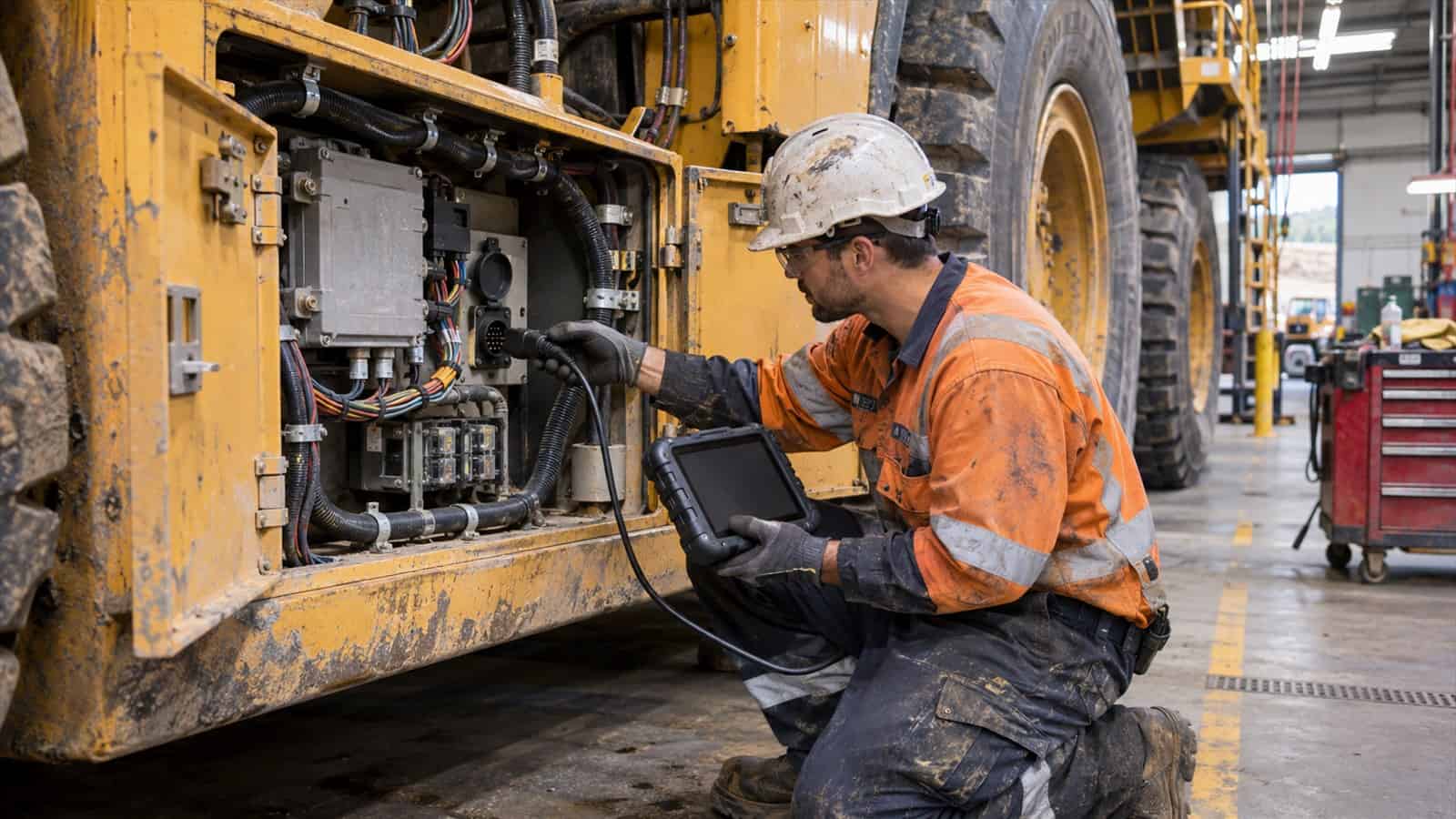
The Robustel EG3120e Edge Computing Gateway combines a documented CAN 2.0B interface with local compute, making it a practical edge platform for collecting CAN data from vehicles and mobile equipment. Reliable acquisition still starts with the physical bus: bitrate, termination, grounding, message definitions and any required electrical isolation should be verified before data is decoded or forwarded upstream.
Mobile assets add another challenge because network connectivity may not remain continuous while the CAN bus keeps producing data. Project teams therefore need to test local buffering, timestamps, reconnect behaviour and replay order as carefully as the CAN connection itself. This guide uses the Robustel EG3120e to show how to validate the bus first, separate CAN frames from application meaning, and prove that field data remains usable through a temporary communications outage.
Prove the Physical Bus First
Record CAN_H, CAN_L and ground reference, bitrate, termination location and bus length. Intermittent errors caused by poor termination or grounding are often misdiagnosed as decoding problems.
Measure at the final installation with engine states and noisy loads represented. Do not add a third termination because a gateway is physically at the end unless the whole bus design requires it.
| Item | Evidence | Failure symptom |
|---|---|---|
| bitrate | controller/OEM value | no valid frames |
| termination | measured resistance | reflections/errors |
| ground/isolation | wiring design | intermittent resets |
| message definition | DBC or OEM map | plausible wrong values |
Separate CAN Frames from Application Meaning
CAN 2.0B support does not automatically mean J1939, CANopen or proprietary message decoding. Obtain the DBC, object dictionary or OEM-approved mapping and version it with the asset software.
Test signed values, scaling, multiplexed signals, counters and unknown IDs. Preserve raw frame evidence for troubleshooting without publishing unlimited traffic over cellular.
- approved message IDs
- scale, offset and units
- bus-load limit
- unknown-frame handling
How the Robustel EG3120e Edge Computing Gateway Fits Mobile CAN Acquisition
| Mobile CAN pain | Verified Robustel EG3120e capability | Field mechanism | Acceptance evidence |
|---|---|---|---|
| direct CAN acquisition | one documented CAN 2.0B interface up to 1 Mbps | receive selected frames locally without an extra serial converter | confirm bitrate, termination and valid frames in all operating states |
| decode/filter workload | quad-core 2 GHz compute with 2 GB RAM | run the project-qualified DBC/protocol logic and reduce cellular traffic | compare raw frames with decoded values and unknown-ID handling |
| coverage loss | 8 GB eMMC plus cellular/eSIM variants | buffer bounded records with original time until mobile service returns | drive through an outage and verify ordered replay |
Robustel EG3120e Edge Computing Gateway documents one CAN interface, multiple serial ports, Ethernet and cellular/eSIM connectivity. Local compute can filter and normalize selected records before northbound delivery.
Use Robustel E2C Factory only for supported, verified data workflows on compatible EG3120e; confirm the exact CAN driver and protocol package required by the project. Keep vehicle control and safety functions outside an unqualified telemetry path. Read-oriented acquisition needs its own bus-load and permission limits.
Test Store, Move and Reconnect
Run the asset through idle, start, load and shutdown states, then remove cellular service. Confirm buffering limits, original timestamps and controlled replay after coverage returns.
Compare raw CAN frames with decoded records at each state. Acceptance belongs to the equipment owner who understands the expected values.
Evidence from Related Deployments
Robustel’s machine-builder connectivity application example shows why governed field interfaces and a repeatable support path matter after equipment leaves the factory.
Robustel’s solar monitoring application example adds the remote-site lesson: timestamps, buffering and clear data ownership are as important as collecting a register.
The Robustel video “How to Collect PLC Data for SCADA, MES & Cloud with an Edge Gateway” is useful before acceptance because it follows the data path rather than treating connectivity as the outcome.
Häufig gestellte Fragen
Q1. What is a CAN bus gateway?
It connects CAN traffic to another system and may filter, decode or forward selected messages.
Q2. How do you find CAN bus baud rate?
Use OEM documentation or controlled measurement; guessing can disrupt diagnostics and produce no valid frames.
Q3. Does CAN need termination?
Yes, the bus topology normally requires termination at its designed ends; verify the actual system.
Q4. Is J1939 the same as CAN?
No. J1939 is a higher-layer protocol using CAN; protocol support must be verified separately.
Q5. What CAN support does the Robustel EG3120e Edge Computing Gateway provide?
Its documentation lists a CAN 2.0B interface; decoding packages and message definitions remain project-specific.
Schlussfolgerung
The Robustel EG3120e Edge Computing Gateway provides the physical interfaces and local compute for this architecture, while acceptance depends on traceable data, bounded permissions and a recovery test. Release the design only when a second engineer can follow one signal from the field source to its consumer and explain what happens when that path becomes stale, invalid or unavailable.
Explore More Articles About Robustel Edge Computing Gateways
Über den Autor
Robustel Editorial Team
The Robustel Editorial Team publishes practical articles on industrial connectivity, edge computing, LoRaWAN and device management, focusing on deployment considerations, technical limitations and long-term operation.