
Remote Industrial Asset Monitoring: How Edge Gateways Help Reduce Site Visits
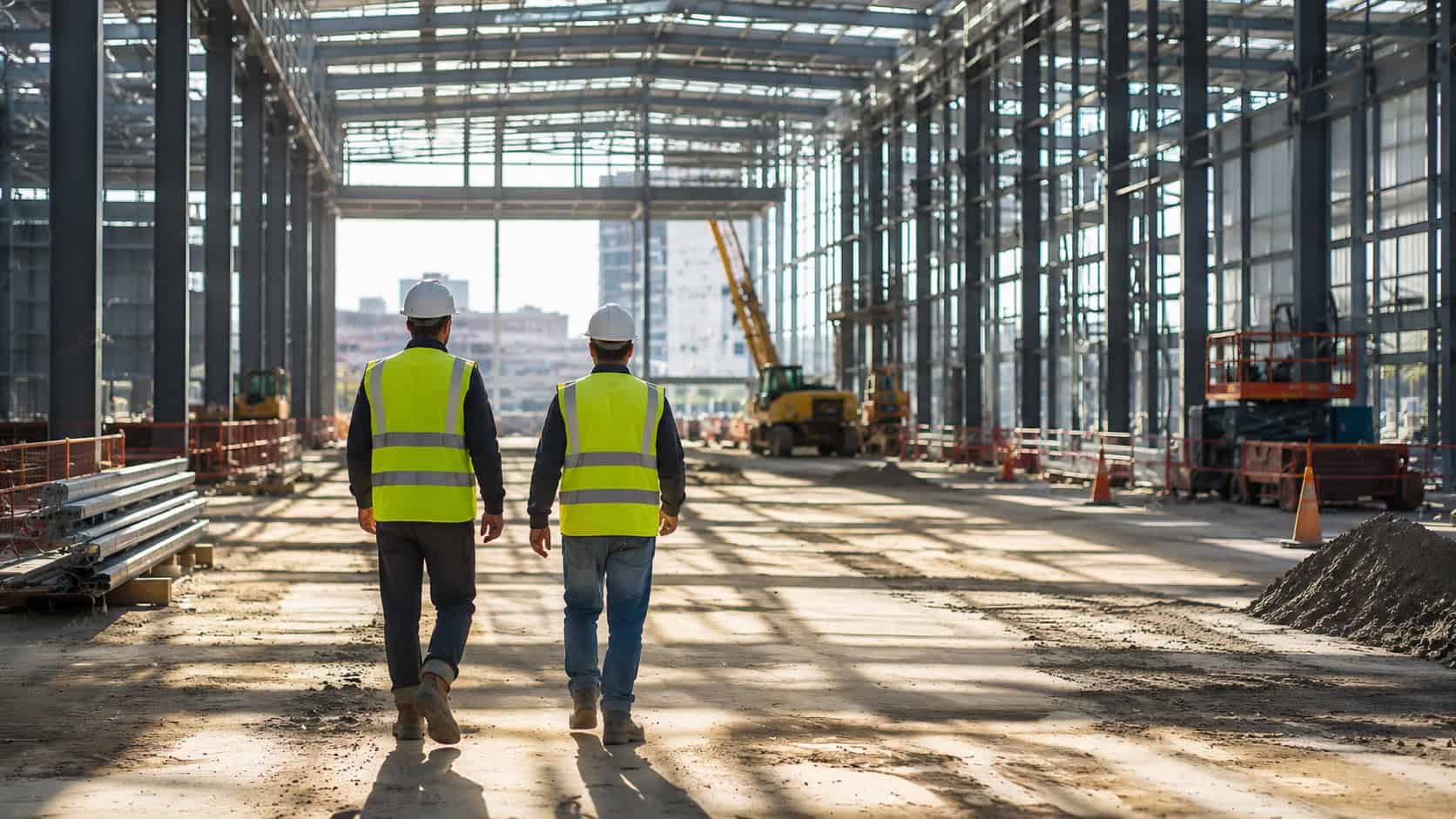
For remote industrial assets, the cost of a problem is often not only the fault itself. It is the uncertainty around the fault.
This is where edge computing for remote industrial assets becomes practical. An edge gateway should not be expected to remove every maintenance visit. Its role is more specific: it can provide site-side connectivity, selected local data access, gateway health information, and secure remote access so support teams can understand more before dispatching a technician.
In remote asset maintenance, the value is not simply “fewer site visits”. The more realistic value is fewer blind site visits.This article uses Robustel EG5100 and RCMS as a practical reference for that workflow. EG5110 can support the field-side gateway layer, while RCMS can support remote visibility and management for Robustel devices. The goal is not simply “fewer site visits.” The more realistic value is fewer blind site visits, with better information before field service is arranged.
A Remote Asset Stops Reporting, but the Cause Is Still Unclear
A remote asset going offline rarely tells the full story.
A monitoring platform may show that a site has stopped sending data. A customer may report that equipment is unavailable. A dashboard may show an alarm, missing readings, or no communication at all. But those symptoms do not always identify the source of the issue.
The problem could be upstream connectivity. It could be weak cellular signal, a SIM or APN issue, a VPN failure, or a firewall rule that changed. It could be the gateway itself. It could also be local equipment: a PLC, meter, sensor, charger, pump controller, camera, or another field device that is no longer responding.
Sometimes the site is still connected, but selected data is missing. Sometimes the gateway is online, but one downstream device is not. Sometimes multiple assets disappear together, suggesting a cabinet, power, or local network issue. These are very different situations, but they may look similar if the remote monitoring architecture only says “offline”.
For this reason, remote industrial asset monitoring should not be designed only around alarms. It should also help teams understand context: whether the site gateway is reachable, whether the network path looks healthy, whether selected local equipment is responding, and whether the problem looks like something that can be checked remotely before a technician is dispatched.
These questions sound basic, but in distributed industrial projects they often decide whether a support team starts with remote troubleshooting, waits for more evidence, or sends someone to site immediately.
Blind Dispatch Starts with Missing Site Context
In many remote asset projects, site visits are not caused by poor operational discipline. They are caused by missing information.
If a remote pumping station, utility cabinet, or outdoor equipment room stops reporting, someone has to make a decision. If the team cannot see gateway status, signal history, VPN status, local interface behavior, or recent logs, the safest decision is usually to send someone out.
That may be necessary. Physical issues still need physical work. But it can also become expensive and repetitive when every unclear alarm becomes a field visit.
A technician may arrive and find that the equipment was healthy, but the cellular signal was unstable. Another visit may reveal that the gateway was online, but one local device was not responding. In another case, the issue may be a power supply, antenna, cable, SIM, or configuration problem that could have been narrowed down before the trip.
The real issue is blind dispatch. When support teams do not have enough remote diagnostic context, they cannot easily separate a communication issue from a gateway issue, or a gateway issue from a field equipment issue. That uncertainty increases unnecessary travel, slows response, and makes field service harder to prioritize.
For distributed assets, better remote visibility does not replace technicians. It helps them arrive with a clearer idea of what they are likely to find.

What an Edge Gateway Can Show Before a Technician Is Sent
An edge gateway sits close enough to the asset to observe part of the site-side environment, while still being connected enough to report useful status back to the support team. That position makes it valuable for remote diagnostics.
A gateway can provide information about its own connection state, cellular signal, WAN or LAN status, VPN availability, data traffic, logs, and selected local interfaces. Depending on the project design, it may also help collect data from serial devices, Ethernet-connected equipment, digital inputs, or local applications.
This does not mean the gateway can automatically diagnose every remote asset. The gateway can only help diagnose what it can see. If a downstream asset is not connected, not exposed through a supported interface, or not configured for monitoring, the gateway cannot provide meaningful visibility into that asset.
When the gateway is properly integrated, however, it can provide the first layer of evidence. That evidence may not solve the problem by itself, but it can help the support team decide what to check next.
If the gateway is offline and the last known signal strength was poor, the first investigation may focus on cellular coverage, antenna placement, SIM status, or site power. If the gateway is online but asset data is missing, the issue may be closer to local equipment, protocol access, polling behavior, or data mapping. If the VPN is down but cellular connectivity remains active, the team may need to check credentials, routing, firewall rules, or remote access configuration.
These are not final diagnoses. They are better starting points, and better starting points are often what reduce unnecessary site visits.
Remote Findings That Help Separate Network, Gateway, and Equipment Issues
A practical remote diagnostics workflow does not need to collect every possible data point. It needs to collect the data points that help teams make better maintenance decisions.
| Remote finding | What it may suggest | Practical next step |
| Gateway is offline | Site power, cellular coverage, SIM/APN, antenna, or platform connection issue | Check last seen time, signal history, SIM status, and any available site power indicators |
| Gateway is online, but asset data is missing | Downstream equipment, local network, protocol access, or data mapping issue | Check local interface status, polling behavior, logs, and connected device response where configured |
| Signal is weak or unstable | Coverage, antenna placement, cabinet location, operator profile, or environmental issue | Review signal history and compare with previous stable periods |
| VPN is unavailable, but cellular is active | VPN profile, routing, firewall, credentials, or remote access configuration issue | Review VPN logs and access configuration before sending a technician |
| One local device stops responding | Local equipment, cabling, interface, or device-side issue | Check whether other devices at the same site are still reporting |
| Several assets disappear together | Site power, gateway, cabinet, local switch, or shared network issue | Treat it as a site-level issue rather than an isolated equipment fault |
| Data usage changes unexpectedly | Polling frequency, application behavior, unexpected traffic, or forwarding logic change | Review data transmission rules and recent configuration changes |
This is the practical side of reducing site visits. The gateway does not simply make a site cheaper to maintain because it is called an edge gateway. It helps when the information it provides gives the support team a clearer path from symptom to likely cause.
Where Robustel EG5100 and RCMS Fit Before a Site Visit Is Arranged
Once the remote diagnostics workflow is clear, the product discussion becomes more practical. The question is no longer simply “which gateway should be installed?” but “what information should the support team be able to check before sending someone to site?”
At the remote site, Robustel EG5100 provides the gateway layer for this kind of monitoring setup. It brings cellular backhaul, Ethernet, configurable serial ports, digital I/O, VPN and firewall functions, and lightweight edge application support into an industrial gateway format. In practical terms, the gateway can help create a communication path between selected field equipment and the remote support workflow, where the site design allows it.
RCMS adds the remote management layer around Robustel routers and gateways. For support teams, this is useful because asset data alone is not always enough. When a site stops reporting, they may also need to check whether the gateway is online, whether signal quality has changed, whether data usage looks abnormal, whether remote access is available, or whether the device status has changed since the last known healthy state.
In this kind of workflow, EG5100 and RCMS support remote maintenance decisions by providing more gateway-side and site-side context before a field visit is arranged. They do not replace SCADA, CMMS, asset management software, or field service teams. They also do not automatically diagnose every connected asset. Their value is narrower, but still important: they help teams understand more before they decide what to do next.
That context depends on the project design. If the gateway is online, connected, and configured to access relevant local signals or equipment, it can help narrow the problem. If the site has no power, no coverage, damaged cabling, or equipment that is not connected to the gateway, remote visibility will naturally be limited.
This is why the limits should be defined early in the project. Teams need to agree what the gateway can see, what RCMS can manage, what the upper-level monitoring platform is responsible for, and which faults still require physical inspection.
After looking at the remote diagnostics workflow, it may be useful to see the site-side gateway layer in a more concrete way.
An EG5000 Series quick pitch or product overview video would fit well here because this article uses EG5100 as the reference gateway for remote industrial asset monitoring. The point of the video should not be to suggest that one gateway removes every site visit. Instead, it can help readers understand the type of field-side device that provides connectivity, selected local interfaces, secure communication, and gateway visibility before a support team decides whether on-site work is needed.
Watch Video: Robustel EG Series Quick Pitch
Related Deployments: How Remote Visibility Supports Field Decisions
Remote industrial asset monitoring appears in different forms across different industries. A methane monitoring system, an unattended kiosk network, and a utility distribution cabinet are not the same type of deployment, and they may use different Robustel products. That variety is useful because it shows how remote visibility and device management fit into different IoT scenarios rather than only one product model.
The common pattern is operational. Once assets are distributed across many sites, teams need a way to understand status remotely before every issue becomes a field visit.
The following Robustel case studies provide useful context for that pattern.
Across these examples, the industries and hardware models vary, but the maintenance questions are familiar. Is the site online? Is the communication path healthy? Is the field device responding? Does this require a technician now, or can the team check more remotely first?
Those are the same questions that shape remote industrial asset monitoring projects.
What Still Needs a Site Visit
Remote diagnostics is useful, but it has limits. Some problems still need someone on site: a damaged antenna, loose cable, failed power supply, broken sensor, water ingress, cabinet damage, SIM replacement, or physical equipment fault cannot be fully solved from a remote dashboard.
This is why it is better to talk about reducing unnecessary site visits rather than eliminating site visits.
A well-designed remote monitoring setup can help the team avoid blind dispatch. It can show whether the issue appears to be connectivity-related, gateway-related, equipment-related, or site-level. It can also help the field technician arrive with better information.
The gateway does not replace field work. It supports field work.
This distinction matters in real industrial projects. If expectations are set too high, customers may assume remote monitoring will solve every maintenance issue. If expectations are set properly, the value becomes easier to defend: fewer unnecessary checks, faster first-level diagnosis, better escalation, and more targeted site visits when physical work is required.
Questions Worth Asking Before the Next Remote Site Goes Live
A short checklist can be useful, but it should not become a long form that nobody wants to read. For remote industrial asset monitoring, the most important questions are simple.
| Area | Questions to ask |
| Remote visibility | What should the support team be able to see when the site is healthy, partially offline, or fully offline? |
| Gateway diagnostics | Can the team check gateway online status, connection history, signal quality, VPN status, logs, and data usage before dispatch? |
| Field equipment | Which connected assets should the gateway be able to observe or report on, and what happens if one device stops responding? |
| Field service decision | What information is required before sending a technician, and which conditions always require site inspection? |
These questions are deliberately limited. In practice, they often reveal whether a remote monitoring setup is useful for maintenance, or whether it only tells the team that “something is wrong” without giving enough context to act.
How Edge Gateway Visibility Supports Field Service Teams
The best remote monitoring setups do not treat field service as a failure. They treat field service as a decision that should be made with better information.
For support teams, gateway visibility can make customer conversations more specific. Instead of saying “the site is offline,” the team may be able to say that the gateway last connected at a certain time, signal quality had been unstable, VPN is unavailable while cellular remains active, or one connected device is not responding while the gateway is still reachable.
For field technicians, that context matters. It helps them prepare the right tools, inspect the right part of the cabinet, and avoid spending the first hour simply discovering what the remote team already suspected.
For project managers and operators, the value is also practical. If repeated issues are linked to signal quality, antenna placement, cabinet design, SIM/operator selection, or local equipment behavior, those patterns can inform future deployments.
This is where edge computing for remote industrial assets becomes less abstract. The gateway is not valuable only because it sits “at the edge.” It is valuable because it can make remote sites less opaque.
Closing Perspective
Remote industrial asset monitoring is most useful when it reduces uncertainty before a site visit is arranged.
Edge gateways cannot remove every maintenance visit, and they should not be expected to. Their value is that they can provide enough site-side and gateway-side visibility to help project teams decide what to check remotely, what to escalate, and when field work is truly required.
For remote energy sites, water and wastewater stations, utility cabinets, EV charging sites, smart parking systems, connected machines, and other distributed industrial assets, that difference is important. The goal is not to avoid technicians. The goal is to stop sending them into the field with too little information.
A gateway-and-management approach such as Robustel EG5100 and RCMS can support this kind of workflow when the project is designed properly. EG5100 can provide the site-side edge gateway layer for connectivity, selected local interfaces, secure communication, and edge data handling. RCMS can support remote visibility and management for Robustel devices. But the final value still depends on coverage, power, device access, configuration, permissions, and the maintenance process around the deployment.
In practical terms, reducing site visits is not about promising that remote diagnostics will solve every issue. It is about giving support teams better information before they decide whether a technician really needs to go to site.
FAQs
Q1. What is remote industrial asset monitoring?
Remote industrial asset monitoring means collecting and reviewing data from equipment, cabinets, machines, or infrastructure sites without requiring someone to be physically present. In industrial IoT projects, this may include gateway status, connectivity, signal quality, equipment data, alarms, logs, and selected site-side signals. The goal is not only to show that an asset is online or offline, but to give maintenance and support teams enough context to understand what may be happening before they decide what action is needed.
Q2. How can edge gateways reduce site visits for remote industrial assets?
Edge gateways can help reduce unnecessary site visits by giving support teams more information before dispatch. For example, a gateway may help teams check whether the site is reachable, whether cellular signal is weak, whether VPN access is available, whether selected field devices are responding, or whether data traffic has changed. In a Robustel deployment, EG5100 can support the site-side gateway layer, while RCMS can help teams manage and monitor Robustel devices remotely. This does not remove the need for technicians, but it can reduce blind dispatch by helping teams decide whether an issue should be investigated remotely first or handled on site.
Q3. What data should teams check before sending a technician to a remote site?
Before sending a technician, teams should usually check gateway online status, last connection time, cellular signal quality, WAN/LAN status, VPN status, logs, data usage, and whether selected connected devices are still responding. Where available, simple site-side indicators such as digital inputs, power-related signals, or equipment status can also help. The purpose is to separate likely connectivity issues, gateway issues, local equipment issues, and site-level problems before field service is arranged.
Q4. How do operators monitor remote industrial sites without stable Wi-Fi or wired internet?
When Wi-Fi, fiber, or wired internet is not available, operators often use industrial cellular gateways, routers, or other wireless communication methods to connect remote assets. In this setup, the gateway provides the communication path between field equipment and the remote monitoring or management platform. For remote energy sites, water stations, utility cabinets, and outdoor equipment rooms, cellular connectivity can be a practical option, but performance still depends on coverage, antenna placement, SIM/operator selection, power stability, and network configuration. Products such as Robustel EG5100 can support cellular-based edge connectivity, while RCMS can support remote device visibility and management for supported Robustel deployments.
Q5. Can remote diagnostics replace on-site maintenance?
Remote diagnostics cannot fully replace on-site maintenance. Some issues still require physical inspection or repair, such as damaged antennas, loose cables, failed power supplies, SIM replacement, water ingress, cabinet damage, sensor faults, or field equipment replacement. The value of remote diagnostics is that it helps teams understand more before they travel. With an edge gateway such as Robustel EG5100 and a management layer such as RCMS, support teams can gain more context about gateway status, connectivity, and selected site-side information where the deployment is configured to provide it. In practice, this can make site visits more targeted, reduce unnecessary checks, and help technicians arrive with a clearer idea of what they may need to inspect.
About the Author
Robert Liao | Technical Support Engineer
Robert is an IoT Technical Support Engineer at Robustel, specializing in industrial networking and edge connectivity. A certified Networking Engineer, Robert focuses on the deployment and troubleshooting of large-scale IIoT infrastructures. His work centers on architecting reliable, scalable system performance for complex industrial applications, bridging the gap between field hardware and cloud-side data management.