
What Is a LoRaWAN Gateway and How Does It Work
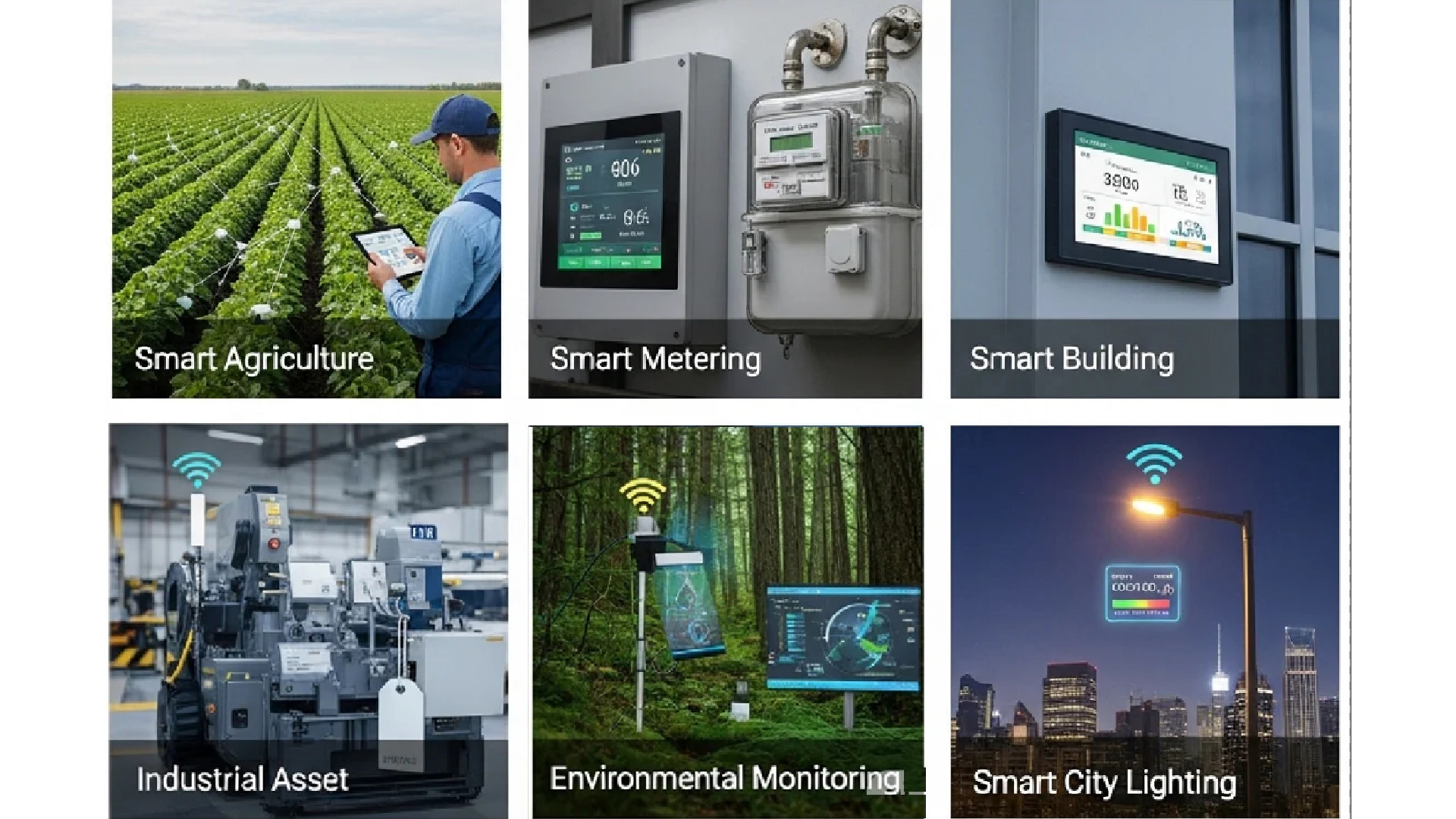
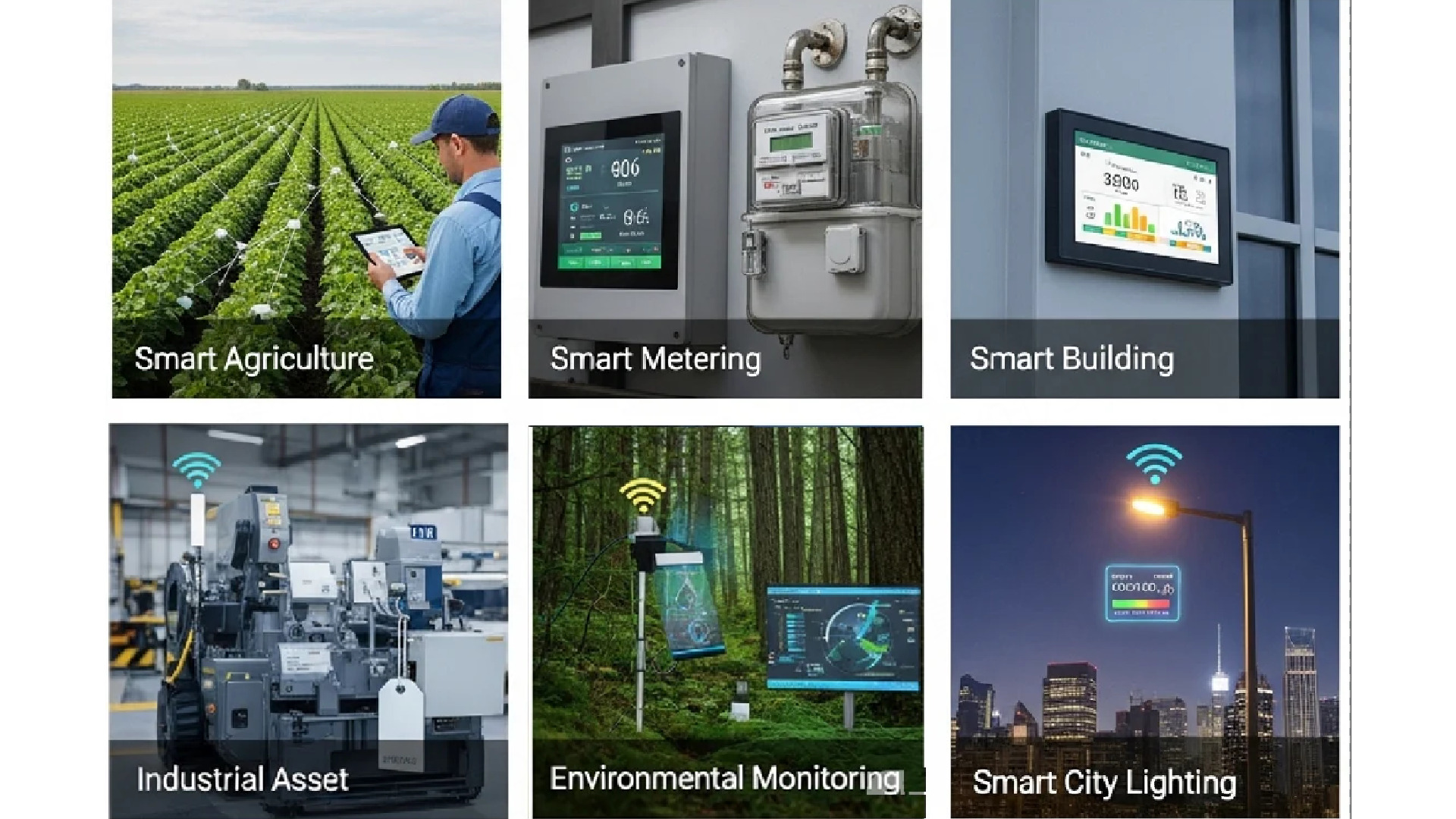
A LoRaWAN gateway is an essential bridge for IoT networks. It captures signals from low-power devices and transmits them to a central server. By utilizing LoRa technology, these gateways enable long-range communication over vast distances.
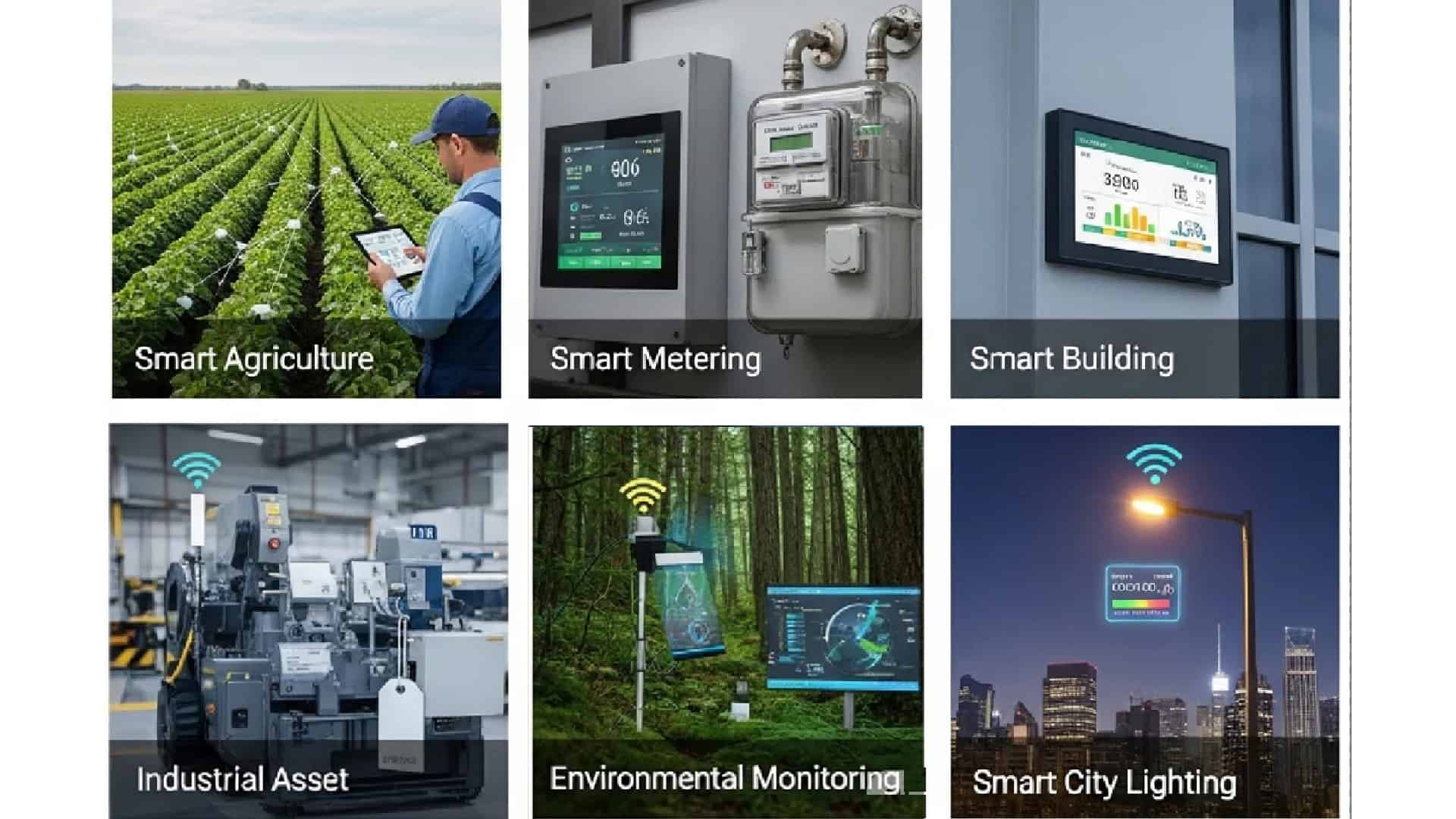
This setup conserves battery life, allowing sensors to last for years. It is the ideal connectivity choice for large-scale applications like smart farming, city infrastructure, and industrial factories.
Before we dive into the technical mechanics, here are the essential factors for a successful LoRaWAN deployment:
- Match the hardware to the weather. Don’t overthink it: use sleek indoor units for offices, but for anything industrial or exposed, go with a rugged, IP67-rated outdoor gateway.
- Avoid the data bottleneck. Skip the single-channel units for professional projects. Multi-channel gateways are the only way to handle high device density without dropping packets.
- Monitoring isn’t optional. You can’t just “set it and forget it”. Use a management platform to spot interference and keep your connection healthy as you scale.
- Play the long game on cost. The cheapest gateway is often the most expensive if it fails or doesn’t fit the site. Pick the right specs now to keep your TCO low later.
Connecting the Unreachable: What is LoRaWAN?
Imagine a moisture sensor buried in a remote field or a smoke detector in a massive warehouse. These LoRaWAN devices are often miles away from the nearest Wi-Fi signal, yet they need to send data for years without a battery change.
This is where the LoRaWAN gateway comes in. If you are asking “what is LoRaWAN“, the simplest answer is that it’s a long-range, low-power wireless protocol designed for the Internet of Things. The gateway acts as the mission-critical bridge in this ecosystem. It “listens” for the long-range signals sent by your LoRaWAN sensors, catches them, and securely relays that data to a central server.
Because it utilizes LoRaWAN technology, this setup can bridge gaps that traditional cellular or Wi-Fi simply can’t reach. Whether it’s monitoring a smart farm across hundreds of acres or ensuring fire safety in a concrete factory, the LoRaWAN gateway is the gold standard for reliable, long-distance communication.
Why it is the Preferred Solution:
- Long-Range Efficiency: Transmits data over vast distances while conserving end-device battery power.
- Scalability: A cost-effective solution that accommodates a growing number of devices without sacrificing connection reliability.
- Proven Performance: Research indicates high effectiveness in smart buildings, fire alarms, and energy systems—even under challenging conditions.
For effective IoT deployments, two distinct platform layers are used to ensure seamless operation:
- Chirpstack LNS: Plays a crucial role in managing LoRaWAN network communications and end-device interactions.
- Robustel RCMS: Instrumental in monitoring the operational performance of the gateways that power these networks. Together, these tools oversee the entire network and enhance overall gateway functionality.
How Do LoRaWAN Gateways Work?
Communication Process
LoRaWAN gateways are key to IoT communication. They receive data from devices and send it to servers. A device sends a signal using LoRa modulation. The gateway picks up the signal and prepares it for sending.
Gateways can handle many devices at once. Unlike older networks, LoRaWAN uses a star-of-stars setup. Devices talk directly to the gateway, not to each other. This design makes data transfer simpler and works well over long distances.
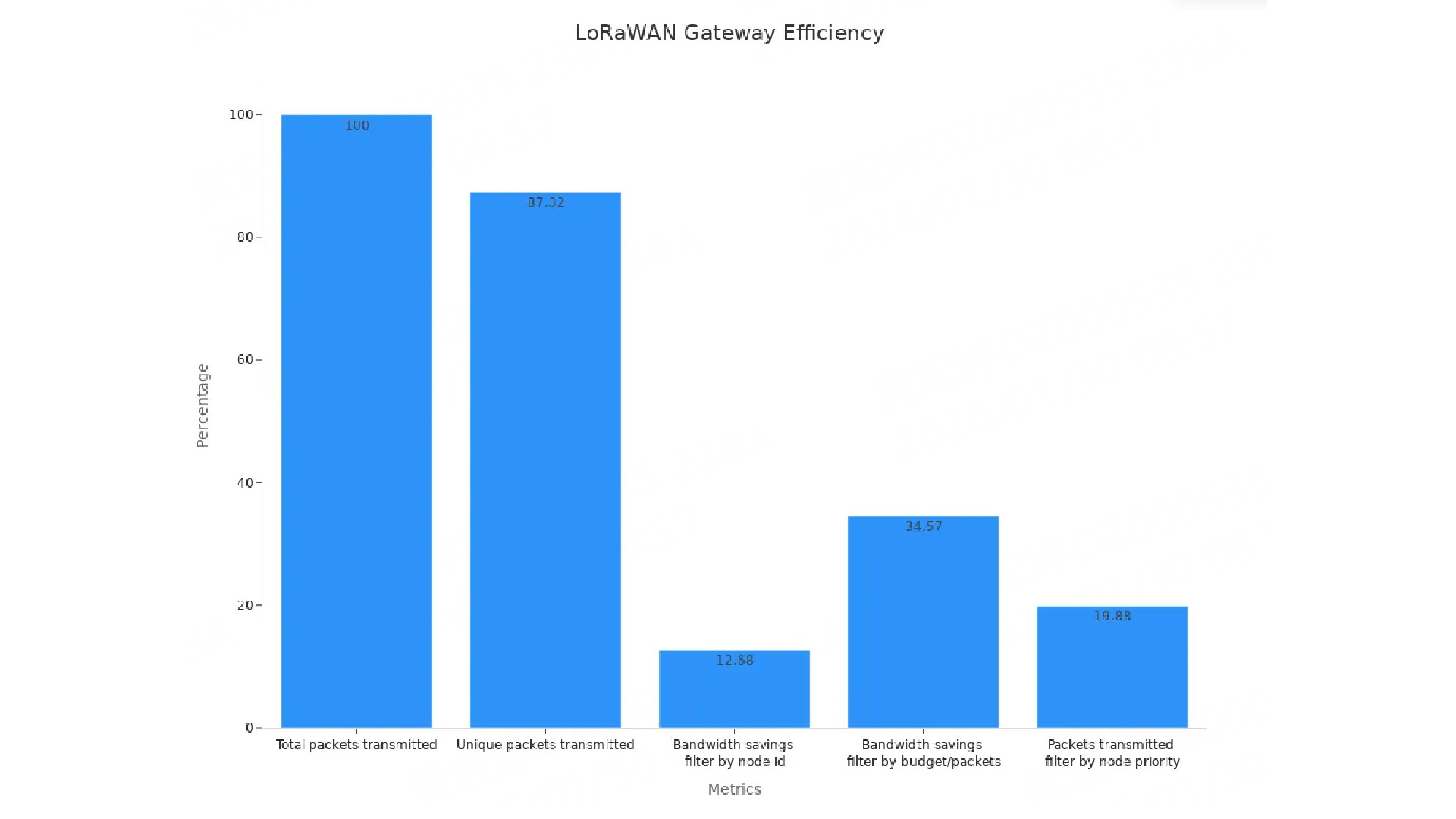
Here are some performance numbers for LoRaWAN gateways :
| Metric | Value |
| Total packets transmitted | 100% (baseline) |
| Unique packets transmitted | 87.32% |
| Bandwidth savings (filter by node id) | 12.68% |
| Bandwidth savings (filter by budget/packets) | 34.57% |
| Packets transmitted (filter by node priority) | 19.88% |
These numbers show how gateways save bandwidth while keeping good data flow.
Uplink and Downlink
In LoRaWAN, uplink and downlink are two main data paths. Uplink sends data from devices to the gateway. Downlink sends data from the gateway to devices. Uplink happens more often, like when devices send sensor data. Downlink is used for commands or updates.
Different protocols handle uplink and downlink differently. Here’s a comparison:
| Protocol | Uplink Data Rate | Downlink Data Rate | Latency |
| LoRaWAN | Low | Low | N/A |
| LTE-M | Up to 1 Mbps | 384 Kbps | 50–100 ms |
| NB-IoT | Up to 20 kbps | Lower than uplink | N/A |
| Sigfox | N/A | N/A | N/A |
LoRaWAN is great for sending small data over long distances. It works well for farming and environment tracking. But it’s slower and less responsive than LTE-M or NB-IoT, so it’s not ideal for real-time tasks.
Backhaul Connectivity
Backhaul connectivity links the gateway to the network server. This connection sends device data to the server for analysis. Gateways use Ethernet, Wi-Fi, or cellular networks for this, depending on where they are set up.
LoRaWAN gateways have three operating classes to balance power and speed :
| Operating Class | Description | Power Consumption | Latency |
| Class A | Two-way communication with low power use. | Lowest | Higher |
| Class B | Scheduled receive times. | Moderate | Moderate |
| Class C | Always open to receive, lowest delay. | Highest | Lowest |
Class A saves the most energy, good for battery devices. Class C is best for fast tasks like factory work. Picking the right class helps the gateway work better for your needs.
LNS LoRaWAN Network Server
The LoRaWAN Network Server (LNS) is the system’s control center. It manages data flow between IoT devices and application servers. When a gateway gets device data, the LNS processes it. Then, it sends the data to the right application server safely.
There are different ways to set up an LNS. An integrated LNS like Chirpstack LNS combines the server and gateway, which is simple for small networks. A cloud-based LNS allows remote access and works well for big networks. On-premise LNS setups give full control over security and customization. This lets you adjust the server to fit your needs for cost, safety, and size.
Modern LNS tools, like the Loriot LoRaWAN Network Server, improve scalability and communication. These features help manage networks with many devices. Whether your project is small or large, these tools ensure smooth data handling and reliable performance.
The LNS also includes important features like device authentication, data encryption, and adaptive data rate (ADR). ADR changes the data rate based on how far devices are from the gateway. This saves battery power and reduces network traffic.
Picking the right LNS setup helps your LoRaWAN network grow and work efficiently as your IoT system expands.
Parts of a LoRaWAN Gateway
A LoRaWAN gateway has several parts that work together. These parts help IoT devices connect to the network server. Knowing these parts shows how the gateway supports the LoRaWAN system.
Host System
The host system is like the gateway’s brain . It handles data from devices and sends it to the server. This system includes a processor, memory, and storage. Its speed affects how well the gateway works.
Engineers test the host system using performance checks. These tests show how it processes data and keeps the network stable. Here are some common measures:
| Metric | What It Measures |
| Packet Delivery Ratio | How many sent packets are received, showing network strength. |
| CPU Utilization | How much the processor is working, showing system load. |
| Memory Usage | How much memory is used, important for smooth operation. |
| Execution Time | How long tasks take, showing system speed. |
| Collisions | When signals overlap and cause data loss, affecting performance. |
A good host system uses little power, which is key for IoT. Pick systems with high packet delivery and low CPU use for better communication.
LoRa Concentrator
The LoRa concentrator is the gateway’s core. It picks up signals from devices, decodes them, and sends data to the host system. Unlike basic transceivers, it handles many channels at once. This makes it great for large IoT setups.
Studies show that where and how you place the concentrator matters. For example:
| City | Data Capture Details | Packet Info |
| Liege | Poor placement caused more downlink packets. | More downlink packets than uplink ones. |
| Graz | Similar to Liege, with focus on downlink packets. | |
| Vienna | Good placement gave a mix of transmission types. | Downlink packets were common; messages checked for errors. |
| Brno | Found Class-B beacons, adding location details. |
A good concentrator manages uplink and downlink traffic well. Choose one that supports multiple channels and checks for errors.
Antennas
Antennas help the gateway send and receive signals far away. They affect how well devices connect to the gateway. Most gateways use antennas that send signals in all directions, good for cities and rural areas.
When setting up antennas, think about height, direction, and interference. Higher placement avoids obstacles and boosts signal strength. Weatherproof antennas work better outdoors.
Antennas also help grow your IoT network. A strong antenna can cover more area, connecting more devices. This saves money by reducing the need for extra gateways.
Types of LoRaWAN Gateways
Indoor vs Outdoor Gateways
When picking a LoRaWAN gateway, think about its location. Indoor gateways are small and work well in homes or offices. They cover about 500 meters and support 100 to 500 devices. For every 100 devices added, data speed grows by 37 kbps. But, packet success may drop slightly when alarms use spreading factors, with only a 1.186% error margin.
Outdoor gateways (gateways + IP67 housing) are tougher and handle bad weather. They cover up to 10 kilometers and support 500 to 2000 devices with four gateways. Data speed improves by 16.60% compared to one gateway, adding 37 bps per 100 devices. Outdoor gateways also boost transmission success. Regular devices improve by 16%, and alarms reach 98.45% success, even under heavy use.
Single-Channel vs Multi-Channel Gateways
The number of channels affects how many devices a gateway manages. Single-channel gateways are cheaper and simpler. They’re good for small projects or testing but handle only one frequency at a time. This limits their use in bigger networks.
Multi-channel gateways are better for large IoT setups. They manage many frequencies at once, making them great for factories or cities. These gateways keep communication steady, even with lots of devices. If you want to expand your network, choose a multi-channel gateway.
Deployment and Installation
Deployment Options
When setting up a LoRaWAN gateway, you can choose based on your project. For farming, companies like Netafim use LoRaWAN to check soil moisture and weather. This helps save water and improve irrigation. The Things Network also uses LoRaWAN for tracking air and water quality in the environment.
In factories, KORE’s LoRaWAN platform, KORA, improves safety. It uses wireless sensors on cranes to prevent breakdowns. Utility companies use KORA to check gas levels in tanks. This ensures quick service and fewer delays. For tracking vehicles, LoRaWAN gateways help manage data better, making operations smoother.
These examples show how flexible LoRaWAN is. It works for saving water on farms or making factories safer.
Installation Tips
Installing your LoRaWAN gateway correctly is important. Follow these steps to set it up well:
- Put the gateway where there are few obstacles for better range.
- Use the software or web tool to set up the gateway.
- Link your LoRa devices and sensors to the gateway.
- Check the gateway’s performance often to keep it stable.
- Test signal strength and data rates to ensure good operation.
- Watch bandwidth use to avoid network slowdowns.
For live updates, use the gateway’s dashboard. It shows performance stats and LoRa traffic details. The LoRa Statistics page gives more info about the network, helping you adjust settings.
Performance Checks
After setting up, test the gateway to see how well it works. Studies show better algorithms can cut delays by 26%, save 12% power, and make networks last 14% longer. These changes help your LoRaWAN system stay reliable.
Performance depends on the device and location. For example:
| Device | Area 1 Efficiency | Area 2 Efficiency | Area 3 Efficiency (Route 2) | Area 3 Efficiency (Route 1) | Area 3 Efficiency (Route 3) |
| Arduino | ~100% | Better than RAKs | 70% | 25% | 25% |
| T-Beam | Best performance | Best performance | Best performance | N/A | N/A |
Checking these numbers often helps you find problems and keep your LoRaWAN network strong.
Selecting the Right LoRaWAN Gateway
Coverage and Scalability
When picking a LoRaWAN gateway , think about its coverage area and device capacity. Coverage depends on antenna quality, signal strength, and nearby obstacles. Scalability ensures the gateway can handle more devices as your network grows.
Here are key metrics to check :
- Packet Reception Ratio (PRR): Shows how many packets are received successfully.
- Confirmed Messaging Time: Measures how fast messages are acknowledged.
- Received Signal Strength Indicator (RSSI): Tells how strong the signal is at the receiver.
- Signal-to-Noise Ratio (SNR): Compares signal clarity to background noise.
A study using LoRaSim found that adding gateways improves scalability. Dynamic transmission schemes work better for large networks than static ones. This keeps communication reliable as your IoT system expands.
| Evidence Description | Key Findings |
| LoRaSim scalability analysis | Dynamic setups scale better than static ones. |
| SF allocation optimization | Boosts packet success and reduces interference. |
Environmental Considerations
The environment affects how well your gateway works. Indoor gateways are best for offices or homes. Outdoor gateways are tougher and handle bad weather and open spaces.
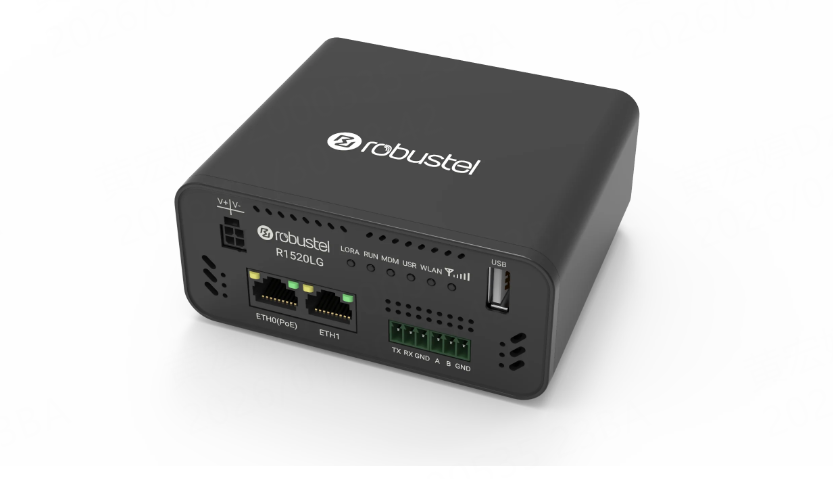
For outdoor use, pick gateways with weatherproof cases and strong antennas. For example, the Robustel R1520LG is durable and offers multiple backhaul options, making it great for tough environments. Place the gateway high to avoid obstacles and improve signal range.
If your project faces extreme conditions, choose a gateway with extra protections. This ensures it works well, whether monitoring crops or managing factory devices.
Budget and Technical Requirements
Your budget and technical needs will help you choose the right LoRaWAN gateway . Private networks cost more upfront (CAPEX) but save on long-term costs (OPEX). Public networks are cheaper to start but may have higher ongoing fees.
CAPEX includes costs like property, equipment, and setup :
∑Ccapex = Cprop + Csus + Cbld + Cres + Ccap-oth − Cdis − Csell
OPEX covers fees, energy, and maintenance over time:
∑Copex = t · (Cfee + Cenr + Crent1 + Crent2 + Cope-oth)
If you need advanced features like edge computing or multi-channel support, invest in a high-performance gateway like the Robustel R1520LG. It supports tools like Docker, Node-RED, and MQTT, making it ideal for complex IoT projects. Balancing cost and features ensures you get the best value.
LoRaWAN gateways are crucial for IoT networks, allowing devices to communicate over long distances using little power. They serve as the main link for sending and receiving data, keeping devices connected smoothly. With features like adaptive data rate and multi-channel support, these gateways save energy and handle more devices efficiently. They are affordable and great for real-time tracking, making them perfect for big projects. As IoT use increases, LoRaWAN gateways will keep improving smart cities and industries by providing strong and scalable communication.
Conclusion: Why the LoRaWAN Gateway is Your IoT Anchor
At the end of the day, a LoRaWAN gateway is the anchor of your entire operation. It’s the bridge that turns a scattered field of LoRaWAN devices into a single, cohesive network.
When you choose to deploy LoRaWAN technology, you are investing in three core pillars:
- Massive Coverage: Distance is no longer a dealbreaker.
- Operational Economy: It’s built for big IoT projects that need to stay under budget.
- Future-Proof Growth: Build with confidence knowing your network can scale from a few dozen sensors to thousands of nodes seamlessly.
Whether you are securing a smart city or optimizing a global supply chain, the right gateway makes all the difference.
Ready to Build Your Network?
Don’t let connectivity gaps hold your project back. Explore our range of industrial-grade LoRaWAN gateways—engineered for extreme environments, seamless cloud integration, and maximum uptime.
FAQs
Q1: What is the range of a LoRaWAN gateway?
A1: LoRaWAN gateway can cover 2–15 kilometers in rural areas. In cities, it covers 500 meters to 5 kilometers. The range depends on antenna quality and placement.
💡 Tip : Place the gateway high to improve its range and reduce interference.
Q2: How many devices can a LoRaWAN gateway support?
A2: One gateway can connect thousands of devices. Multi-channel gateways work better for big networks. The exact number depends on the gateway’s design and setup.
Q3: Can I use a LoRaWAN gateway indoors?
A3: Yes, indoor gateways are made for homes and offices. They are small and easy to set up. But their range is shorter than outdoor gateways, which are better for large spaces.
Q4: Do LoRaWAN gateways require internet access?
A4: Yes, gateways need internet to send data to the server. They use Ethernet, Wi-Fi, or cellular 4G/5G networks for this connection. Pick the option that fits your location.
Q5: How do I maintain a LoRaWAN gateway?
A5: Check the gateway’s performance often using its dashboard or cloud based device management platform. Watch metrics like signal strength and packet delivery. Update firmware to keep it working with new devices.
🔧 Note : Regular maintenance helps the gateway last longer and work better.
About the Author
Yang Tao | Founder & CEO
Robustel Yang Tao founded Robustel in 2010 with a vision to simplify industrial connectivity. Today, he leads a global team of over 300 experts, shipping mission-critical IoT solutions to more than 100 countries.
A firm believer in technical excellence, Yang dedicates 15% of revenue to R&D and operates a proprietary 5G smart factory. His commitment to security is backed by world-class certifications (IEC 62443, ISO 27001), ensuring that Robustel’s hardware is as secure as it is innovative.