
Edge Computing in IoT: Remote Device Management for Industrial Gateway Fleets

Edge computing in IoT becomes much harder to manage once gateways are deployed as a fleet. A single industrial edge gateway can often be checked manually. A fleet of gateways across remote cabinets, energy sites, utility stations, smart city infrastructure, OEM equipment, or distributed industrial assets is a different matter.
At that point, the real question is no longer only whether each gateway can connect equipment or forward data. Project teams also need to know which gateways are online, which sites have weak signal, which devices are running older firmware, which configurations have changed, and which problems can be checked remotely before anyone is sent to site.
This is where remote IoT device management becomes part of the architecture. It is not just a convenience layer added after deployment. In many industrial projects, it is what keeps a gateway fleet visible, consistent, and maintainable after the pilot phase is over.
This article looks at what remote device management means for industrial edge gateway fleets, what project teams should monitor, and how a hardware-and-software approach such as Robustel EG5100 and RCMS can support this type of deployment without overstating what the gateway or platform should be expected to do.
Why Edge Gateway Fleets Become Hard to Manage in Industrial IoT
In early industrial IoT projects, the gateway conversation often starts with the field connection: Can the gateway connect to the machine? Can it collect selected data? Can it send data to the cloud, SCADA, or another monitoring platform?
Those questions are necessary, but they are only the first layer.
The more difficult questions usually appear later, when gateways are no longer installed as isolated devices. A gateway in one cabinet may have good signal. Another may be using a backup SIM. A third may still be running an older firmware version. One site may have a modified VPN profile after troubleshooting. Another may have a different APN setting because the local mobile operator required it.
None of these issues looks dramatic on its own. Across a fleet, however, small differences quickly become operational friction.
For teams managing industrial IoT deployments, the gateway gradually changes from a piece of edge hardware into a managed field asset. It needs an identity, a configuration history, a firmware policy, an access model, a diagnostic path, and a maintenance process.
That is where many projects start to separate. Some remain manageable because the fleet is visible and structured. Others slowly become difficult to support because every gateway is treated as its own special case.
The goal of remote device management is not simply to make a dashboard look busy. It is to help teams answer practical questions with less guesswork:
- Which gateways are online?
- Which sites have weak or unstable connectivity?
- Which gateways have configuration drift?
- Which firmware versions are still in the field?
- Which devices need attention before the next maintenance window?
- Which issues can be checked remotely before dispatching a technician?
In industrial IoT, edge computing scales more smoothly when gateways can be managed as a fleet, not treated as separate devices scattered across different sites.
What Remote Device Management Means for Industrial Edge Gateways
Remote device management is sometimes reduced to a simple online/offline view. That is useful, but for industrial edge gateway fleets it is not enough.
A gateway does more than report its own status. It may provide cellular backhaul, Ethernet routing, VPN access, firewall rules, serial connectivity, local applications, edge data handling, and access to selected downstream equipment. When something goes wrong, the problem may sit in any of those layers.
That is why remote device management should be understood as a working process, not just a software feature.
For an industrial gateway fleet, it usually needs to cover several areas:
| Management Area | What Project Teams Need to See or Control |
| Device status | Online/offline status, uptime, last seen time, model, location, and deployment group |
| Konnektivität | Cellular status, signal strength, WAN/LAN state, SIM or APN information where available |
| Configuration | VPN profiles, routing, firewall rules, APN settings, templates, and configuration consistency |
| Firmware | Firmware version, update status, rollout groups, and update history |
| Diagnostics | Logs, interface status, signal history, packet capture, CLI access, or related tools where available |
| Remote access | Web access, CLI, VPN access, role-based permissions, and controlled remote sessions |
| Fleet grouping | Sites, regions, customers, device models, applications, or deployment batches |
| Alerts and reports | Offline devices, signal degradation, unusual data usage, update exceptions, or other operational events |
In real projects, these areas are connected. A weak signal may explain intermittent reporting. A changed firewall rule may explain failed remote access. A firmware mismatch may explain different application behavior across sites. A configuration change made during emergency troubleshooting may later become a support problem if nobody records it.
Good remote device management helps teams see those links earlier.
It also makes responsibility clearer. When a gateway is offline, who checks it? When a configuration is changed, who approves it? When a firmware update is planned, who tests the first group? When a customer site reports a problem, who decides whether the issue is connectivity, gateway configuration, downstream equipment, or platform integration?
These are not abstract process questions. They are the kind of questions that decide whether a gateway fleet can be supported at scale.

Why Industrial Gateway Fleets Are Different from Ordinary IoT Device Fleets
Industrial gateway fleets should not be managed in the same way as simple sensor fleets.
A sensor may send a small set of values to an application. An industrial edge gateway often sits between field equipment and upper-level systems. It may connect to serial devices, route traffic across site networks, handle VPN access, run local applications, and provide the communication path for other equipment.
That makes each gateway more important, but also more sensitive to configuration.
A wrong APN setting may break cellular access. A VPN profile change may affect remote support. A firewall rule may block a data path that worked during commissioning. A firmware difference may affect an edge application. Weak signal may look like a platform issue if the team cannot see connectivity history. Repeated reboots may point to power conditions, local workload, or configuration issues.
Industrial environments also bring practical constraints that are easy to underestimate during planning.
| Industrial Condition | Why It Changes Your Gateway Management |
| Remote or unmanned sites | Field visits may be slow, costly, or difficult to schedule |
| OT equipment nearby | Access and configuration changes need to be controlled carefully |
| Cellular-dependent connectivity | Signal strength, SIM status, APN, data usage, and carrier selection matter |
| Cabinet-based installation | Power, grounding, antenna placement, and temperature conditions may affect reliability |
| Multi-party ownership | Integrators, distributors, OEMs, operators, and IT/OT teams may all be involved |
| Long deployment life cycles | Firmware, configuration, and security policies need maintenance over time |
| Different site types | One fleet may include energy sites, water stations, machines, parking systems, and other assets |
This is why remote IoT device management for industrial gateway fleets needs more than a basic device list.
It needs enough context for operations and support teams to understand what is happening at the site level. A gateway may be online but unable to reach a downstream device. It may be connected by cellular but unable to establish VPN. It may be running, but with a configuration that no longer matches the approved template.
For European distributors and system integrators, this is often where customer support becomes demanding. The customer does not always ask for “fleet management.” They say the site is unreachable, the data stopped updating, the VPN no longer works, or the device needs a firmware update. A good gateway management workflow helps the support team turn those complaints into a more structured investigation.
What Project Teams Should Monitor Across Gateway Fleets
Not every metric needs to be monitored. Too many dashboards can create noise. The useful question is simpler: which indicators help the team make better operational decisions?
For industrial gateway fleets, the following indicators are usually worth considering:
| Fleet Indicator | Why It Matters |
| Online/offline status | Helps identify unreachable gateways before the issue affects operations |
| Last seen time | Shows whether a gateway has just stopped reporting or has been offline for longer |
| Signal strength | Helps detect weak cellular coverage, antenna placement issues, or site changes |
| Data usage | Helps identify abnormal traffic, polling behavior, or data cap risks |
| WAN/LAN status | Helps separate upstream connectivity problems from local network problems |
| VPN status | Helps confirm whether secure remote access is available |
| Firmware version | Helps track update consistency across the fleet |
| Configuration version | Helps reduce configuration drift between sites |
| Reboot history | May indicate power instability, application behavior, watchdog activity, or configuration issues |
| Logs and syslogs | Help engineers investigate problems before visiting the site |
| Device group or location | Helps organize support by region, customer, model, or deployment batch |
The useful pattern is to look at the fleet first, then drill down to the device.
At fleet level, teams need to see patterns: several devices offline in the same region, many gateways still running an older firmware version, a group of devices with high data usage, or a specific customer batch with weak signal.
At device level, engineers need details: interface state, route information, logs, signal history, VPN status, current configuration, and recent events.
This is where remote device management becomes practical. It allows teams to move from “something is wrong at the site” to “this is the first thing we should check”.
For example, if a gateway is offline, the first checks may include site power, cellular signal, SIM/APN, antenna, and platform connectivity. If the gateway is online but VPN access fails, the next checks may involve VPN profile, firewall rules, routing, credentials, or platform-side permissions. If data usage changes suddenly, the team may need to review application behavior, polling frequency, or unexpected traffic.
That kind of structured visibility does not remove the need for engineering judgement. It gives engineers better information before they act.
Configuration and Firmware Management Across Distributed Gateways
Monitoring tells teams what is happening. Configuration and firmware management help prevent the fleet from becoming inconsistent over time.
In small deployments, manual configuration may be acceptable. An engineer logs in, sets the APN, applies VPN settings, checks routing, and moves on. But when the deployment grows, manual configuration becomes harder to control.
Small differences accumulate. One gateway has a different firewall rule. Another has an older firmware version. A third has a local change made during urgent troubleshooting. A fourth uses a different template because it was installed by another team.
At first, these differences may not cause visible problems. Later, they make support slower because nobody is fully sure which devices are still aligned with the standard design.
A more disciplined fleet management process usually needs to define:
- Approved configuration templates
- Device grouping rules
- Standard VPN, firewall, and routing profiles
- SIM, APN, and operator policies
- Firmware version policy
- Pilot update process
- Maintenance windows
- Update verification steps
- Recovery procedures
- Change ownership and audit requirements
Firmware updates need particular care. Remote firmware management is useful, but it is still an operational task. Devices need to be reachable, powered, connected to the management platform, and suitable for the selected firmware package. Updates should be planned with awareness of site operations, network stability, and recovery options.
In many industrial projects, a staged rollout is safer than a broad immediate update. A project team may test the update on a small group, watch the result, and then expand to more devices. That approach may look slower on paper, but it is often more appropriate for distributed field deployments.
The same applies to configuration changes. Templates and batch jobs can improve consistency, but teams still need to know what is being changed, which devices are included, who approved the change, and how the result will be checked afterward.
Fleet management is not only about doing things remotely. It is about doing remote changes in a way that remains traceable and supportable.
If you are thinking about gateway fleet management beyond the first few devices, zero-touch deployment is worth looking at early. Manual configuration may still work during a pilot, but it becomes harder to keep consistent once gateways are shipped to different sites, customers, or regions.
This short video gives a quick overview of how RCMS’s zero-touch provisioning can support a more repeatable rollout process for Robustel device fleets. It is especially useful if you are evaluating how configuration templates, remote onboarding, and centralized management can reduce manual setup work before gateways are installed in the field.
Remote Troubleshooting Without Treating Every Issue as a Site Visit
One practical reason to manage gateway fleets remotely is to avoid treating every issue as a site visit.
This does not mean site visits disappear. Some problems still require someone to go to site: power supply checks, antenna relocation, cable inspection, cabinet service, SIM replacement, downstream equipment troubleshooting, or environmental issues.
The value of remote troubleshooting is more modest and more useful: it helps teams decide what to check first, what information is missing, and whether a field visit is actually needed.
A gateway fleet management workflow can help separate different kinds of issues:
| Remote Finding | Possible First Check |
| Gateway offline | Power, cellular coverage, SIM/APN, antenna, site network, platform connectivity |
| Weak signal | Antenna placement, operator coverage, cabinet location, external interference |
| VPN down but cellular online | VPN profile, firewall rules, credentials, routing, or platform-side access |
| High data usage | Application behavior, polling frequency, unexpected traffic, data forwarding logic |
| Firmware mismatch | Update policy, rollout group, model compatibility, pending maintenance window |
| Repeated reboot | Power stability, local workload, watchdog behavior, application, or configuration issue |
| Local device unreachable | LAN settings, serial settings, connected equipment status, cabling |
| Configuration mismatch | Template assignment, manual changes, undocumented troubleshooting adjustments |
This is where experience matters. A gateway offline alarm does not automatically tell you the cause. It only tells you where the investigation begins. If the last signal record was already weak, the team may look at antenna placement or operator coverage. If the signal is fine but VPN is down, the issue may sit in routing, credentials, or firewall policy. If the gateway is stable but a downstream device is unreachable, the issue may be on the local network or field device side.
For distributors and support teams, this can make the conversation with customers more constructive. Instead of saying “we need to send someone”, the team can say, “we have checked the gateway state, signal, VPN, and recent logs; the next likely step is on-site inspection”, or “this looks like a configuration issue we can review remotely first”.
That is the practical value of remote device management in industrial IoT. It does not solve every problem remotely. It reduces blind troubleshooting.
Where Robustel EG5100 and RCMS Fit in Industrial Gateway Fleet Management
Once the fleet management requirements are clear, the product discussion becomes less about choosing a gateway in isolation and more about designing the right management layer around it.
For an industrial gateway fleet, two parts usually need to work together.
At each site, the gateway needs to provide reliable connectivity, suitable industrial interfaces, secure communication, and enough local processing for the intended edge workload. At fleet level, the management platform needs to help teams see which gateways are online, which sites have weak signal, which configurations need attention, which firmware versions are running, and which devices may need troubleshooting before a field visit is arranged.
This is where a hardware-and-software reference becomes useful.
EG5100 can represent the site-side industrial edge gateway layer. It is designed for field connectivity and lightweight edge applications, with 4G/3G/2G cellular backhaul, Dual-SIM support, Ethernet, software-configurable RS-232/RS-485, DI/DO, VPN and firewall functions, RobustOS Pro, Docker, and RCMS-based remote management.
RCMS can represent the fleet management layer for Robustel routers and gateways. In a gateway fleet context, it helps teams move from checking devices one by one to monitoring and maintaining deployed gateways more centrally. This may include fleet status visibility, online/offline monitoring, signal strength, data usage, configuration workflows, OTA update support, and troubleshooting tools where devices are connected, permissions are available, and the project is configured accordingly.
The fit between the two becomes clearer when it is mapped to actual fleet management problems:
| Fleet Management Need | Robustel EG5100 + RCMS Matching Point |
| Field-side gateway deployment | EG5100 provides industrial gateway hardware for remote sites and cabinets |
| Cellular-connected sites | EG5100 supports 4G/3G/2G cellular backhaul and Dual-SIM |
| Local industrial connections | EG5100 supports Ethernet, RS-232/RS-485, DI/DO, and selected model options |
| Lightweight edge applications | EG5100 supports RobustOS Pro, Debian-based software environment, Docker, and SDK |
| Secure communication | EG5100 supports VPN and firewall functions |
| Fleet visibility | RCMS can provide centralized visibility across Robustel device fleets |
| Remote diagnostics | RCMS can support logs, signal history, interface details, CLI, packet capture, and related troubleshooting workflows |
| Firmware and configuration | RCMS can support OTA firmware, application, and configuration workflows for connected devices |
| Remote access | RobustVPN and RCMS access tools can support controlled access to Robustel devices and selected network paths where configured |
| Multi-site operations | RCMS grouping, dashboards, alerts, and reports can help teams manage devices by site, customer, model, or deployment group |
In real gateway fleet projects, the hardware choice is only one part of the decision. It is easy to compare Ethernet ports, serial interfaces, cellular bands, or CPU specifications. Those details matter, of course. But once the gateways are installed across dozens of sites, the harder questions are usually more operational: Who can see which gateway is offline? Who approves a configuration change? How are firmware updates tested? Can the support team check signal history before sending someone to site? Are VPN profiles, APN settings, and access permissions managed consistently?
This is why Robustel EG5100 and RCMS are better understood as a combined reference rather than two separate items. EG5100 provides the site-side gateway layer. RCMS provides the fleet visibility and maintenance workflow around Robustel devices. Together, they can help project teams manage gateway fleets more coherently, but they still depend on good network planning, clear user permissions, stable site power, suitable cellular coverage, and disciplined operational procedures.
In other words, the value is not simply “hardware plus software”. The value is that the gateway and the management platform give teams a more practical way to operate distributed IoT sites over time. That is where many projects either remain manageable, or slowly become difficult to support.
What Robustel EG5100 and RCMS Should Not Be Expected to Replace
A managed gateway fleet can make distributed IoT operations more visible, but it does not remove the need for good system design.
Robustel EG5100 and RCMS should not be positioned as replacements for every system around an industrial IoT deployment. They do not replace the PLC, SCADA, MES, ERP, CMMS, cybersecurity platform, cloud application, or field maintenance process.
They also should not be treated as a way to automatically manage every third-party device behind a gateway. Access to downstream equipment depends on network design, routing, permissions, device support, security policy, and project configuration.
A careful boundary is important:
| System or Process | Boundary |
| PLC or machine controller | Gateway management does not replace control logic or machine automation |
| SCADA or MES | RCMS does not replace production monitoring or manufacturing execution systems |
| IoT application platform | RCMS manages Robustel device fleets; business application logic may sit elsewhere |
| Cybersecurity platform | VPN, firewall, access control, and audit features can support security, but do not replace a full security architecture |
| Field maintenance | Remote management can reduce blind troubleshooting, but some issues still require site work |
| Third-party device management | Downstream access depends on integration design and permissions |
| Firmware process | OTA updates still require planning, device availability, power, network stability, and validation |
This boundary is not just legal caution. It is practical project advice.
Industrial IoT deployments work better when each layer has a clear role. The gateway provides field-side connectivity and edge capability. The management platform provides fleet visibility and remote maintenance workflows. SCADA, MES, cloud platforms, and asset management systems continue to serve their own operational purposes.
When those roles are unclear, support becomes harder. Customers may expect the gateway to solve a platform issue. Integrators may expect the management platform to diagnose every downstream device. Operations teams may assume remote updates remove the need for maintenance windows. These assumptions are where many avoidable problems start.
A better approach is to define the boundary early, document it, and make sure every stakeholder knows what the gateway fleet management layer is responsible for — and what it is not.
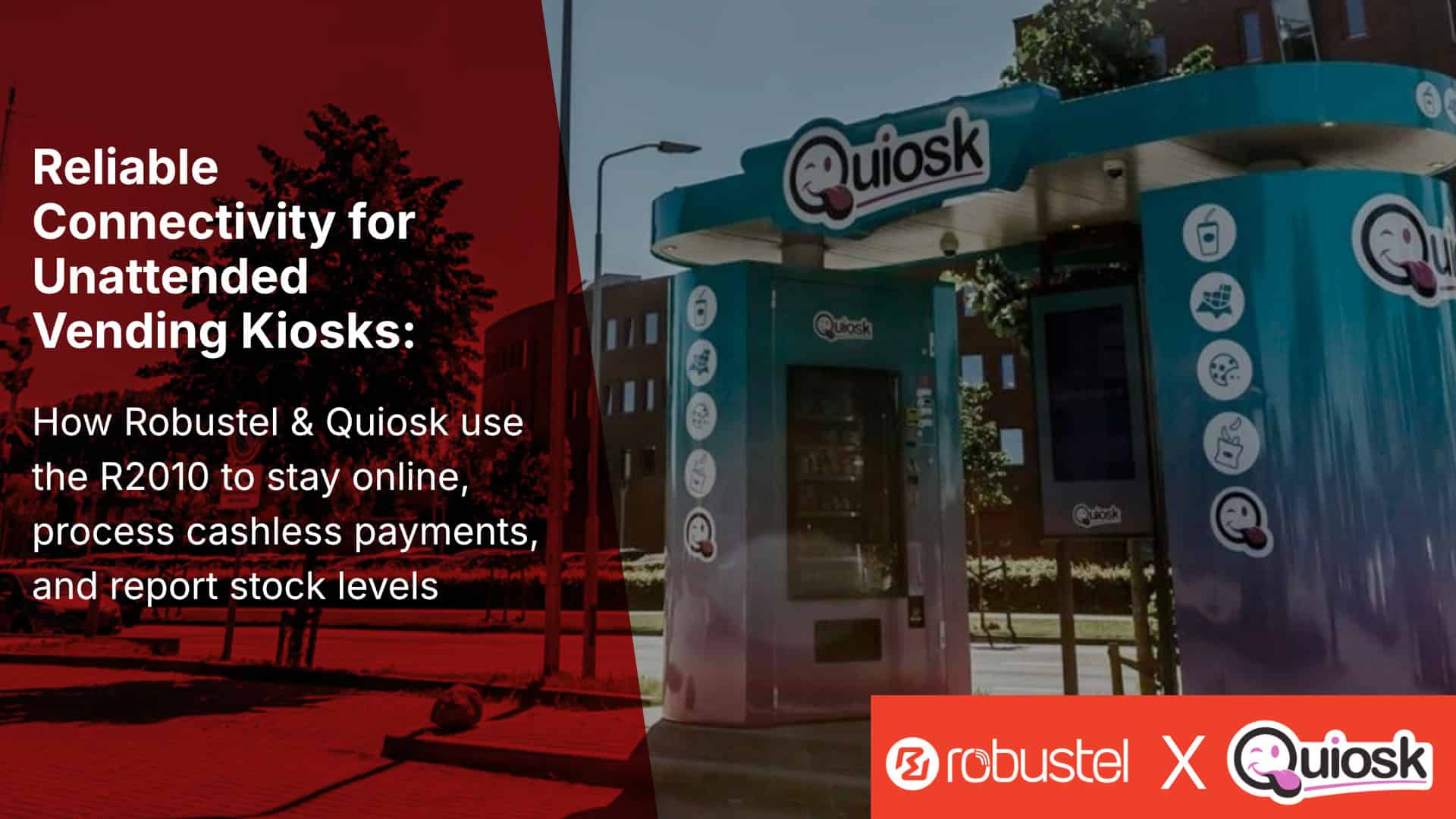
Before moving on to the gateway fleet management checklist, it may be useful to look at a few related deployments where RCMS works together with different Robustel hardware products across distributed IoT scenarios.
These case studies give a practical glimpse of how versatile RCMS can be when devices are deployed across many locations. The industries and hardware models are different, but the operational questions are familiar: Which devices are online? Which sites need attention? Can the support team check status remotely before sending someone out? Can deployment and maintenance be handled in a more repeatable way?
For project teams evaluating RCMS’s remote device management for Robustel industrial gateway fleets, these examples can provide useful context beyond product specifications.


Gateway Fleet Management Checklist for Project Teams
In real projects, gateway fleet issues often come from small decisions made early: who owns the configuration, how devices are grouped, which firmware versions are approved, who can access the gateway, and what happens when a remote site goes offline.
The questions below may not all apply to every deployment, but they are useful to review before the fleet grows beyond a handful of gateways.
Fleet Scope
- How many gateways will be deployed in the first phase?
- How many sites may be added later?
- Will devices be grouped by region, customer, application, or model?
- Are all gateways expected to run the same configuration?
- Will different site types need different templates?
Konnektivität
- Which sites use cellular, Ethernet, or both?
- Is Dual-SIM required for certain locations?
- Which operator profiles, SIMs, or APN settings are approved?
- How will signal strength be monitored?
- How will data usage be tracked?
- What happens when a gateway is offline for a defined period?
Configuration
- Will gateway configurations be template-based?
- Who approves configuration changes?
- How will configuration drift be detected?
- Are VPN, firewall, routing, APN, and LAN settings documented?
- Are local changes during troubleshooting recorded afterward?
Firmware and Updates
- Which firmware versions are approved for each device model?
- Will updates be tested on a pilot group first?
- Are target devices online, powered, and connected before update?
- What maintenance window is acceptable?
- Who verifies update success?
- Is there a recovery procedure if an update fails?
Access and Security
- Who can access gateway settings?
- Is role-based access required?
- Are remote access sessions time-limited?
- Are configuration changes logged?
- Are customer or tenant environments separated where needed?
- Are audit requirements defined?
Operations
- What alerts matter most to the operations team?
- Who responds when a gateway goes offline?
- What issues can be handled remotely?
- When is a site visit still required?
- How will support teams distinguish connectivity issues from downstream equipment issues?
- How will the process scale when the fleet grows?
These questions help project teams treat gateway fleet management as part of the IoT architecture, not as a support task that appears after deployment.
Closing Perspective
Edge computing in IoT is easier to scale when industrial gateways are not managed as isolated field devices.
Once gateways become a fleet, remote IoT device management becomes part of the architecture. Project teams need visibility into online status, signal strength, data usage, firmware versions, configuration consistency, remote access, and troubleshooting data. They also need clear ownership around updates, permissions, templates, alerts, and field response.
A hardware-and-software approach can help. An industrial edge gateway such as Robustel EG5100 can provide the field-side connectivity and edge capability. A management platform such as RCMS can support centralized visibility, configuration, update, access, and diagnostic workflows for Robustel device fleets.
Together, Robustel EG5100 and RCMS can help make distributed industrial IoT deployments easier to manage over time. But they still need to be used within a clear architecture, with realistic expectations, documented processes, and proper boundaries between gateway management, industrial control, application platforms, cybersecurity, and field maintenance.
FAQs
Q1. What is remote IoT device management for industrial edge gateways?
Remote IoT device management for industrial edge gateways means monitoring, configuring, updating, and troubleshooting deployed gateways from a central platform instead of checking each device manually on site. For industrial gateway fleets, this may include online/offline status, signal strength, data usage, VPN status, firmware versions, configuration templates, logs, and remote access tools. The goal is not only to know whether a gateway is connected, but to keep many gateways visible, consistent, and maintainable across distributed IoT sites.
Q2. How do you manage edge gateways across multiple industrial sites?
Edge gateways across multiple industrial sites are usually managed through a combination of field-side gateway hardware and a remote device management platform. The gateway provides site connectivity, industrial interfaces, secure communication, and local edge capability. The management platform helps teams organize devices by site, customer, model, or deployment group; monitor fleet health; apply configuration templates; plan updates; and investigate issues remotely. In a Robustel deployment, EG5100 can provide the site-side industrial edge gateway layer, while RCMS can support centralized visibility and management for Robustel device fleets.
Q3. What should project teams monitor in an industrial gateway fleet?
Project teams should monitor the indicators that help them make better support and maintenance decisions. Common examples include gateway online/offline status, last seen time, cellular signal strength, SIM or APN status where available, data usage, WAN/LAN status, VPN status, firmware version, configuration version, reboot history, logs, and device location or group. These indicators help teams identify whether a problem is likely related to connectivity, configuration, firmware, site power, local network settings, or downstream equipment.
Q4. Can firmware and configuration updates be done remotely for IoT gateways?
Firmware and configuration updates can often be handled remotely when the gateway supports remote management and is connected to the management platform. However, updates still need planning. Devices should be reachable, powered, correctly registered, and compatible with the selected firmware or configuration package. In industrial deployments, it is usually safer to test updates on a small pilot group before rolling them out more widely. With platforms such as Robustel RCMS, update and configuration workflows can be centralized for supported Robustel routers and gateways, but project teams still need maintenance windows, verification steps, access permissions, and recovery procedures.
Q5. Does remote device management eliminate the need for site visits?
Remote device management can reduce blind troubleshooting and help teams decide whether a site visit is necessary, but it does not eliminate site visits entirely. Some issues still require physical work, such as power supply checks, antenna repositioning, SIM replacement, cabling inspection, cabinet service, or downstream equipment troubleshooting. The value of remote management is that teams can check gateway status, signal history, logs, VPN status, firmware version, and configuration details before dispatching technicians. This makes field maintenance more targeted and easier to justify.
Über den Autor
Robert Liao | Technical Support Engineer
Robert is an IoT Technical Support Engineer at Robustel, specializing in industrial networking and edge connectivity. A certified Networking Engineer, Robert focuses on the deployment and troubleshooting of large-scale IIoT infrastructures. His work centers on architecting reliable, scalable system performance for complex industrial applications, bridging the gap between field hardware and cloud-side data management.