
AU915 LoRaWAN Sub-Band Mismatch: Gateway Troubleshooting Guide
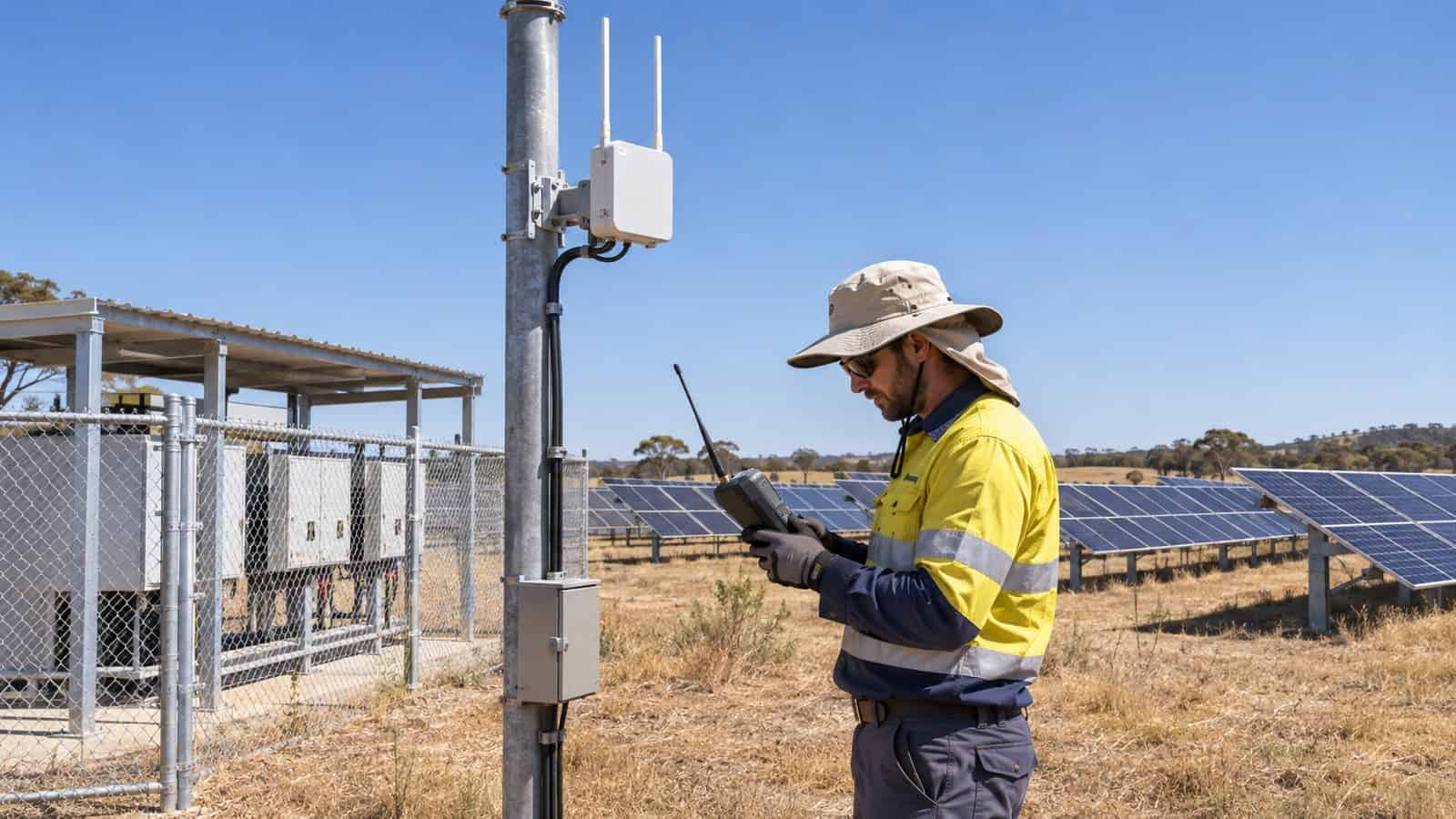
The Robustel R1520LG LoRaWAN Gateway is available with AU915 support, but an AU915 device can remain in radio range and still never join when its enabled channel group does not overlap the gateway/LNS frequency plan. Verify the exact gateway SKU, LNS region and device channel configuration before changing keys or replacing hardware.
This diagnostic keeps OTAA secrets out of screenshots and tickets. The goal is to prove whether join requests are transmitted and received on the same channels, then move to identity, key or RF investigation only after the frequency plan agrees.
Start with the observable join path
Trigger one controlled join while watching the LNS or gateway live frames. Record the device time, DevEUI suffix, firmware, configured region and the channels it attempts. On the gateway side, record model/order code, LoRa region, channel plan and server profile.
| Observation | Likely branch | Next check |
|---|---|---|
| no join request visible | channel mismatch, RF, antenna or device not transmitting | compare channel masks, then use approved RF observation |
| join request visible, no join accept | identity, key, profile or LNS policy | inspect server reason without exposing secrets |
| join accept scheduled, device retries | downlink channel/window or RF path | compare regional settings and receive-window parameters |
| some devices join, one model fails | device profile/firmware/channel implementation | compare a known-good unit of the same model |
The Robustel R1520LG overview video below provides model and architecture orientation. It does not establish the selected AU915 sub-band; that value must come from the deployed gateway, LNS and device configuration.
Prove the exact AU915 plan on all three components
“AU915” alone is not a complete channel configuration. The network operator or private-LNS design may use a specific sub-band or channel mask. The gateway packet-forwarder/LNS configuration and end device must follow the same plan.
Create a comparison record with the gateway SKU and supported frequency, the LNS region and enabled channels, and the device region/channel mask. Use configuration exports or screen captures with keys hidden. Do not copy settings from a US915 project because the frequency ranges appear similar.
Diagnose with a known-good reference
Use one known-good AU915 device that is approved for the selected network. If it joins through the same gateway and LNS, compare its firmware, region and channel configuration with the failing device. If neither device appears in live frames, move the known-good unit close to the gateway and check antennas and hardware configuration before changing the network plan.
Robustel’s private smart-farm R1520LG application example illustrates a private gateway/LNS architecture. For an Australian deployment, the local operator’s AU915 plan and each sensor’s supported configuration remain the controlling inputs.
How Robustel R1520LG LoRaWAN Gateway supports AU915 fault isolation
The Robustel R1520LG LoRaWAN Gateway product family includes AU915 variants, an eight-channel concentrator, embedded ChirpStack and supported external-LNS forwarding. This provides separate hardware, forwarding and server configuration points that should be recorded rather than collapsed into “gateway settings.”
| Site pain | Verified capability | Diagnostic value | Acceptance evidence |
|---|---|---|---|
| region may be wrong at purchase | explicit AU915 model variants | bind order code to deployment region | label/order code and product model row |
| LNS ownership is unclear | embedded or external server architecture | identify where channel plan is controlled | server/tenant owner and exported plan |
| RF placement complicates diagnosis | PoE-PD and indoor mounting options | move gateway placement only after configuration match | before/after RF and live-frame record |
For an external-server deployment, Robustel’s R1520LG LORIOT integration guide helps confirm the forwarding path. The operator’s selected AU915 plan still determines the device channel configuration.
Protect secrets and preserve the baseline
Never paste AppKey, NwkKey or complete credential exports into a support ticket. Use secret identifiers, masked values and controlled confirmation by an authorised engineer. If key re-entry is required, perform it through the approved secret workflow and record only that verification occurred.
Robustel’s Voytech BMS case study shows how preconfigured devices reduce specialist work at site. The same discipline helps AU915 projects: freeze the approved profile and channel plan before devices leave staging.
Verify repair with more than one successful join
After aligning the plan, clear only the state required by the device/LNS procedure and repeat several joins at representative locations. Confirm join request, join accept, first uplink, decoded application data and expected reporting interval. Reboot or power-cycle according to the device vendor’s instructions and make sure the configuration persists.
Close the fault with a sanitized record of gateway SKU, firmware, LNS/tenant, region, channel mask identifier, device model/firmware and test result. The record should let another engineer distinguish a future channel mismatch from a key or RF fault.
Häufig gestellte Fragen
Q1. What frequencies does LoRaWAN use?
LoRaWAN uses region-specific licence-exempt bands and channel plans. The correct plan depends on the deployment country and network operator, so a device configured for another region may not join.
Q2. What is an AU915 sub-band?
It is a selected group of channels within the AU915 regional plan. The device, gateway forwarding configuration and LNS must have overlapping enabled channels according to the chosen network design.
Q3. Can an AU915 device be in range but fail to join?
Yes. Strong RF proximity does not help if the device transmits join requests on channels the gateway is not listening to, or if the server and device profiles disagree.
Q4. Should OTAA keys be changed first when a device will not join?
No. First determine whether a join request reaches the LNS and whether the regional channel plan matches. Verify keys securely only after the radio and profile path is understood.
Q5. How should the Robustel R1520LG LoRaWAN Gateway be checked for AU915 sub-band mismatch?
Confirm the exact AU915 SKU, export the gateway/LNS regional channel plan, compare it with the device configuration, then run controlled joins while observing live frames and keeping all keys masked.
Schlussfolgerung
The Robustel R1520LG LoRaWAN Gateway is best suited to AU915 troubleshooting when its exact regional SKU and embedded or external LNS ownership are recorded explicitly. That separates hardware capability from the channel plan selected for the network.
Compare the three configurations before touching secrets, use a known-good device to isolate the branch, and close the repair only after repeated joins and valid application data succeed at representative locations.
Explore More Articles About Robustel LoRaWAN Gateways


Über den Autor
Robustel Editorial Team
The Robustel Editorial Team publishes practical articles on industrial connectivity, edge computing, LoRaWAN and device management, focusing on deployment considerations, technical limitations and long-term operation.