
Cellular Router Antenna Guide 2026
You’ve invested in a high-performance cellular router and are ready to bring your deployment online. But as you prepare for installation, you face a critical decision that will define your network’s stability: which antennas will actually pull a reliable signal into your hardware?
This choice isn’t just a technicality—it dictates your total uptime, your data throughput, and ultimately, whether your remote site stays connected or suffers from constant, costly dropouts.
In this guide, we strip away the jargon to help you navigate the world of cellular signal enhancement. We’ll break down the core concepts of antenna physics, compare different hardware setups head-to-head, and provide a clear roadmap for choosing the right equipment for your specific environment.
What We Will Cover:
- The Fundamentals: A plain-English look at directional vs. omni-directional antennas and when to use each.
- Decoding dBi: Understanding “gain” and how to choose the right power level for your distance from the cell tower.
- MIMO & Placement: Why multiple antennas are mandatory for modern speeds and the “golden rules” for where to mount them.
- The Connection Chain: Why high-quality, low-loss cabling is the unsung hero of a successful outdoor installation.
Tips: Need help choosing the right cellular router for your business? Explore Robustel full range of routers and find your perfect fit here.
The Silent Culprit of Connectivity
I’ve seen so many projects where a company invests in a top-of-the-line industrial cellular router, only to be met with frustratingly slow and unreliable performance. Naturally, the first instinct is to blame the router or the cellular carrier. However, nine times out of ten, the real culprit is sitting right on top of the device: the antennas.
To put it clearly, your antennas are the “ears and mouth” of your router. They are the only physical connection to the cellular network. Choosing the wrong ones—or installing them poorly—is like trying to have a conversation in a loud room with your hands over your ears. No matter how powerful the router is, it simply can’t “hear” the signal effectively.
The good news is that understanding the basics of choosing the right antennas is straightforward. You don’t need to be an expert to get this right; you just need a few practical principles. This guide will provide the knowledge you need to ensure your installation is a success from day one.
Step 1: A Guide to Choosing Antennas for a Cellular Router – Understand the Two Main Types
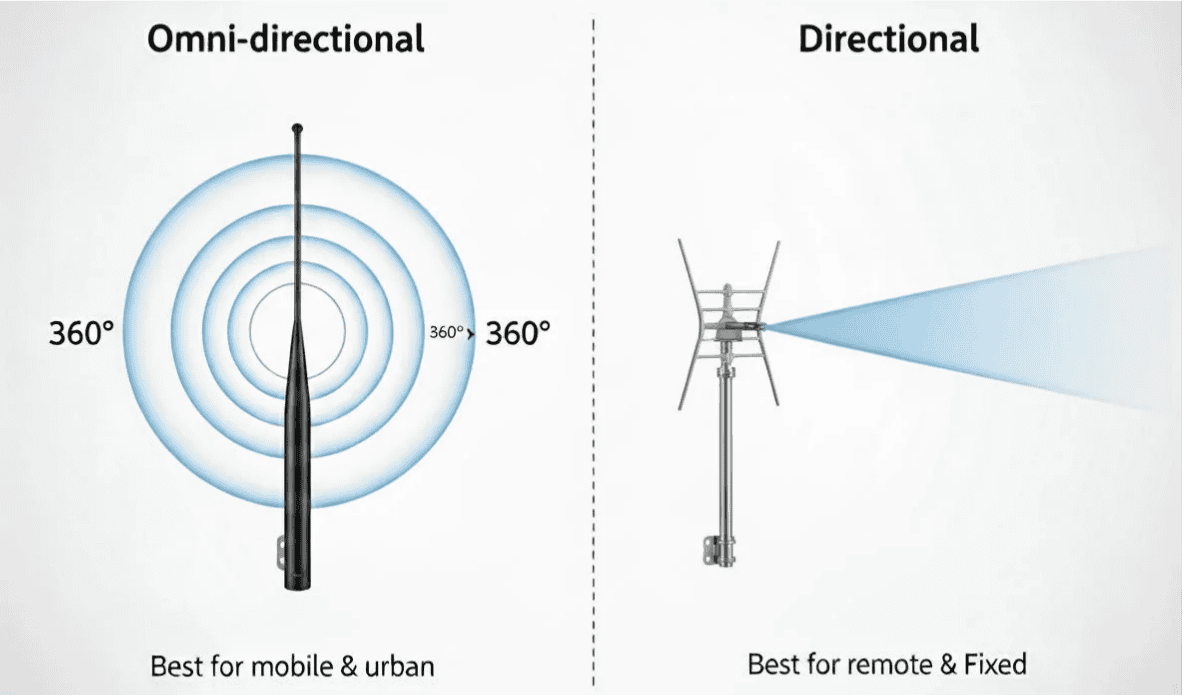
Your first choice is between an antenna that listens in all directions and one that focuses its hearing in a single direction.
Omni-directional Antennas
This is the most common type of antenna, often called a “whip” or “paddle” antenna.
- How it works: It sends and receives signals in a 360-degree horizontal pattern. It’s great at picking up signals from multiple nearby cell towers without needing to be aimed.
- Best For:
- Mobile applications (vehicles, etc.) where the direction to the tower is always changing.
- Urban areas where there are many cell towers and a risk of signal reflection.
- Installations where you don’t know the precise location of the nearest tower.
Directional Antennas
These antennas (like Yagi or Panel antennas) are designed to be aimed.
You MUST know the direction of the carrier’s cell tower to aim it properly.
How it works: It focuses all of its power into a narrow beam, like the reflector on a flashlight. This allows it to reach cell towers that are much farther away.
Best For:
Fixed, remote, rural locations where the cell tower is very far away.
Overcoming signal obstruction in a specific direction.
Step 2: Understand “Gain” (dBi)
You’ll see antenna performance measured in “dBi.” This is its “gain.” The real ‘aha!’ moment for many is understanding that gain isn’t like turning up the volume on a speaker. An antenna doesn’t create a more powerful signal.
Gain is a measure of an antenna’s ability to focus the signal. A higher gain (e.g., 10 dBi) on a directional antenna means it has a more tightly focused beam, allowing it to reach farther. A higher gain on an omni-directional antenna means its 360-degree pattern is flattened into a thinner disk, giving it more horizontal reach at the expense of vertical reach.
Warning: More gain is not always better! A very high-gain omni antenna in a location with lots of signal reflections can actually perform worse than a lower-gain one.
Step 3: Master Antenna Placement (Most Important Step!)
I cannot stress this enough: where you put your antennas is the single most important factor for a successful installation.
Use High-Quality, Low-Loss Cable: If you are mounting your antennas far from your router, you must use high-quality, low-loss coaxial cable. A cheap, thin cable can lose so much signal over a long run that it negates all the benefits of a good antenna.
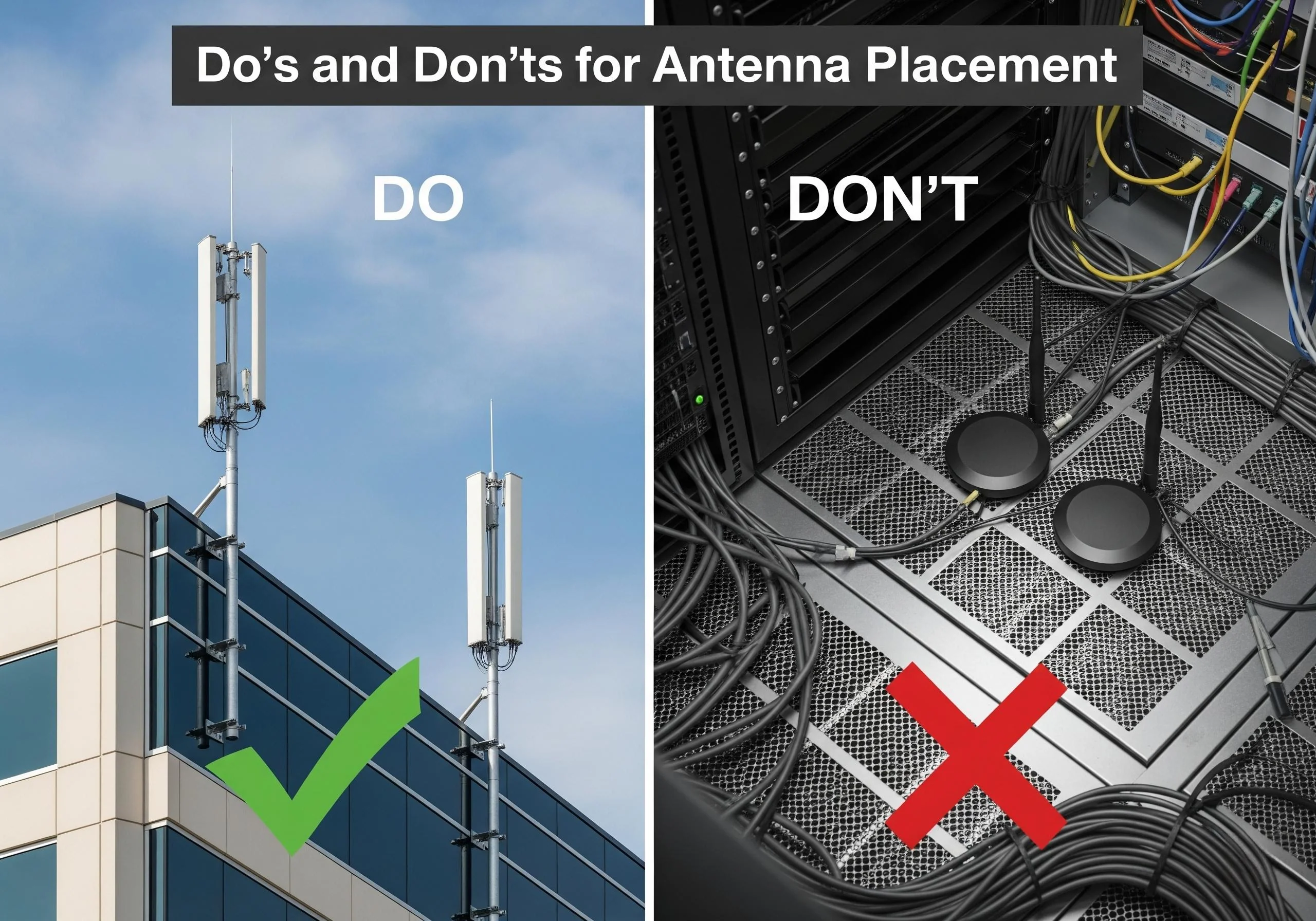
Get Outside: The best place for an antenna is always outside the building or metal cabinet, with a clear line of sight to the sky. Metal, concrete, and even tinted glass are very effective at blocking cellular signals.
Go High: The higher you can mount your antennas, the better your signal will be. This helps clear local obstacles like trees and other buildings.
Mind the MIMO: Modern 4G and 5G routers use a technology called MIMO (Multiple Input, Multiple Output), which is why they have two or four cellular antenna ports. For MIMO to work effectively, the antennas need physical separation (ideally at least one foot apart) to establish multiple independent data streams. Never use just one antenna on a MIMO router.
Conclusion: The Final Link in Your Connectivity Chain
Choosing the right antennas for your cellular router is never an afterthought—it is a foundational part of designing a reliable communication system. You can have the most advanced industrial router on the market, but without the right signal, it’s like having a high-performance engine with no fuel.
By taking the time to understand the trade-offs between antenna types, the reality of “gain,” and the simple physics of proper placement, you aren’t just installing hardware; you are securing your uptime. Whether you’re managing a remote utility site or a complex urban network, the right antenna setup ensures your router has the clean, strong signal it needs to deliver the mission-critical connectivity your application demands.
Don’t let a small component be the single point of failure for your entire deployment. Get the antennas right, and the rest of your IoT project will follow.
FAQs
Q1: Can I use just one antenna on my router that has two or four antenna ports?
A1: You should never do this. Routers with multiple cellular ports use MIMO technology, which relies on multiple antennas to achieve its high speeds and reliability. Using only one antenna will severely degrade your performance and connection stability.
Q2: What is a “combo” antenna?
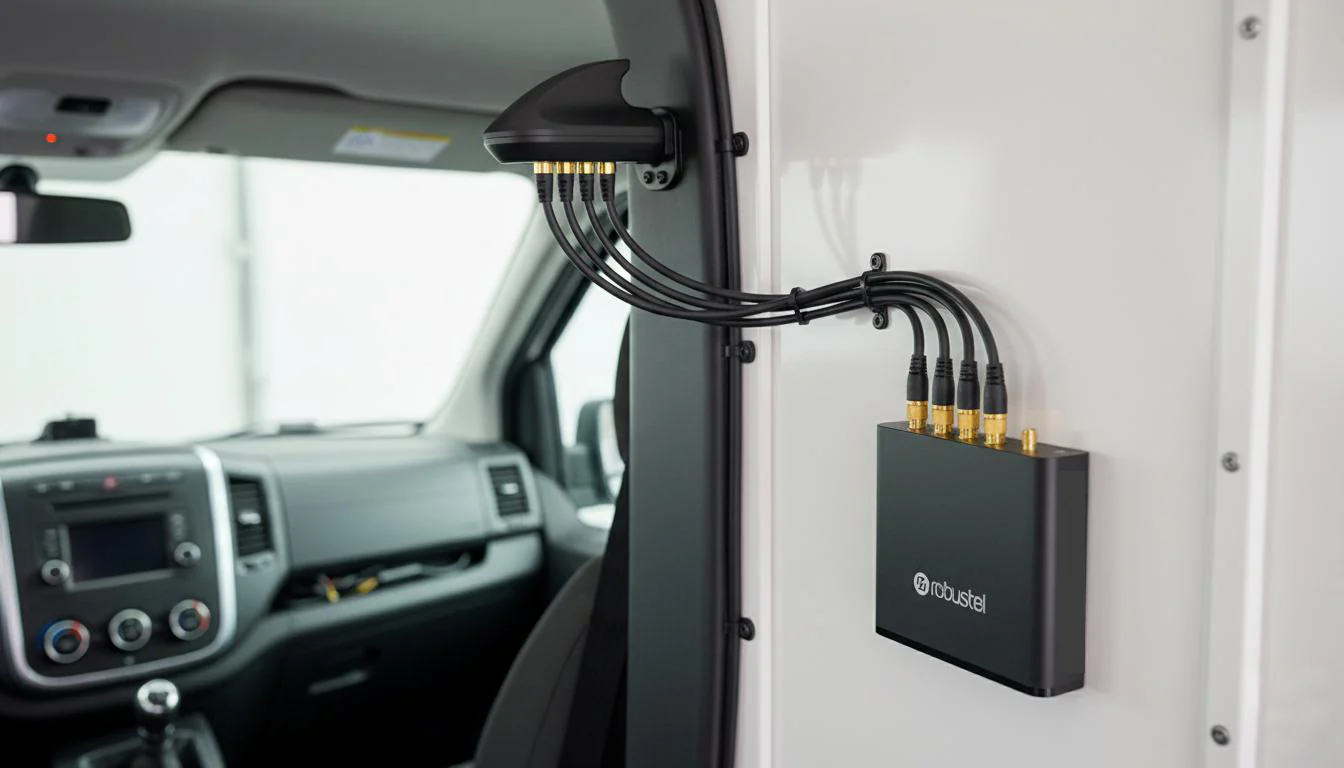
A2: A combination or “combo” antenna is a single, rugged housing that contains multiple antennas inside. For example, a “5-in-1” vehicle antenna might have four cellular antennas (for 4×4 MIMO) and one GPS/GNSS antenna all in one low-profile, roof-mounted unit. They are extremely convenient for mobile and outdoor installations.
Q3: How do I find the location of my carrier’s nearest cell tower?
A3: There are several great third-party websites and mobile apps (like CellMapper or OpenSignal) that can provide maps of cell tower locations based on crowd-sourced data. This is an essential tool if you plan on using a directional antenna.
About the Author
Robert Liao | Technical Support Engineer
Robert Liao is an IoT Technical Support Engineer at Robustel, specializing in industrial networking and edge connectivity. A certified Networking Engineer, Robert focuses on the deployment and troubleshooting of large-scale IIoT infrastructures. His work centers on architecting reliable, scalable system performance for complex industrial applications, bridging the gap between field hardware and cloud-side data management.