
Node-RED for PLC Data Collection: How Edge Gateways Connect Factory Data

Node-RED PLC data collection helps industrial teams turn selected PLC values into usable edge data without rewriting control logic. A practical flow should define 4 items first: PLC source, register map, polling interval, and destination format.
Robustel EG5100 edge computing gateway is a practical reference for PLC data collection because it provides 2× software-configurable RS-232/RS-485 ports, 2× DI/DO, RobustOS Pro, Docker support, Modbus RTU to TCP, dual-SIM 4G/LTE, and RCMS remote management in a compact edge gateway.
Node-RED should sit above PLC logic, not replace it. It fits 5 non-control tasks: reading selected PLC data, mapping tags, filtering repeated values, adding machine context, and sending prepared data to MQTT, dashboards, databases, or APIs.
The key boundary is clear: Node-RED can help collect and structure factory-floor data, but PLCs should remain responsible for deterministic machine control, interlocks, timing-critical sequences, and safety-related automation.
Why PLC Data Collection Should Start With Tag Selection
PLC data collection should begin with a narrow data question. A project does not need every register, coil, status bit, or internal variable to leave the machine cell. It usually needs selected values that support monitoring, reporting, maintenance, energy tracking, or production visibility.
A practical first list may include 10–30 data points per machine rather than hundreds of raw PLC addresses. This keeps the first Node-RED flow easier to review, test, troubleshoot, and maintain before the project expands to more equipment.
The conclusion is simple: good PLC data collection starts with tag selection, not software selection. Node-RED becomes useful after the team knows which PLC values matter, how often they should be read, and where the structured data should go.
Node-RED’s own positioning is useful here: it is a low-code tool for collecting, transforming, and visualizing real-time data. That makes it relevant to PLC data workflows, but it does not remove the need for careful industrial data modeling.
Start With PLC Values That Actually Need to Leave the Cell
The first task is to decide which PLC data points are worth collecting. A machine may expose many internal values, but only a smaller group may support operational decisions.
For example, a first-stage monitoring project may focus on machine running state, fault code, production count, cycle status, temperature, pressure, or energy use. This keeps the data flow focused and avoids turning the edge gateway into a raw register collector.
This matters because unnecessary data can create avoidable complexity. More tags mean more polling, more naming work, more data storage, more dashboard fields, and more troubleshooting when something fails.
Define the Register Map Before Building the Flow
A Node-RED PLC data flow is only as good as the register map behind it. The team needs to know which addresses represent machine state, fault code, temperature, pressure, energy, speed, counter values, or production status.
A working register plan should include at least 6 fields: tag name, register address, data type, unit, polling interval, and destination field name. Without these details, the flow may move data but fail to create usable industrial information.
| PLC data field | なぜそれが重要なのか |
| Tag name | Gives the value a readable engineering meaning |
| Register address | Tells the flow where to read the value |
| Data type | Prevents wrong interpretation of integers, floats, or bits |
| Unit | Makes values usable in dashboards and reports |
| Polling interval | Controls update frequency and PLC/network load |
| Destination field | Maps raw values into MQTT, database, or API structure |
This is where Node-RED helps as an application layer. It can connect the data steps visually, but the engineering quality still depends on the PLC address map, data type handling, naming convention, and test process.
Keep the PLC Polling Load Under Control
PLC data collection should not overload the control network. A flow that reads too many registers too frequently can create unnecessary traffic, especially on serial links or older controllers.
A practical design should group PLC values by update need. Machine status may need faster polling than slow-moving energy or temperature data. Alarm states, counters, and production totals may each need different collection intervals.
This can be handled with 3 simple categories. Fast values are read often because they affect operational visibility. Slow values are read less frequently because they change gradually. Event values are forwarded only when a state changes or a threshold is crossed.
Node-RED can help structure this logic, but it should not hide the engineering decision. Polling intervals, retry behavior, timeout settings, and error handling should be reviewed before the flow is treated as production-ready.
Where Node-RED Fits Beside PLC Control Logic
Node-RED belongs in the application layer around the PLC, not in the core PLC control logic. The PLC should continue handling control sequences, machine states, interlocks, safety logic, and deterministic timing.
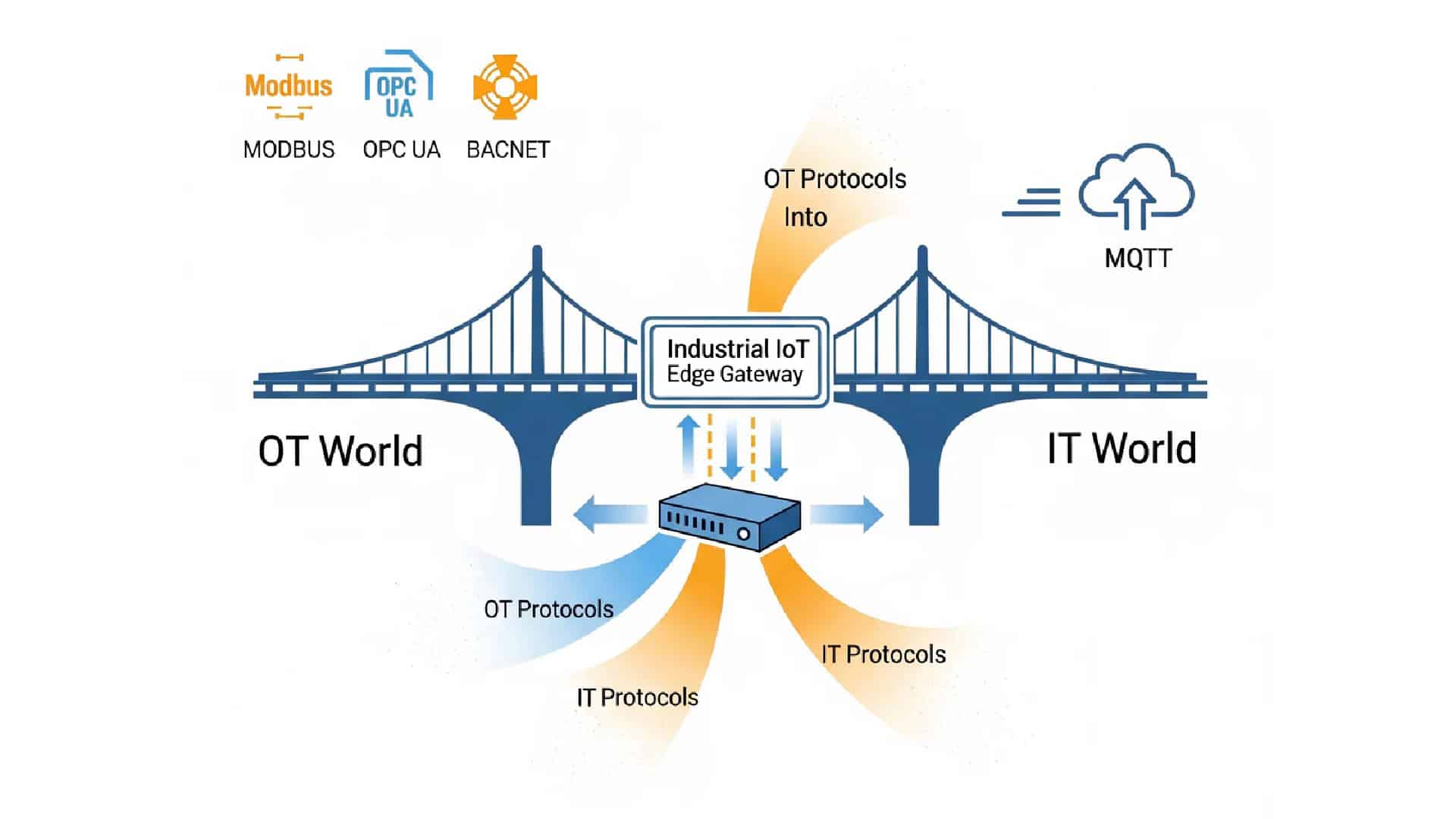
The edge gateway can read selected PLC data through Modbus RTU, Modbus TCP, serial communication, or other supported integration paths. Node-RED can then format, filter, route, and publish the values for monitoring or analysis.
This separation protects both sides of the architecture. The PLC remains stable for control, while the edge gateway becomes a flexible data collection and transformation point. This is especially useful in brownfield factories, where changing PLC logic may be risky or undesirable.
A useful rule is this: if a task affects machine control in milliseconds, it belongs in the PLC. If a task prepares data for visibility, reporting, or integration over seconds, it may be a better fit for Node-RED on an edge gateway.
Turn Raw PLC Reads Into Named Factory Data
A raw PLC value is rarely ready for an upper system. A register may return “1,” but the monitoring system needs “Machine_04_Run_Status = Running.” A temperature register may need scaling, unit labeling, and equipment context before it becomes useful.
A Node-RED flow can help perform 5 common data preparation tasks: scaling raw values, converting data types, mapping codes to readable states, adding equipment identifiers, and packaging values into structured messages.
This step is especially important when different machines use different naming patterns. Node-RED can help normalize values before they reach an MQTT broker, database, or dashboard, reducing the amount of interpretation needed in the upper system.
For broader context, Robustel’s earlier article How Can Using Node-RED Benefit Industrial Applications can be used here as a natural internal link because it explains Node-RED’s role in protocol integration, visual programming, customization, and maintenance-friendly workflow design.
Add Context Before Sending PLC Data Upstream
PLC values become more useful when they include context. A raw temperature value is less helpful than a message that includes equipment ID, line number, timestamp, unit, and status quality.
A practical PLC data message may include 6 fields: site ID, machine ID, tag name, value, timestamp, and quality status. These fields make it easier for dashboards, databases, and cloud applications to understand the data without hardcoding PLC-specific knowledge.
| Message field | Example purpose |
| site_id | Identifies the factory, line, or customer site |
| machine_id | Links values to one machine or PLC |
| tag_name | Gives the value a readable name |
| value | Carries the actual PLC measurement or state |
| timestamp | Shows when the value was collected |
| quality | Flags good, stale, failed, or uncertain readings |
This is where Node-RED can add real value. It can prepare factory-floor data before it leaves the edge, reducing the amount of cleanup required in dashboards, MQTT consumers, or cloud services.
How Node-RED Handles Modbus and Factory-Floor Data
Modbus is common in industrial environments, but a Modbus-to-Node-RED setup still needs engineering discipline. The team should decide whether the gateway is reading Modbus RTU through RS-485, Modbus TCP through Ethernet, or a mixed path involving both serial and IP devices.
A basic Modbus data collection setup should confirm 5 points before testing: device ID, baud rate or IP address, register range, polling interval, and error handling. These settings affect whether the PLC data flow is stable or noisy.
The point is not to make this article an installation guide. Readers who need a more practical walkthrough can refer to Robustel’s Node-RED Tutorial: Installing on Industrial IoT Edge Gateways, which covers installation flow, core nodes, additional node installation, Modbus nodes, and dashboard nodes.
For production projects, the better question is not “Can Node-RED read Modbus?” The better question is whether the flow reads only the required values, handles errors safely, avoids unnecessary polling load, and produces a clear data model.
Data Quality Checks Before Trusting the PLC Flow
A PLC data flow should be tested against real operating conditions, not only a quiet commissioning environment. Machine startup, shutdown, communication loss, PLC restart, network outage, and gateway reboot can all affect collection behavior.
A minimum validation plan should include 5 checks: normal operation, PLC communication loss, gateway reboot, bad register response, and upper-system outage. These tests show whether the flow fails clearly or silently creates misleading data.
Data quality should also be visible in the message itself. A “stale” or “bad” quality flag is often more useful than silently repeating the last known value. This is especially important when data feeds maintenance dashboards or operational reporting.
The measured conclusion is this: Node-RED can help make PLC data usable, but production trust comes from testing, quality flags, documented flows, and clear ownership.
What Node-RED Should Not Handle in Industrial Automation
Node-RED should not replace PLC logic for deterministic control, interlocks, machine sequencing, or safety-related functions. Those tasks belong in the PLC or another validated control layer.
This distinction matters because Node-RED is flexible, but flexibility is not the same as deterministic control. A visual flow can be useful for data handling, but it should not become an unmanaged shortcut around automation engineering.
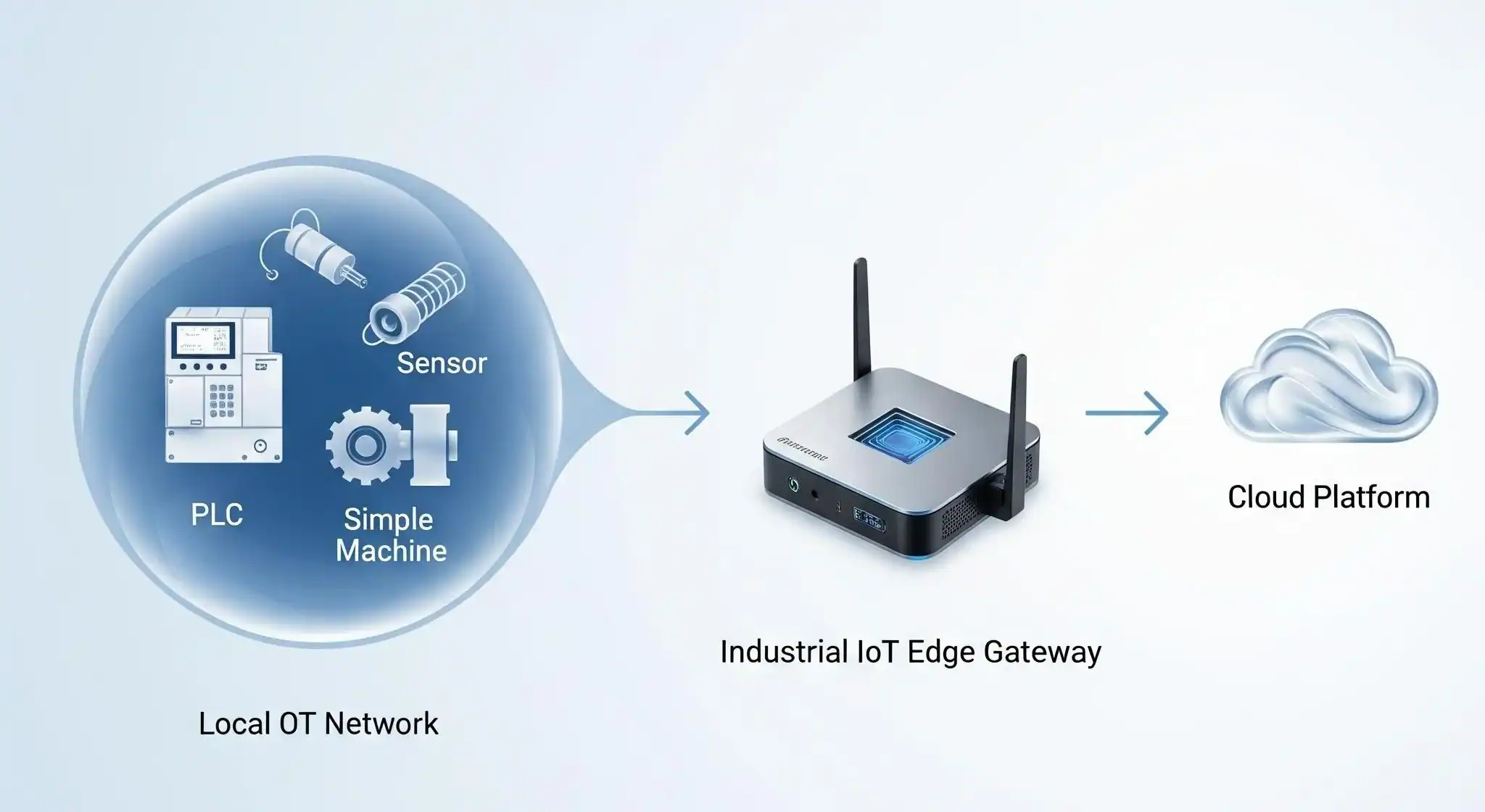
The safest architecture keeps control and data collection separate. The PLC controls the machine. The edge gateway collects and prepares selected data. Node-RED helps structure the flow between field-side values and upper systems.
Robustel EG5100 as the Edge Gateway for PLC Data Collection
Robustel EG5100 edge gateway is well matched to this article because PLC data collection often begins at the cabinet or machine-cell level. The product page describes EG5100 as an industrial edge computing gateway with dual-SIM 4G/LTE, serial, DI/DO, Bluetooth, and a Debian-based OS.
The product fit is practical rather than exaggerated. EG5100 can provide the gateway and runtime layer for selected Node-RED PLC data workflows, but final suitability depends on PLC protocol, polling load, container setup, network security, and project validation.
Product Fit Table: EG5100 for PLC Data Collection
| PLC data collection need | Robustel EG5100 reference |
| Connect serial PLCs or meters | 2× RS-232/RS-485, software configurable |
| Read site signals | 2× DI + 2× DO, wet contact |
| Run edge applications | RobustOS Pro, Debian 11, Docker containers |
| Support protocol bridging | Modbus RTU to TCP and transparent serial modes |
| Backhaul factory data | Dual-SIM 4G/LTE with 3G/2G fallback and Ethernet WAN |
| Maintain remote gateways | RCMS、Web、CLI、SMS |
| Cabinet deployment | Compact metal housing, DIN rail option, 9–60 VDC input |
| Local compute | ARM Cortex-A7 792 MHz, 1 GB DDR3, 8 GB eMMC |
This table gives buyers a concrete way to connect the software topic to the gateway layer. Node-RED defines the flow logic, but the edge gateway still needs the right interfaces, runtime environment, and management path.
Buyer Notes for PLC Data Collection Projects
Project teams should check the PLC side before choosing the gateway. The first question is whether the PLC exposes usable data through Modbus RTU, Modbus TCP, serial, Ethernet, or another supported path.
The second question is the site interface. If the project depends on RS-485 or RS-232, the gateway should provide suitable serial ports and configuration options. If the project depends on wired LAN, the Ethernet topology should be checked before the cabinet design is finalized.
The third question is the software runtime. If Node-RED is expected to run locally, the gateway should support the runtime model, such as Docker or Debian-compatible software packages. Robustel’s edge computing gateway portfolio states that RobustOS Pro provides a Debian environment for containerized apps, protocol bridging, and data publishing to brokers and cloud services.
The fourth question is operations ownership. Someone must maintain flows, update credentials, review logs, back up changes, and decide when a test flow becomes production software.
From Test Flow to Production Runtime
A Node-RED PLC data project should not move to production only because the first test flow works. The gateway runtime, Docker container, network access, security policy, and backup process all need to be checked.
Robustel’s how-to article How to Install Node-RED on EG Series Devices via Docker is the most relevant technical extension here. It lists practical prerequisites, including an EG Series gateway such as EG5120 or EG5100, RobustOS Pro 2.4.0 or higher, an SSH client, Docker Engine, internet access for pulling the image, and a sudo user account.
This article shows a Docker deployment command using port 1880 and notes that the host port must be changed if 1880 is already occupied. It also includes verification steps such as checking container status and accessing the Node-RED flow editor from a browser.
For this blog, Robustel’s how-to artcile should be treated as an implementation reference, not something to duplicate. The article explains the PLC data collection role; this article is where readers should go when they are ready to validate the Docker-based Node-RED runtime on EG Series gateways.
Run-Time Readiness Before a PLC Flow Goes Live
Production readiness should cover more than whether the Node-RED editor opens. Teams need to control editor access, document flows, back up credentials, set container restart behavior, and monitor whether the gateway remains healthy after reboot or network loss.
A practical runtime check should include at least 7 items: firmware version, Docker runtime, SSH access, user permission, port exposure, flow backup, and security policy. These items reduce the chance that a working test flow becomes an unmanaged production risk.
The conclusion is straightforward: Node-RED can speed up PLC data collection, but production deployment still needs operational discipline.
When One Gateway Becomes a Fleet of PLC Collectors
A single Node-RED flow can be manageable when it runs on one gateway beside one PLC cabinet. The challenge changes when the same logic needs to run across 20, 100, or more factory cells, branches, remote assets, or customer sites.
At that point, the question is no longer only PLC data collection. It becomes flow versioning, remote deployment, access control, snapshot management, monitoring, and recovery planning.
Robustel’s prvious blog: Enterprise Node-RED: Centrally Manage your Robustel EG5120 Fleet via FlowFuse is a useful extension for this stage because it discusses pairing EG5120 with FlowFuse to centrally manage Node-RED instances, deploy flows remotely, use snapshot management, and monitor running nodes.
This does not mean every PLC collection project needs FlowFuse or EG5120. It means teams should separate a local PLC data collection pilot from a managed fleet architecture. The tools and product fit may change as the deployment grows.
PLC Data Collection Takeaway
Node-RED fits PLC data collection when the goal is to turn selected PLC values into structured edge data for monitoring, reporting, dashboards, or integration. It should stay beside the PLC control layer, not replace the PLC’s deterministic control responsibilities.
Robustel EG5100 edge computing gatewayis a suitable product reference because it combines serial interfaces, DI/DO, Modbus RTU to TCP, Docker-capable RobustOS Pro, dual-SIM 4G/LTE, Ethernet WAN, and RCMS management in a compact industrial edge gateway.
The best PLC data collection projects begin with a clear tag list, controlled polling intervals, message context, runtime checks, and data quality rules. Node-RED can make the workflow easier to build and maintain, but the quality of the result still depends on the engineering structure around the flow.
FAQs
Q1. How does Node-RED help with PLC data collection?
Node-RED helps with PLC data collection by providing a low-code application layer for reading, mapping, filtering, and forwarding selected PLC values. It can connect data sources such as Modbus devices or serial-connected equipment to MQTT, HTTP, dashboards, databases, or APIs. The main value is not replacing the PLC, but preparing PLC data for monitoring and integration. A good Node-RED PLC workflow should define the register map, polling interval, tag names, data types, and destination format before production use.
Q2. Can Node-RED replace PLC logic?
No. Node-RED should not replace PLC logic for deterministic control, interlocks, machine sequencing, or safety-related functions. PLCs are still the correct layer for real-time automation and control behavior. Node-RED is better used beside the PLC as a data collection, transformation, and routing layer. It can help convert selected PLC values into structured messages for dashboards, MQTT brokers, databases, or cloud systems, but it should not sit inside the critical control loop of industrial machinery.
Q3. Which Robustel gateway fits Node-RED PLC data collection?
Robustel EG5100 is a suitable reference for Node-RED PLC data collection because it provides 2× software-configurable RS-232/RS-485 ports, 2× DI/DO, RobustOS Pro, Docker support, Modbus RTU to TCP, dual-SIM 4G/LTE, Ethernet WAN, and RCMS remote management. These features make it relevant for cabinet-level or machine-cell data collection where PLC values need to be read, normalized, and forwarded. Final suitability still depends on PLC protocol, polling load, security policy, and deployment validation.
Q4. What should teams check before collecting PLC data with Node-RED?
Teams should check at least 6 items before collecting PLC data with Node-RED: PLC protocol, register map, data type, polling interval, gateway interface, and destination format. They should also decide how the flow handles communication loss, bad register responses, gateway reboot, duplicated values, and stale data. A production-ready flow should include clear tag names, quality flags, security controls, access management, and backups. The visual flow is only one part of the PLC data collection architecture.
Q5. Where should readers go for Node-RED installation details?
Readers who need implementation details should use Robustel’s KB article on installing Node-RED on EG Series devices via Docker. It explains the EG Series gateway requirements, RobustOS Pro version, SSH access, Docker Engine, internet access, sudo user account, container command, port mapping, and verification steps. For this article, the focus is PLC data collection architecture. Robustel’s how-to article is the better reference when a team is ready to validate Node-RED deployment on EG5100 or EG5120 gateways.
Related Reading on Edge Computing in Industrial IoT:


著者について
Robert Liao | Technical Support Engineer
Robert is an IoT Technical Support Engineer at Robustel, specializing in industrial networking and edge connectivity. A certified Networking Engineer, Robert focuses on the deployment and troubleshooting of large-scale IIoT infrastructures. His work centers on architecting reliable, scalable system performance for complex industrial applications, bridging the gap between field hardware and cloud-side data management.