
How to Match LoRaWAN Sensors and Gateways Without Compatibility Surprises
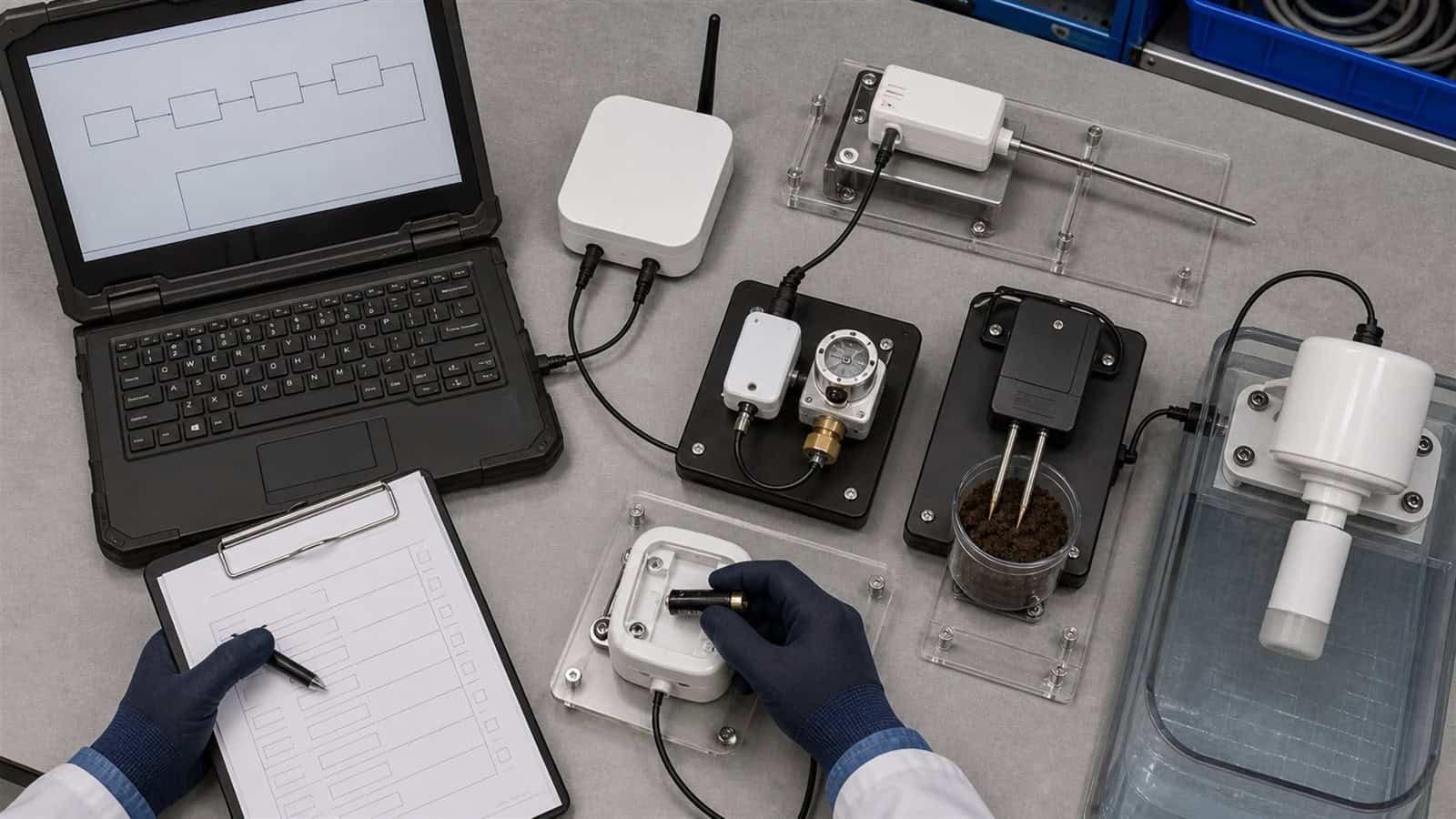
Two products carrying the LoRaWAN name are not automatically ready to work together. The Robustel R1520LG LoRaWAN Gateway can receive and forward LoRaWAN traffic within its supported regional and protocol configuration, but a successful deployment still depends on matching the sensor’s regional band, LoRaWAN configuration, activation credentials, Network Server and payload-processing workflow.
Consider a system integrator commissioning wireless water meters at an industrial site. The gateway is online, its connection to the Network Server is healthy, and every device datasheet says “LoRaWAN.” Yet several meters never join the network. Others join successfully, but the application displays only hexadecimal payloads instead of water consumption and battery status.
Nothing necessarily failed at the same layer. One sensor may use the wrong regional configuration. Another may have incorrect OTAA credentials. A third may be communicating correctly all the way to the application layer but still lack the decoder required to turn its payload into meaningful values.
The useful compatibility question is therefore not “Does this sensor work with this gateway?” It is: Do the device, radio plan, gateway, Network Server and application agree at every point where information changes hands?
A LoRaWAN Sensor Can Be Valid and Still Fail at Commissioning
When a sensor fails to appear in the application, replacing the Robustel LoRaWAN gateway should not be the first troubleshooting step. Start by identifying where the data path stops:
Sensor
→ regional LoRaWAN radio transmission
→ gateway reception
→ packet forwarding
→ LoRaWAN Network Server
→ device activation and session handling
→ payload decoding
→ application
This distinction prevents several common compatibility problems from being grouped together as “the gateway cannot see the sensor.”
- If the gateway receives no radio traffic from the device, investigate the RF and regional configuration first.
- If radio packets reach the gateway but the device does not join, the problem may sit between device provisioning and the Network Server.
- If the device joins and uplinks arrive at the application but the values are unreadable, the radio and gateway layers may already be working correctly. The missing component is likely further upstream.
The gateway therefore acts as one part of the compatibility chain, not as the authority that decides whether every sensor, credential and payload format is valid.
Robustel’s “What Is a LoRaWAN Gateway” video provides a short visual overview of this separation. It is useful before commissioning because it makes clear that receiving the LoRaWAN radio message and turning that message into usable application data are different responsibilities.
Trace Compatibility from the Device Radio to the Network Server
The first compatibility gate for a Robustel R1520LG deployment is the regional radio plan.
A sensor intended for EU868 cannot simply be installed in a US915 network because both products use LoRaWAN. The same principle applies to AU915 and the different AS923 regional variants.
The LoRa Alliance maintains RP002-1.0.5 LoRaWAN Regional Parameters to define these regional operating parameters. For procurement, the practical rule is straightforward: the sensor, gateway radio, antenna configuration and LNS regional plan must all correspond to the target deployment region.
Frequency compatibility is only the first gate. A commissioning record should also confirm:
| Compatibility point | What needs to agree |
|---|---|
| Regional plan | Sensor, gateway radio and LNS use the correct regional configuration |
| LoRaWAN MAC version | Device profile and Network Server support the device’s required version |
| Activation method | OTAA or ABP is configured consistently |
| Device identity | DevEUI, JoinEUI/AppEUI or other required identifiers match |
| Security credentials | Keys are entered correctly and owned by the correct system |
| Device class | The end device and LNS use a device class supported by the selected architecture |
| Packet forwarding | Gateway is connected to the intended LNS |
| Payload format | Decoder matches the sensor firmware and payload definition |
| Application mapping | Decoded values reach the expected field or business system |
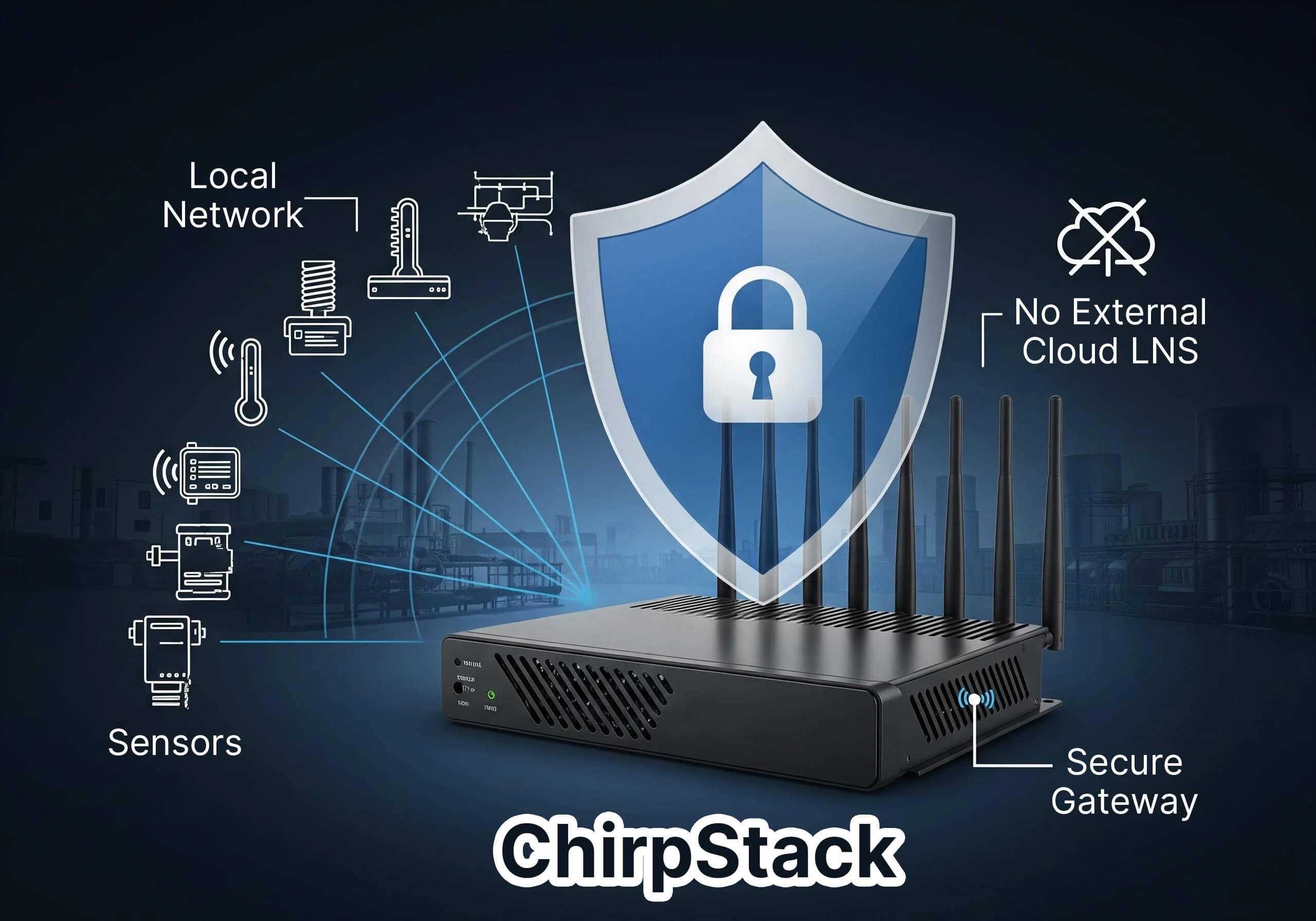
The Robustel R1520LG LoRaWAN Gateway can operate with an external LNS through supported forwarding methods or with a built-in ChirpStack architecture. That flexibility changes where some configuration is performed, but it does not remove the need to provision the end device correctly.
For Robustel R1520LG specifically, use the device classes documented in the current product datasheet: LoRaWAN V1.0.4 Class A/Class C. Device-class support should not be inferred from the LoRaWAN name alone.
OTAA and ABP illustrate the boundary particularly well. With OTAA, the device and Network Server must hold the appropriate join information and successfully establish the session. With ABP, session parameters are provisioned directly. In either case, a packet-forwarding gateway does not repair incorrect device credentials.
The compatibility issue may therefore exist even when the gateway hardware and RF path are functioning exactly as expected.
A Successful Join Still Does Not Mean the Payload Is Usable
Once the sensor joins the network, commissioning often appears complete. It may not be.
Suppose the water meter now sends uplinks every 30 minutes. The Network Server receives them and the application stores each packet, but the user sees values such as: 0A3F1C00… rather than:
- Water consumption: 18.4 m³
- Battery: 82%
The Robustel gateway has already performed its radio and forwarding role. The missing compatibility layer is now the payload definition.
LoRaWAN does not require every sensor manufacturer to encode application data in the same structure. Two temperature sensors can both communicate over LoRaWAN yet use completely different byte layouts, scaling factors and status fields.
The project therefore needs to obtain and validate:
- Payload specification
- Codec or decoder
- Sensor firmware version
- Port usage where relevant
- Unit conversion
- Error/status definitions
- Application-field mapping
This distinction becomes particularly important in industrial integration.
Robustel real-world example: the LoRaWAN gateway does not have to own every processing layer
Robustel’s case study with Voytech Systems shows a clear division of responsibilities. R1520-LG gateways receive traffic from wireless building sensors and forward it over IP to Voytech’s Sitelink Controller. Sitelink hosts the local LoRaWAN network and application-server functions and makes the resulting information available to the existing BMS as BACnet objects.
The useful compatibility lesson is not simply that the sensor and gateway communicate. The completed data path also requires the Network Server, application processing and BACnet integration to agree on what the sensor information means.
For projects where more processing needs to occur at the field edge, the Robustel LG3120e Industrial Edge Computing LoRaWAN Gateway takes a different approach. Its E2C Field environment is intended to reduce onboarding and payload-integration work for supported LoRaWAN sensors through device profiles and codecs. Sensor support, software version and the required E2C Field configuration still need to be confirmed rather than assuming that every LoRaWAN sensor is automatically plug-and-play.
Test One Representative Sensor Before Scaling the Device List
Compatibility should be proven with the actual sensor before hundreds of units are purchased. For a Robustel LoRaWAN deployment, a useful proof test is not simply: “Sensor joined successfully.”
Instead, validate the complete application path:
- Confirm the exact sensor model and firmware.
- Confirm the regional frequency plan.
- Register the device using the intended activation method.
- Confirm that the gateway receives representative uplinks.
- Verify packet forwarding to the intended LNS.
- Confirm that the LNS recognises the correct device profile.
- Decode the real payload.
- Verify units and values against a known physical condition.
- Test any required downlink operation.
- Confirm that the final application receives the expected field names and values.
Then repeat the test after a gateway restart, sensor restart or other event that represents normal field operation.
This turns compatibility from a datasheet assumption into an acceptance result.
A second Robustel deployment shows why end-to-end validation matters: LoRaWAN monitoring for vaccines and laboratories with the R1520-LG
KoolZone uses LoRaWAN sensors in refrigerators, freezers and laboratory environments, with Robustel R1520-LG gateways providing the LoRaWAN connection and cellular backhaul towards its cloud monitoring platform.
The relevant lesson here is the system boundary. The customer ultimately needs temperature information and alarms at the monitoring platform—not proof that a gateway received a radio packet.
A commissioning test should therefore follow the information until it reaches the system that will actually use it. That approach also catches another practical problem: sensor firmware changes.
If a later firmware release changes the payload definition, reporting behaviour or required device profile, a previously working decoder may need to be reviewed. Compatibility is therefore something to control over the product lifecycle, not only during the first installation.
How the Robustel R1520LG LoRaWAN Gateway Fits Multi-Vendor Sensor Deployments
The Robustel R1520LG LoRaWAN Gateway fits multi-vendor deployments where the gateway needs to provide a stable LoRaWAN access point while the project retains flexibility over Network Server and application architecture.
Its value in this context comes from separating the gateway decision from the sensor-brand decision.
A project can use the R1520LG with an external LNS through supported packet-forwarding methods or use its embedded ChirpStack environment for a contained private deployment. Ethernet, Wi-Fi and cellular backhaul provide additional flexibility when the same sensor architecture is deployed at sites with different IP infrastructure.
That flexibility does not mean that Robustel guarantees interoperability with every LoRaWAN sensor.
The gateway cannot compensate for:
- A sensor built for the wrong frequency region
- Incorrect OTAA or ABP credentials
- An unsupported device profile at the LNS
- A payload format the application cannot decode
- A sensor firmware change that alters data interpretation
- Incorrect antenna or field installation
- Application mapping that assigns the wrong units or fields
The Robustel R1520LG should therefore be treated as the LoRaWAN gateway platform within a wider interoperability process.
This is an important procurement distinction. The useful requirement is not: “Gateway must support all LoRaWAN sensors.”
A technically meaningful requirement is: “Gateway must support the required regional LoRaWAN configuration and forwarding architecture, while the selected sensors must be validated against the LNS, provisioning and application workflow used by the project.”
The second statement can be tested.
Use a Compatibility Gate Before Procurement
A multi-vendor LoRaWAN project should not release sensors and gateways for volume purchase until one representative device has passed the complete compatibility chain.
A simple compatibility gate can be used for every sensor family:
| Gate | Pass condition |
|---|---|
| 1. Region | Sensor and gateway are valid for the deployment region |
| 2. Radio | Representative packets are reliably received |
| 3. LoRaWAN profile | Device MAC version and class requirements are understood |
| 4. Activation | OTAA or ABP provisioning works using production credentials |
| 5. LNS | Device is correctly registered and uplinks are processed |
| 6. Payload | Decoder produces the expected values and units |
| 7. Application | Required data reaches the operational platform |
| 8. Downlink | Required commands or acknowledgements work |
| 9. Recovery | Device returns to normal operation after representative restart/network events |
| 10. Documentation | Model, firmware, profile and codec versions are recorded |
For a Robustel gateway fleet, this record should stay with the project configuration rather than only with the engineer who performed the first test.
That becomes particularly useful when:
- Another sensor model is introduced
- A supplier changes firmware
- A replacement device is installed
- The project moves to another regional market
- The LNS is migrated
- The application changes its payload-processing layer
The purpose of the checklist is not to make a LoRaWAN system dependent on one approved sensor forever. It is to make every change deliberate and reproducible.
Foire aux questions
Q1. Will any LoRaWAN sensor work with any LoRaWAN gateway?
Not automatically. Both devices may support LoRaWAN, but the regional frequency plan must match and the wider system must support the sensor’s LoRaWAN version, activation method and provisioning requirements. The Network Server and application also need the correct device profile and payload-processing logic.
Q2. Does the gateway need to support OTAA or ABP?
OTAA and ABP primarily concern how the end device and LoRaWAN Network Server establish or use session credentials. A forwarding gateway relays the radio traffic rather than owning those credentials. Where the gateway hosts a built-in LNS, the local server environment must be configured appropriately for the selected activation method.
Q3. Can the Robustel R1520LG work with sensors from different manufacturers?
The Robustel R1520LG LoRaWAN Gateway supports LoRaWAN V1.0.4 Class A/Class C within its supported regional configurations and can forward traffic to supported LNS architectures. Individual sensor interoperability should still be validated because device profiles, credentials, payload formats, firmware and application requirements differ between manufacturers.
Q4. Why does my LoRaWAN sensor join successfully but show no readable data?
A successful join confirms that important parts of the LoRaWAN network path are working, but the application payload may still need a sensor-specific decoder. Check the payload specification, firmware version, codec, port usage and application-field mapping before assuming the gateway or radio link is faulty.
Q5. Should sensor compatibility be tested again after firmware changes?
Yes when the update may affect LoRaWAN behaviour, device profiles, payload structure or configuration. A controlled regression test is particularly useful for sensors deployed at scale. Record the sensor firmware and decoder versions used during acceptance so later changes can be compared against a known working baseline.
Conclusion
Matching LoRaWAN sensors and gateways requires more than finding two products with LoRaWAN in their datasheets. The Robustel R1520LG LoRaWAN Gateway can provide the radio reception, packet-forwarding and backhaul layer for a multi-vendor network, while the complete deployment still depends on correct regional settings, device provisioning, LNS configuration and payload integration.
Treat compatibility as a chain: Region → radio → activation → LNS → payload → application
Then validate one real sensor through every stage before scaling procurement. The strongest interoperability result is not “the sensor joined the network.” It is that the expected physical measurement reaches the intended application correctly, repeatedly and through a documented configuration that another engineer can reproduce.
Explore more articles about Robustel’s LoRaWAN gateway in industrial IoT:



À propos de l'auteur
Robert Liao | Technical Support Engineer
Robert is an IoT Technical Support Engineer at Robustel, specializing in industrial networking and edge connectivity. A certified Networking Engineer, Robert focuses on the deployment and troubleshooting of large-scale IIoT infrastructures. His work centers on architecting reliable, scalable system performance for complex industrial applications, bridging the gap between field hardware and cloud-side data management.