
Fanless Edge Gateway Selection Guide: Thermal Design, Derating and Enclosure Planning
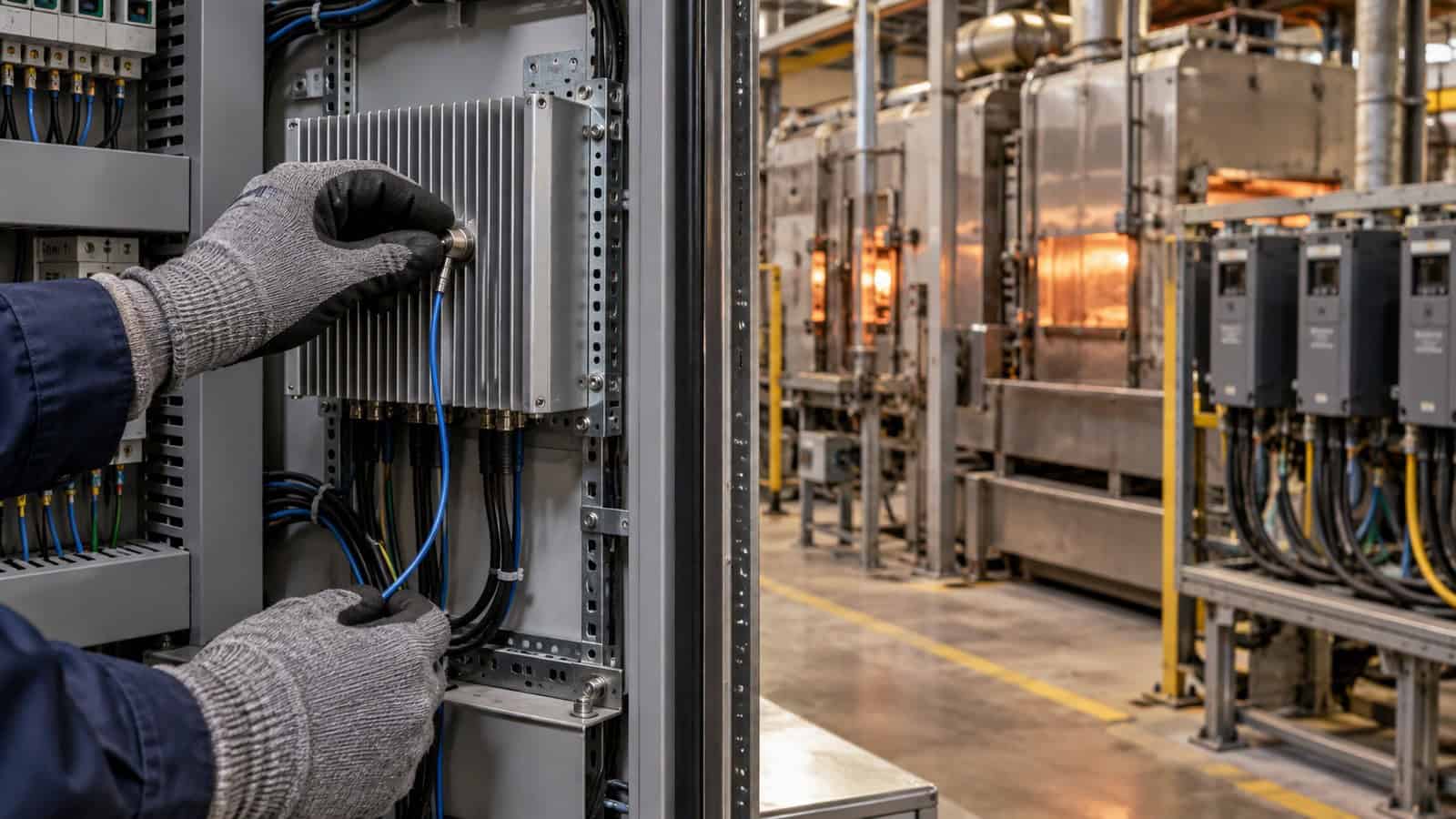
The Robustel EG5120 Edge Computing Gateway is specified for industrial edge workloads over a documented operating-temperature range, but that rating is not permission to ignore heat inside a sealed cabinet. A fanless gateway transfers heat through its enclosure and surrounding air. If the panel has poor airflow, solar gain or adjacent power electronics, the device can remain within its published ambient range while the application still experiences sustained thermal stress.
The right selection process begins with the heat path: silicon to housing, housing to cabinet air, cabinet air to the environment. Compute, cellular transmission and attached storage all contribute. A five-minute demonstration is not a thermal test.
Distinguish Device Rating From Cabinet Ambient
Manufacturers state an operating range under defined product conditions. The air beside a gateway in a live enclosure may be much hotter than the plant room, especially near a power supply, drive or roof exposed to sun. Measure where the gateway will be mounted, not at the cabinet door.
Record minimum, normal and worst credible ambient, including seasonal conditions and loss of active cabinet cooling. Add the heat from other equipment and the gateway’s own power dissipation. The design must also account for mounting orientation and clearance because a metal housing needs a path to release heat.
Estimate Before You Instrument
A simple first-pass enclosure estimate can expose obvious risk. Sum the maximum credible heat load of the gateway and nearby devices, then review the enclosure’s ability to shed that heat by surface area, material and ventilation. The result is not a substitute for measurement; it tells you where measurement matters most.
Avoid using idle power as the thermal load. Cellular uplink, local inference, storage writes and USB peripherals can raise consumption together. Build the workload from the busiest production period, including recovery bursts after the WAN returns.
Derating Is a System Decision
Derating means operating below a component’s maximum condition to create margin for tolerance, ageing and environmental variation. It can involve CPU workload, power-supply loading, storage writes, radio duty or enclosure temperature. There is no universal percentage that applies to every edge application.
| Thermal input | Evidence | Design response |
|---|---|---|
| sustained CPU/NPU load | application benchmark over time | reduce workload, schedule bursts or choose more headroom |
| cellular duty | real upstream profile and weak-signal test | improve antenna placement; account for transmit activity |
| cabinet ambient | logged at gateway position | increase enclosure area, ventilation or separation |
| neighbouring heat | worst-state panel test | move device or create spacing from power electronics |
| storage activity | write rate and retention policy | reduce unnecessary writes and validate media temperature |
The aim is not to make the gateway cool to the touch. It is to keep the complete system stable at the required service level for its intended life.
Sustained Thermal Testing Must Use Production Load
Run the actual container, model or protocol stack with representative inputs. Keep cellular, VPN, management and storage services active. Mount the gateway in the intended orientation inside the production enclosure and hold the busiest credible workload until temperatures and performance reach a steady state.
Watch application latency, dropped samples, container restarts, radio behaviour and storage errors rather than relying on one internal temperature. Then interrupt and restore the WAN: backlog replay can combine high CPU, radio and storage load after the enclosure is already warm.
The Robustel’s Secure Remote Access to Industrial Robots application example is exact-model architecture evidence for EG5120 in a robot cabinet. It explains why the edge gateway may share an enclosure with controllers and vision equipment. It does not provide a thermal benchmark for your container or cabinet.
How the Robustel EG5120 Edge Computing Gateway Fits Fanless Industrial Deployments
The Robustel EG5120 Edge Computing Gateway documents a quad-core Cortex-A53 platform, 2 GB or 4 GB RAM options, 64 GB eMMC, a 2.3 TOPS NPU, two Gigabit Ethernet ports, configurable serial interfaces and digital I/O. It supports 4G or 5G variants, with optional Wi-Fi, Bluetooth and GNSS depending on model, and a published -40 to +70°C operating range.
Those specifications describe available resources and environmental qualification; they do not state that every vision, analytics or multi-container workload will run indefinitely at the edge of the range. Benchmark the exact memory variant, container set, model and input rate.
On the documented compatible EG5120, Robustel E2C Factory can give the gateway a more coherent industrial data workflow: collection, local processing, continuity, visualisation, northbound connectivity and control are presented through the exact 6C framework—Collect, Compute, Continuity, Canvas, Connect and Control. The operational advantage is that hardware and software can be validated as one deployment path, reducing hand-built integration and making data behaviour more visible. E2C Factory compatibility must still be checked against the official list; it is not a blanket statement for every edge model.
Compare Edge Models by Heat-Producing Work, Not Only CPU
EG5100 is appropriate for lighter protocol, buffering and local application workloads. EG3120e adds a faster quad-core platform and extensive serial/I/O for legacy OT data. EG5200 provides five Gigabit Ethernet ports, more RAM and storage, HDMI and relay outputs for broader local integration. More compute or ports may solve an application constraint, but they also change enclosure wiring and power.
Select the smallest model that meets the sustained workload with measured margin. Oversizing can be reasonable when it reduces peak utilisation or leaves space for updates, but it should be a deliberate lifecycle choice.
The Robustel’s Smart Parking application example also identifies EG5120 for local ANPR-related processing. It supports the idea that filtering can reduce upstream traffic; it does not state how many camera streams your model can process.
Thermal Acceptance and Maintenance Plan
Define pass limits for application timing, restarts, data loss and enclosure ambient. Test normal production, maximum expected load, WAN recovery and loss of cabinet cooling where that failure is credible. Photograph the final mounting and record clearance.
After deployment, trend the evidence available to the application and device-management teams. A gradual increase in processing time or storage errors may be more useful than a single alarm. Robustel’s RCMS platform supports fleet operations, but application health and cabinet conditions may need separate telemetry.
The Robustel’s EG5000 Series Quick Pitch video can orient a project team to the platform family. The production soak test remains the proof for the selected configuration.
Foire aux questions
Q1. Why use a fanless PC or gateway?
Removing a mechanical fan can reduce a wear item and avoid pulling dust through the device. Heat still has to leave through the housing and surrounding environment, so enclosure design remains essential.
Q2. How do fanless computers stay cool?
They conduct heat from components into a heat spreader or chassis and then release it through natural convection and radiation. Clearance, mounting orientation and ambient temperature affect that process.
Q3. What is the operating temperature range for industrial electronics?
There is no single range for all products. Use the exact model’s current datasheet and note whether limits change with batteries, accessories or operating modes. The local cabinet temperature also needs measurement.
Q4. What is the operating temperature range for PLCs?
It varies by model and manufacturer. Check the installed PLC documentation and design the cabinet for the most restrictive relevant component rather than borrowing the gateway’s range.
Q5. Is the Robustel EG5120 Edge Computing Gateway suitable for hot fanless enclosures?
It has a documented industrial operating range, but suitability depends on the selected variant, sustained application load, mounting and cabinet ambient. A production-duration thermal benchmark is required before approval.
Conclusion
The Robustel EG5120 Edge Computing Gateway provides industrial compute, storage and connectivity resources that can support demanding fanless edge deployments when the workload is measured and the enclosure has a credible heat path. The temperature specification is the boundary of the product evidence, not the end of thermal engineering.
Choose with margin, test after the cabinet has warmed, and include replay, radio and storage in the busy period. That approach finds the failures a short demo misses and gives operations a system they can monitor long after commissioning.
Explore More Articles About Robustel Edge Computing Gateways


À propos de l'auteur
Robert Liao | Technical Support Engineer
Robert is an IoT Technical Support Engineer at Robustel, specializing in industrial networking and edge connectivity. A certified Networking Engineer, Robert focuses on the deployment and troubleshooting of large-scale IIoT infrastructures. His work centers on architecting reliable, scalable system performance for complex industrial applications, bridging the gap between field hardware and cloud-side data management.